23
4. Maintenance
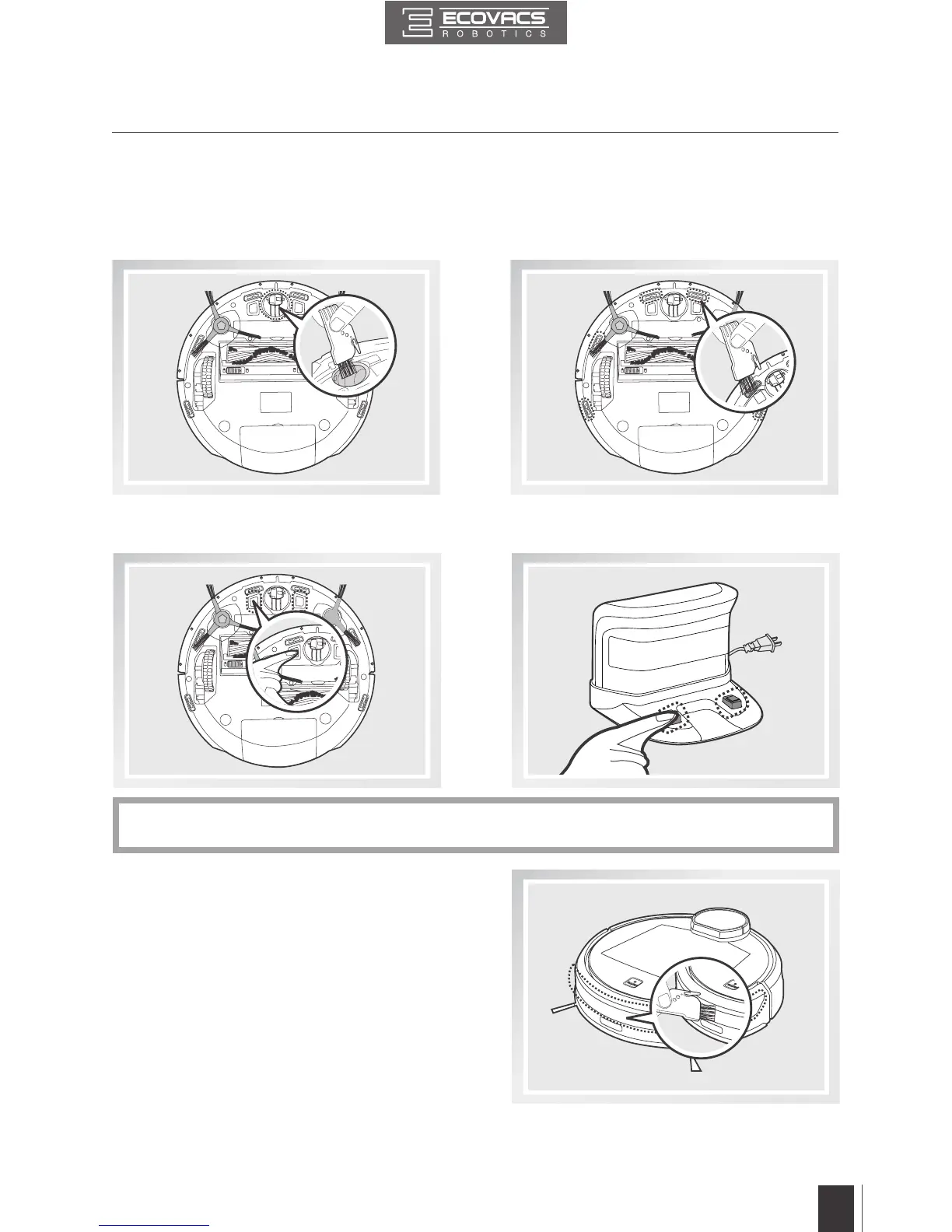
Wipe the Anti-Drop Sensors with the brush
or the felt side of the Multi-Function Cleaning
Tool to maintain their effectiveness.
Use the Multi-Function Cleaning Tool to cut
off and remove any hair tangled around the
Universal Wheel.
4.4 Other Components
Wipe the Bumper clean with the brush of the
Multi-Function Cleaning Tool to maintain the
effectiveness of the Anti-Collision Sensors.
Wipe the Charging Contacts and Charging Dock Pins clean with the brush or the felt side of the
Multi-Function Cleaning Tool to maintain their effectiveness.
Avoid touching the Charging Contacts and Charging Dock Pins with wet hands or wet cloth.
*



 To Next Page