12
COSMIQ
+
Dive Computer
Back to Contents
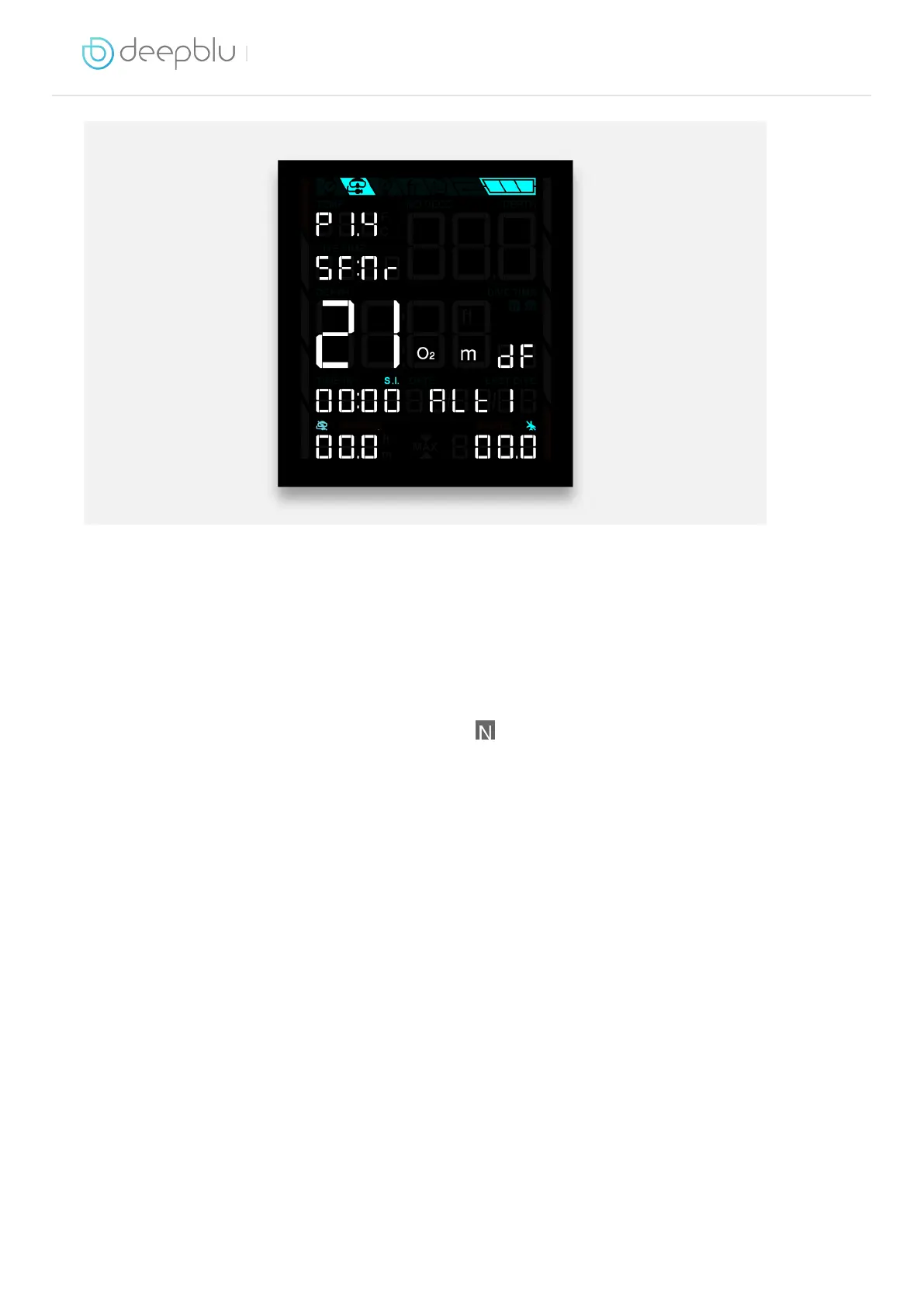
Oxygen level
Press the ADJUST button repeatedly to change the oxygen level in your air mix from
21% (standard air) to 40% (nitrox). COSMIQ
+
will display the corresponding maximum
operating depth at the bottom of the screen.
When done, press MODE to return to Scuba Mode. If you have changed your oxygen
level to anything other than 21%, the Nitrox icon
will now light up.
Note that this setting will remain between dives until changed.
Safety factor
The Safety Factor controls the decompression algorithm your COSMIQ
+
uses
to perform decompression calculations. It allows you to choose a level of
conservativeness based on your personal preference and unique risk factors.
The Safety Factor can only be changed through the Deepblu app, but you can check
the current setting on your COSMIQ
+
in Scuba Mode. Look for the letters SF: followed
by a two-letter code for the safety factor: Co for Conservative, Nr for Normal, and Pr
for Progressive. The Safety Factor can only be changed through the Deepblu app.
Partial pressure of oxygen (PPO
2
)
Your COSMIQ
+
defaults to a PPO
2
level of 1.4 bar for safety reasons, but this setting
can be adjusted between 1.2 bar and 1.6 bar in intervals of 0.1 bar.
The PPO
2
setting can only be changed through the Deepblu mobile app, but you can



 To Next Page