6
COSMIQ
+
Dive Computer
Back to Contents
3. Operating your COSMIQ
+
3.1 Buttons and navigation
To turn on your COSMIQ
+
, hold the left and right buttons simultaneously for 3–5
seconds. Your COSMIQ
+
will start in Watch Mode.
Press the left button (MODE) button to cycle through the various operating modes.
Press the right button (ADJUST)buttontoadjustmode-specicsettings.
In Watch Mode, your COSMIQ
+
will automatically enter Standby after 20 seconds of
inactivity to conserve battery power. While the screen goes blank, the computer is
still active. Press any button to activate your COSMIQ+ and turn on the display. You
can adjust the standby timeout in the Deepblu app.
To fully turn off your COSMIQ
+
, make sure it is in Watch Mode or Standby, and hold
both buttons simultaneously for 3–5 seconds.
NOTE:AlwaysturnoffyourCOSMIQ+beforeying,aschangesinpressuremaycause
it to start logging and exceed the no-decompression limit, locking you out of Scuba
Mode.
3.2 Operating modes
Your COSMIQ
+
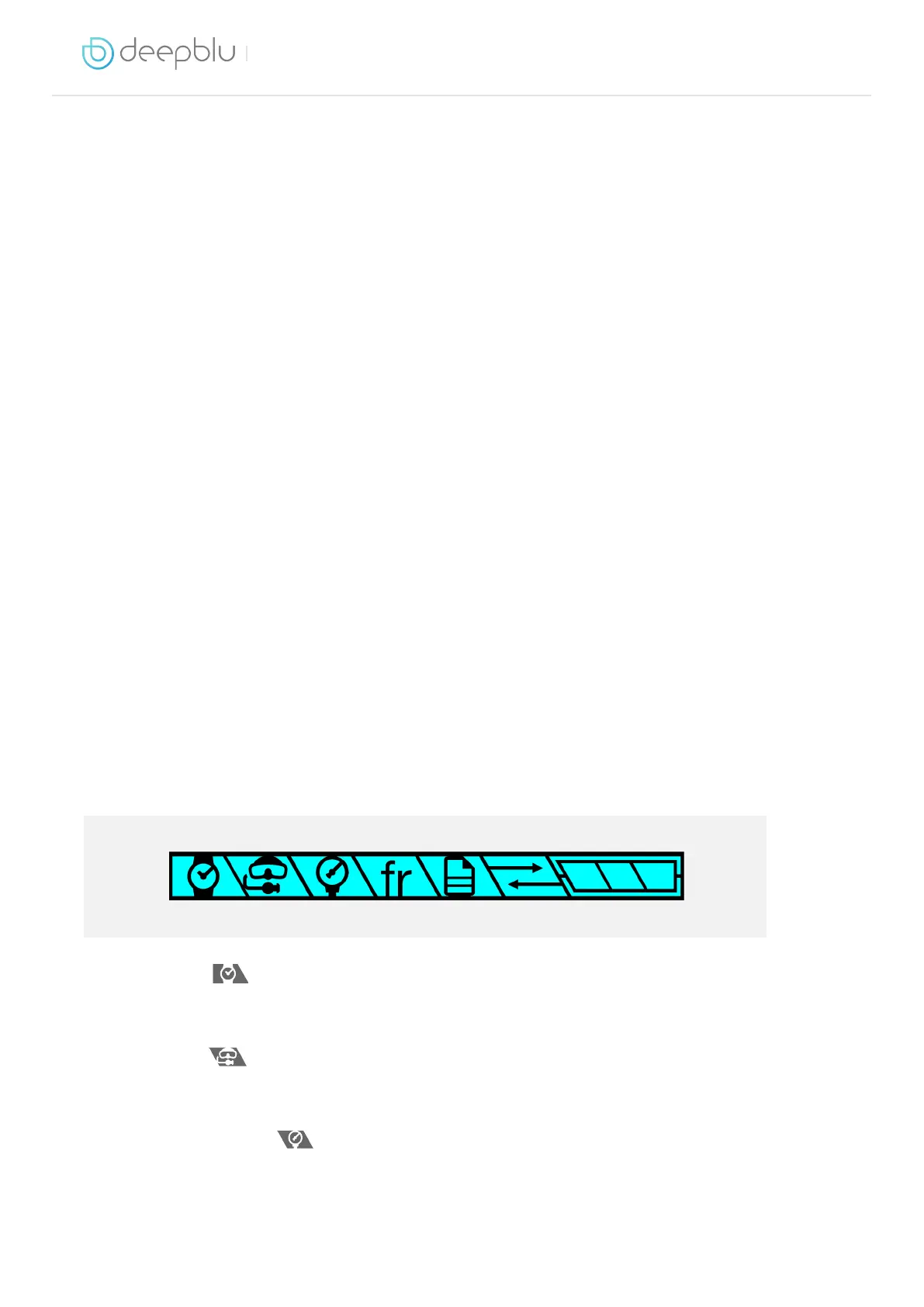
Dive Computer has 6 operating modes. You can tell which mode is
currently active by looking at the icon indicator at the top of the screen.
∙∙ Watch Mode : Shows the current time and date and allows you to make a
dive plan. If the time and date are incorrect, synchronize your COSMIQ+ with the
Deepblu app.
∙∙ Scuba Mode
: Measures and displays all vital dive information while scuba
diving. It will also visually and audibly let you know if you are entering potentially
dangerous situations.
∙∙ Bottom Timer Mode
: Your COSMIQ
+
acts as a depth gauge and timer and
DOES NOT perform any decompression calculations. On the original COSMIQ
model, this mode was called Gauge Mode.



 To Next Page