12
SETTING UP NOTIFICATIONS
ALARM NOTIFICATIONS
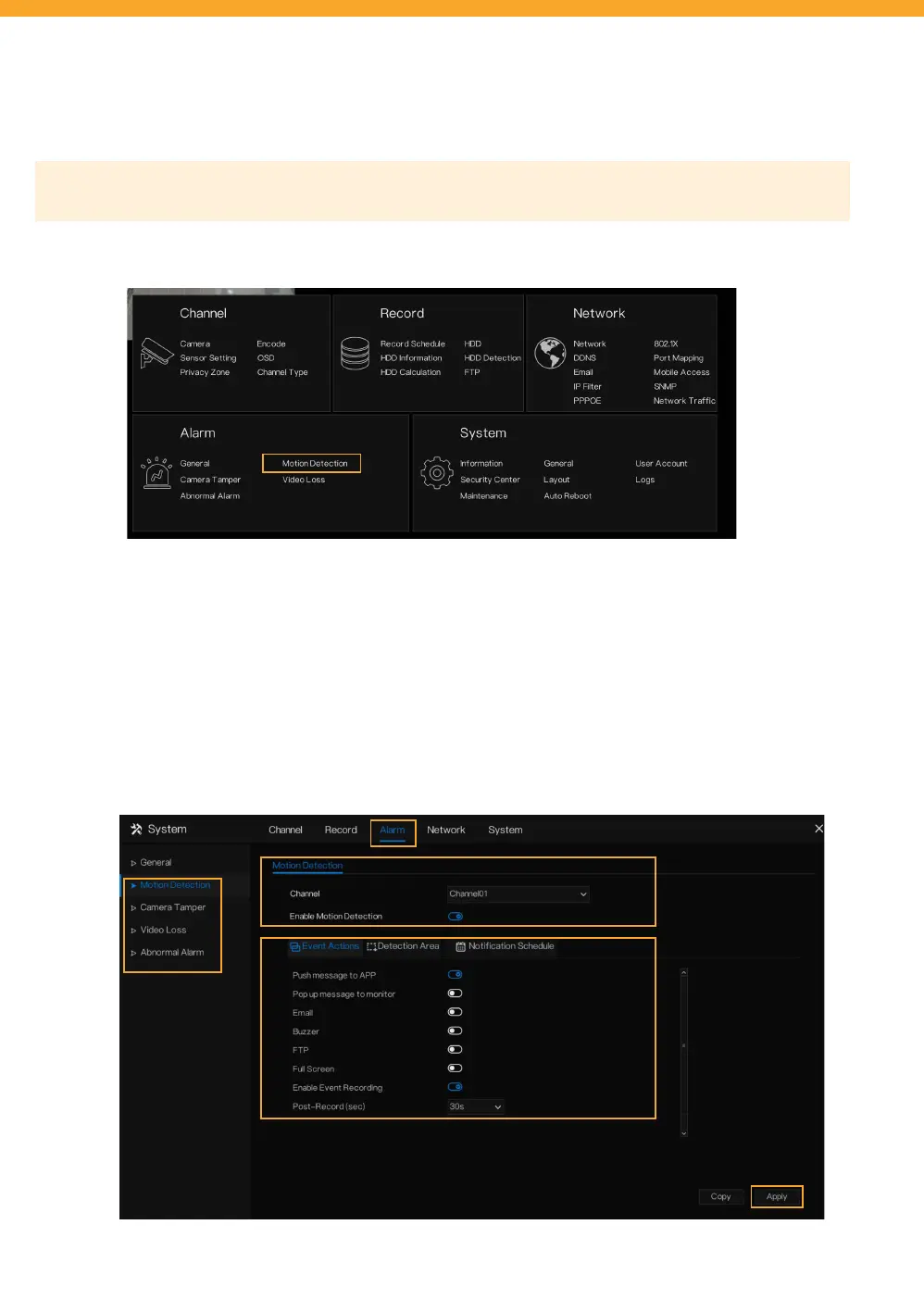
Please Note: Motion Detection App Notications are defaulted On. Complete the steps below to customize your
preferences further.
• To access this setting, right click to view the Main Menu > Select Motion Detection under Alarm.
• Select the channel you wish to customize your notications for. If you do not want to receive notications,
select the channel and deselect “Enable Motion Detection”.
• Select other methods of notications under Event Actions.
• Select “Apply”.
• Repeat for each channel or to duplicate the notication settings for other channels, select “Copy” and apply
to the desired channel(s). Select “Ok”.
• Enable other Alarm settings to your preference (Camera Tamper, Video Loss, Abnormal Alarm). Repeat for
each channel or copy your settings to the desired channel(s).



 To Next Page