14
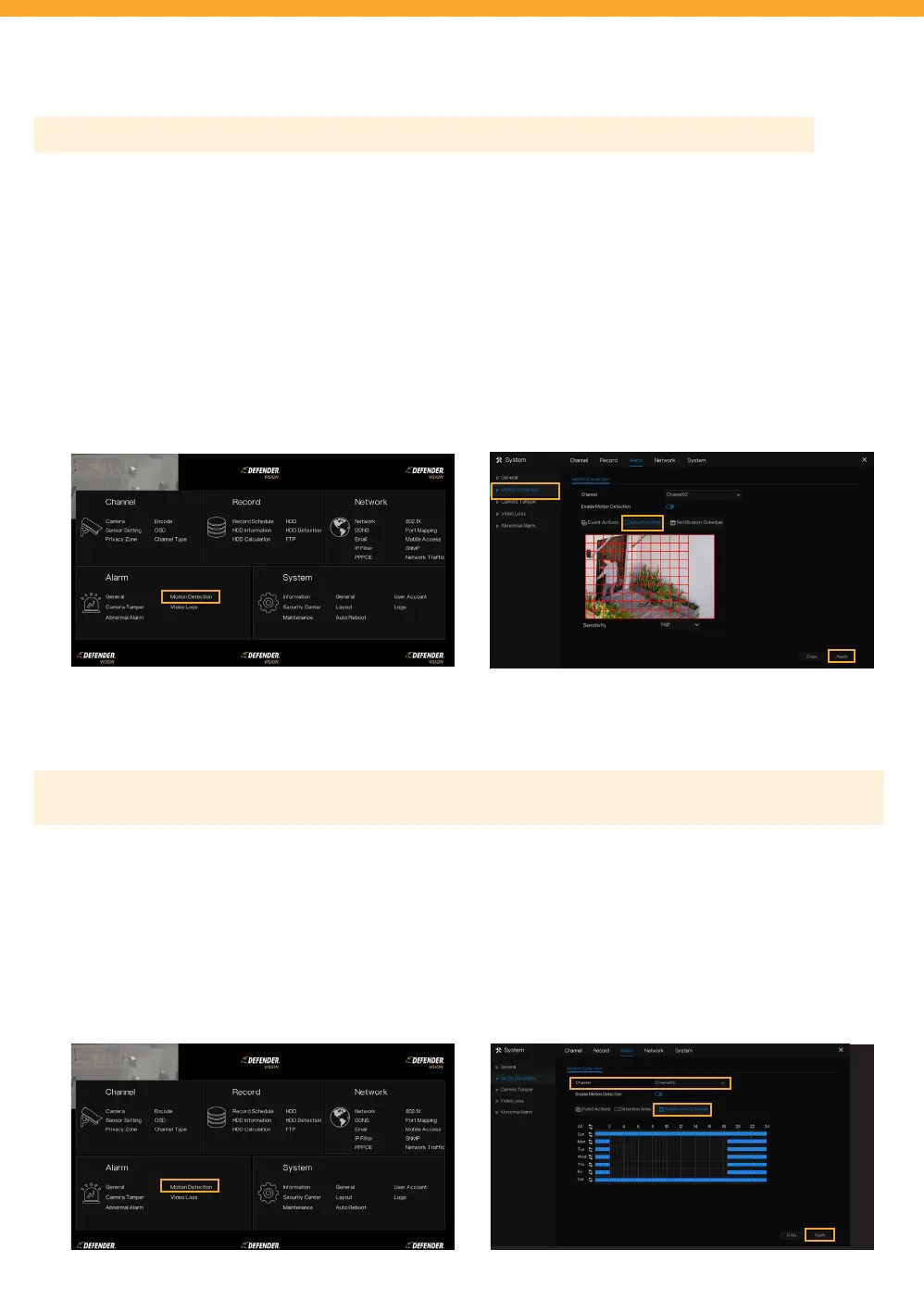
DETECTION AREA
NOTIFICATION SCHEDULE
Please Note: This setting is only available when motion detection is selected in Motion Detection settings.
Detection region allows your system to notify you when motion is detected only in the selected regions. If you wish to
be notied of all motion in the cameras eld of view, skip this step.
• To access this setting, right click to view the Main Menu > Select Motion Detection under Alarm > Select Detection
Area
• Select the channel you want to adjust the detection area for. Keep “Enable Motion Detection” selected.
• Left click and drag your mouse over the area to deselect the area you do not want to receive motion detection
notication from.
• Select “Apply”.
Tip: To add an area back in, left click and drag over an unselected area.
• Repeat for each channel.
Please Note: This setting allows you to be notied when motion is detected during certain times of the day. If you wish
to be notied of all motion in the cameras eld of view/detection area at all times, skip this step.
• To access this setting, right click to view the Main Menu > Select Motion Detection under Alarm > Select Notication
Schedule.
• Select the channel you want to create a notication schedule for. The default is set to be always notied.
• Left Click and drag over the time of day you do not want to receive notications.
• Select “Apply”.
Tip: To add a time back in, left click and drag over an unselected time.
• Repeat for each channel or to duplicate the notication schedule setting for other channels, select “Copy” and apply
to the desired channel(s). Select “OK”.



 To Next Page