9
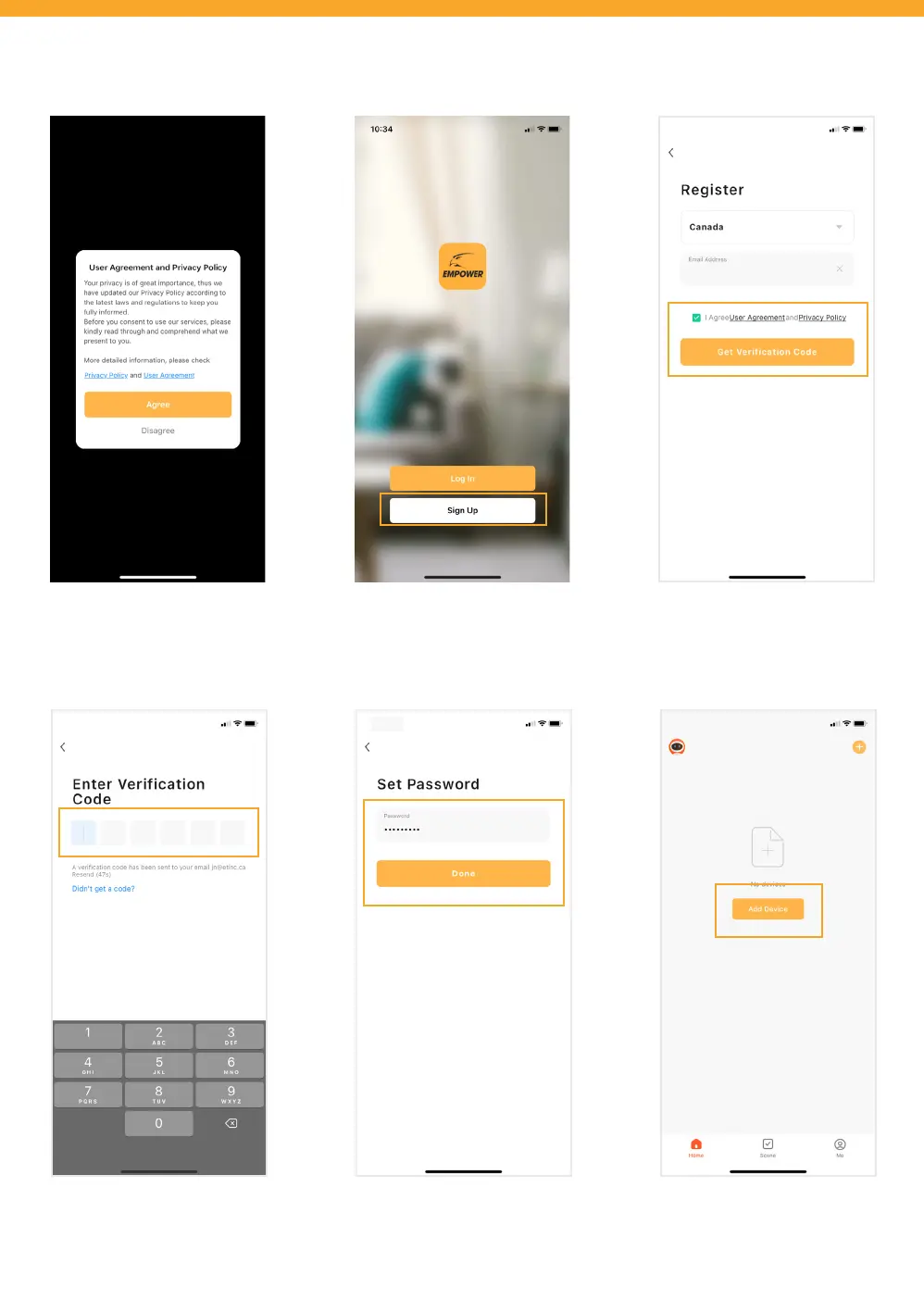
Tap ‘Sign Up’ to register your account.
Review and agree to the User
Agreement and Privacy Policy.
Select your region, enter your
email address, and agree to User
Agreement and Privacy Policy. Tap
‘Get Verication Code’.
ACCOUNT SETUP
Enter the Verication Code sent to
your email address. This may take
up to 5 minutes to receive.
Create a new password and tap
‘Done’.
Tap ‘Add Device’.



 To Next Page