Need Help? Visit DefenderCameras.com/support
10
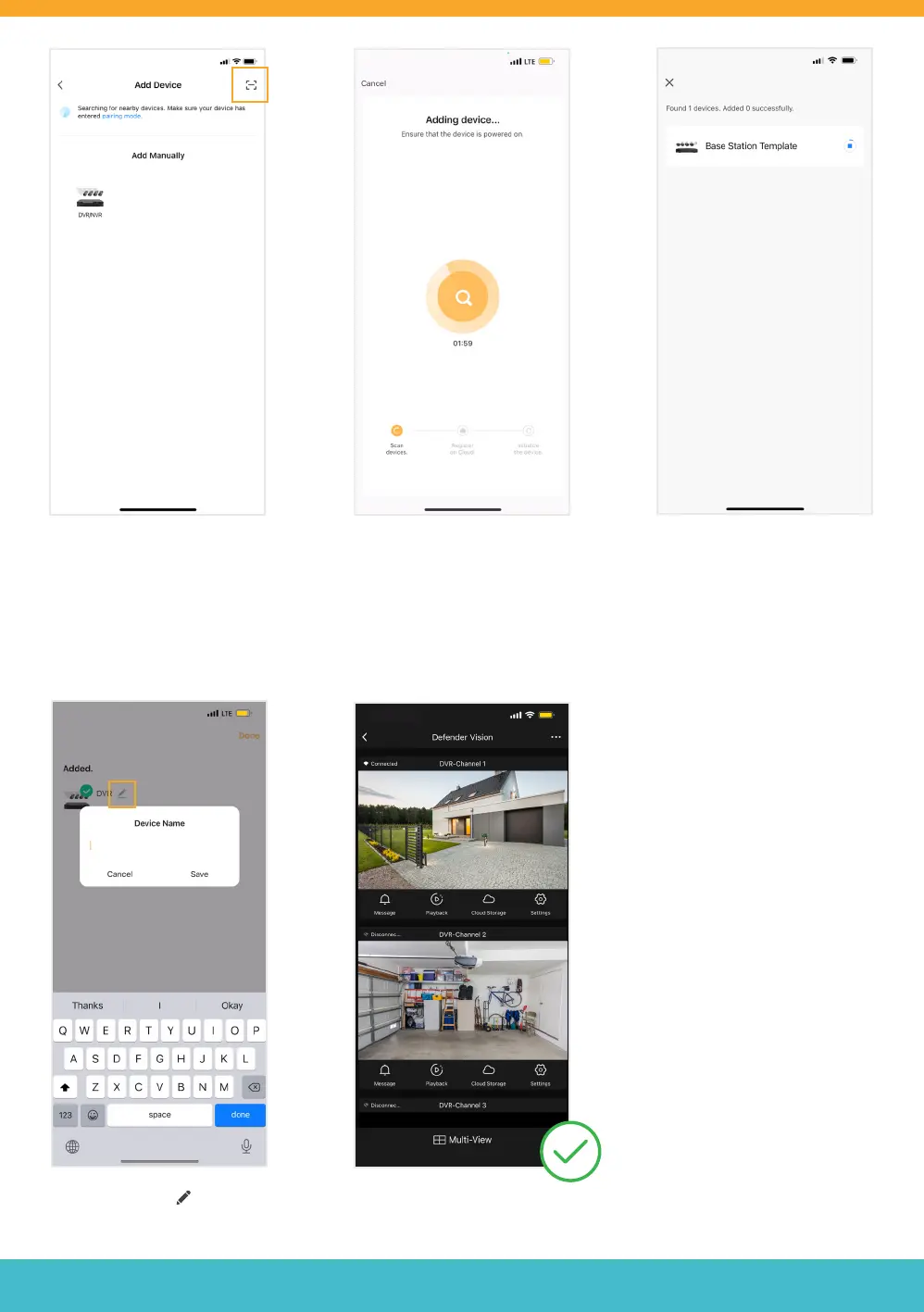
Wait for your App to discover near-
by devices. Please Note: Do not
add your device manually.
Option 1: Tap the Scan icon [ - ]
located on the top right.
Option 2: Tap ‘Add’ to discovering
devices.
Option 1:
Scan the ‘Device ID’ QR code located
on the Setup Wizard - Mobile Access
screen of your DVR.
Select the edit icon to change
your device name.
Enter a Device Name and tap ‘Done’.
The Mobile App setup is complete.
Return to the DVR to nalize setup.
Option 2:
Wait for the Adding Device process
to nish. Do not leave this screen.
Once your device is successfully
added, tap ‘Next’.



 To Next Page