
 To Next Page

K
Katherine GomezJul 26, 2025
What to do if the Defy 600 overheat protection is active?
- ZZachary RiveraJul 26, 2025
If the Defy Hob displays an active overheat protection message, allow the hob to cool down.

What to do if the Defy 600 overheat protection is active?
If the Defy Hob displays an active overheat protection message, allow the hob to cool down.
What to do if the display does not light up when I switch on my Defy 600 Hob?
If the display of your Defy Hob does not light up when you switch the hob on again, disconnect the appliance at the circuit breaker. Wait 20 seconds and then reconnect it.
What to do if Defy 600 doesn't recognize the pot?
If your Defy Hob is not detecting the pot, ensure you have placed the pot on the active cooking zone.
What to do if object covers the touch control panel of Defy 600 Hob?
If your Defy Hob is not working properly, remove any object that may be covering the touch control panel.
How to check if cooking pot is suitable for Defy 600 Hob?
If your Defy Hob is not working, make sure the cooking pot is suitable.
What to do if cooking time is over on Defy 600 Hob?
If the cooking time for the selected cooking zone on your Defy Hob may be over, you may set a new cooking time or finish cooking.
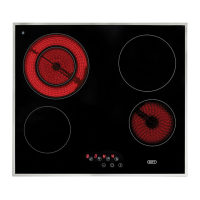
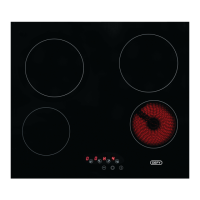
Provides a general overview of the hob's components and design.
Details electrical, dimensional, and burner specifications for the hob.
Lists specific dimensions and power output for each induction cooking zone.
Covers general safety guidelines for appliance use, children, electrical connection, and maintenance.
Details safety measures to prevent children from interacting with or misusing the hob.
Instructions for safe electrical installation, connection, and maintenance to prevent hazards.
Defines the proper domestic use of the hob and warns against commercial or unintended applications.
Guidelines for site preparation, clearances, worktop, and cupboard design for safe installation.
Detailed instructions for connecting the hob to the electrical supply, including wiring and safety precautions.
Procedures for physically mounting the hob, ensuring clearances, and performing final checks.
Guidance on handling packaging, transportation, and safe disposal of the appliance at its end of life.
Offers advice on using the hob efficiently to save energy, covering pot selection and cooking techniques.
Instructions for the first cleaning of the appliance before its initial operation.
Essential safety, operational tips, and criteria for selecting suitable cookware for induction hobs.
Explanation of the control panel layout, symbols, and basic operations like turning zones on/off.
Details on using features like temperature adjustment, booster, child lock, and timer functions.
Explains how induction works, its efficiency, precise control, and normal operating sounds.
Covers automatic deactivation times, overheating protection, and overflow safety systems for secure operation.
Emphasizes regular cleaning to extend product life and prevent issues.
Detailed steps for cleaning glass ceramic surfaces, including residue removal and stain treatment.
Addresses common issues where the hob does not operate or display information.
Solves problems like zones turning off, pots not heating, or indicator lights malfunctioning.
Lists contact information and addresses for Defy service centers within South Africa.
Provides contact details for Defy service locations in various Sub-Saharan African countries.
Outlines the terms, conditions, exclusions, and duration of the appliance warranty.
 General