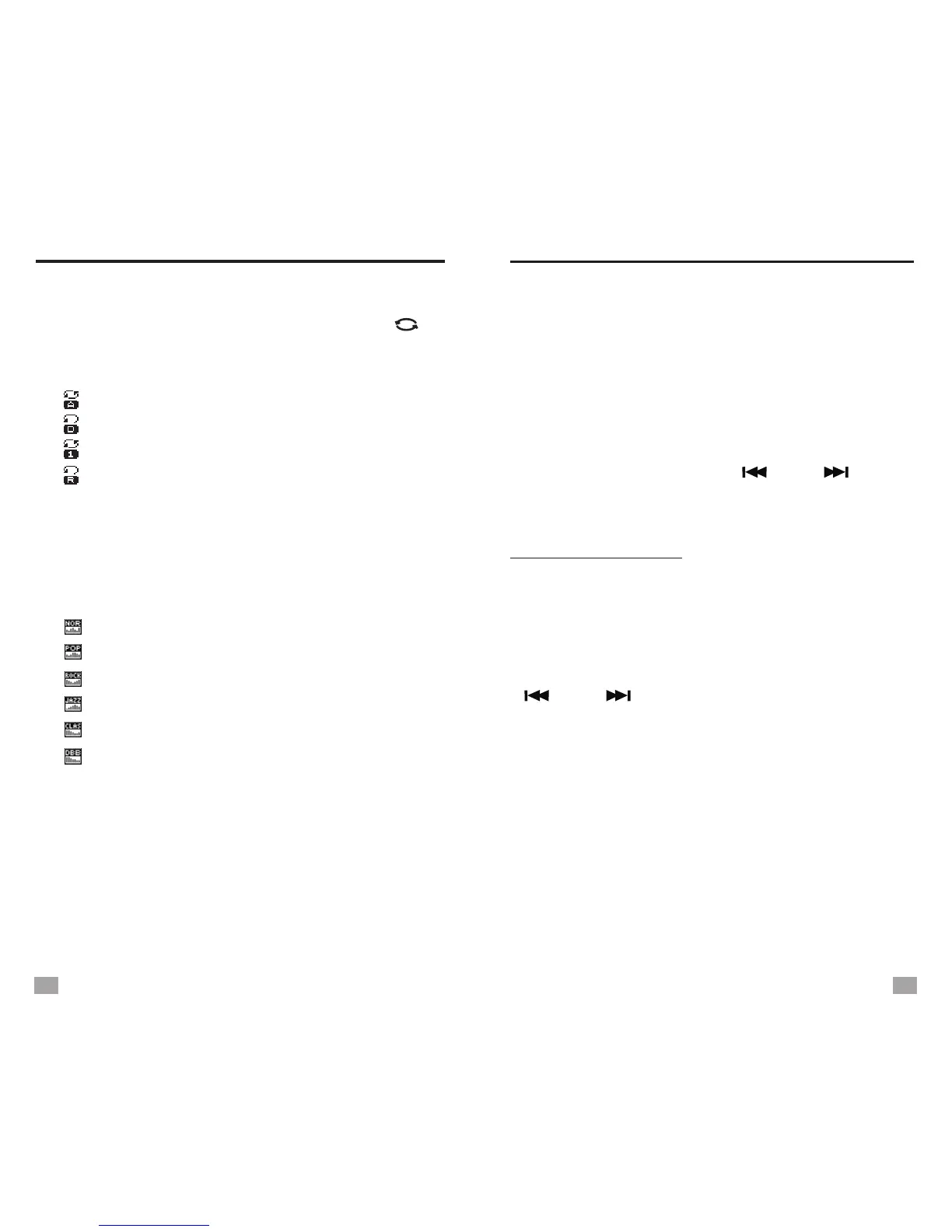
REPEAT MODE SELECTION
TEXT BROWSER
REPEAT MODE SELECTION
When the music is playing, press < >
or press <MENU> enter sub-menu to select
repeat mode from the below:
SW/
- Repeat all
- Repeat folder
- Repeat one
- Random
EQUALIZER SELECTION
When the music is playing, press <M+/EQ>
to select
equalizer from the below:
or press <MENU> enter sub-menu
- Normal
- Pop
- Rock
- Jazz
- Classic
- Bass
LYRICS DISPLAY
Supports both Chinese and English display.
The lyrics must be in .lrc format, use the same
name as the song and located in the same folder.
When pause, press <MENU> to enter the
following settings:
- File browser: Select music file
- Delete file: Delete a single music file
- Delete all: Delete all music files
DELETE MUSIC FILES
To operate the above settings, press <MENU>
to enter or confirm, press < > or < > for
selection.
TEXT BROWSER
Insert the
elect your desired file.
Then press <MENU> to start reading, press
< > or < > to turn pages.
When reading, press <MENU> to enter below
settings:
- File selection: select a particular file
- Play set: Manual or Auto play selection
- Playback speed
- Enter main: Enter Main menu
- Exit
micro SD/TF card that with .txt format
text file, then you can read the file with the unit.
Select [Text browser] in Main menu, press
<MENU> to enter and s
17
18


 To Next Page