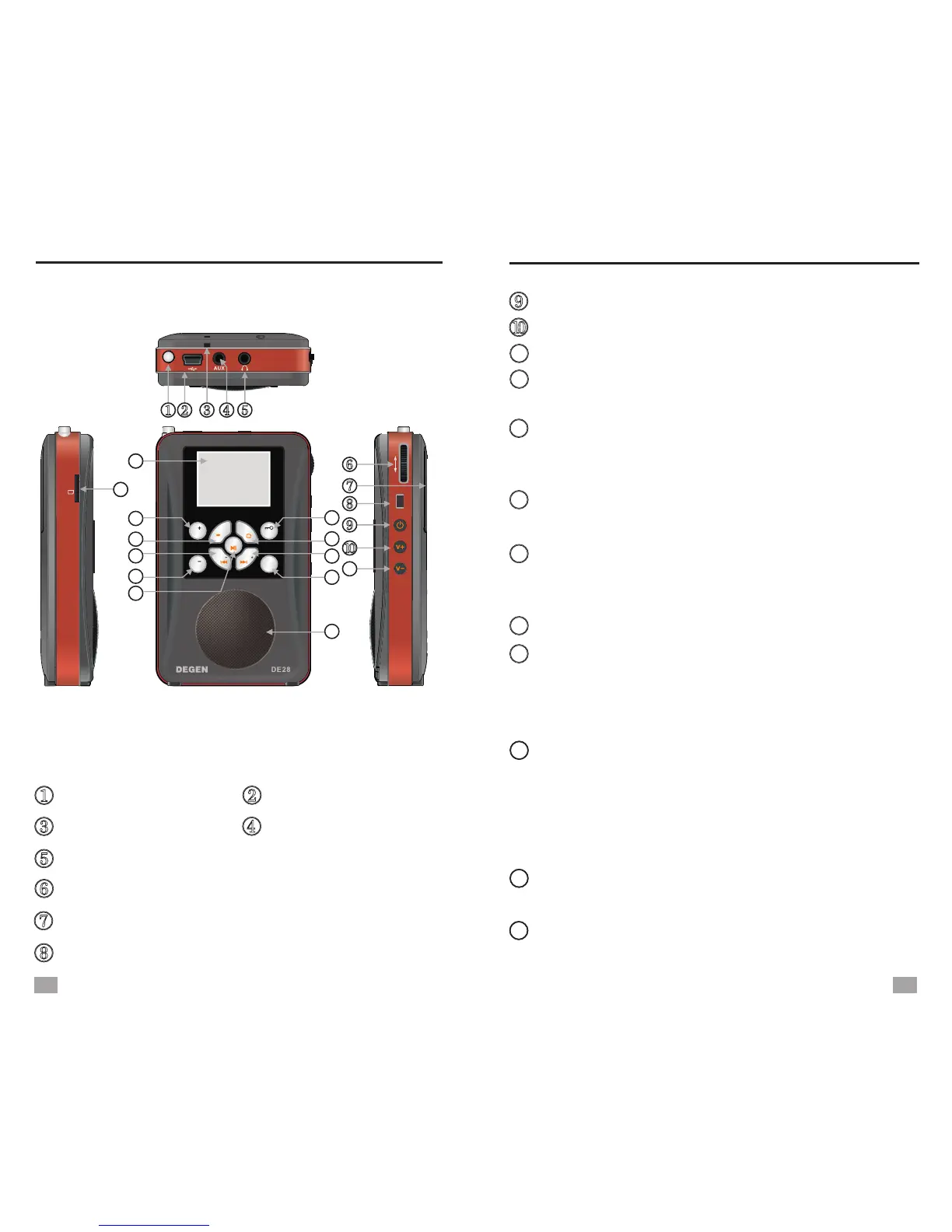
LOCATION OF CONTROLS
LOCATION OF CONTROLS
1
LOCATION OF CONTROLS
2
Power button
Volume +
Mini-USB port
Telescopic antenna
Earphone jack
AUX-in jack
Battery compartment
Tuning knob: Rotate to tune or select
Strap hole USB port
Radio/MP3 mode selection
13
12
14
16
17
15
11
Volume -
18
19
20
In radio mode: FM button, press to select FM
stereo/mono listening
In music mode: Play/Pause
In recording mode: Pause/Continue
Long press to lock/unlock keys
In music mode: Press to enter music selection
In radio mode: SW button, press in SW
listening to change M bands
In music mode: Press to select repeat mode
In radio mode: Frequency+
In music mode: Next song/Fast forward
Menu button: Press to enter menu/sub-menu
or confirm
In time set mode: Press to move cursor
Speaker
Escape button: Press to exit sub-menu or go
back to Main Menu
In radio mode: M -
In Main Menu: Press to display time
In recording mode: Press to stop and save
In radio mode: Frequency-
In music mode: Preview song/Rewind
In radio mode: MW button
In music mode: A-B repeat
MP 3
收音
TF
R
a
dio
/M
P
3/
R
e
c
o
rd
er
录音
M
点歌
菜单
AUTO
AUTO
SW
M
W
A B
M
退
出
F
M
11
12
13
14
15
16
17
18
19
20
21
22
23


 To Next Page