DelfiScan
Programming Manual
Getting Started
1
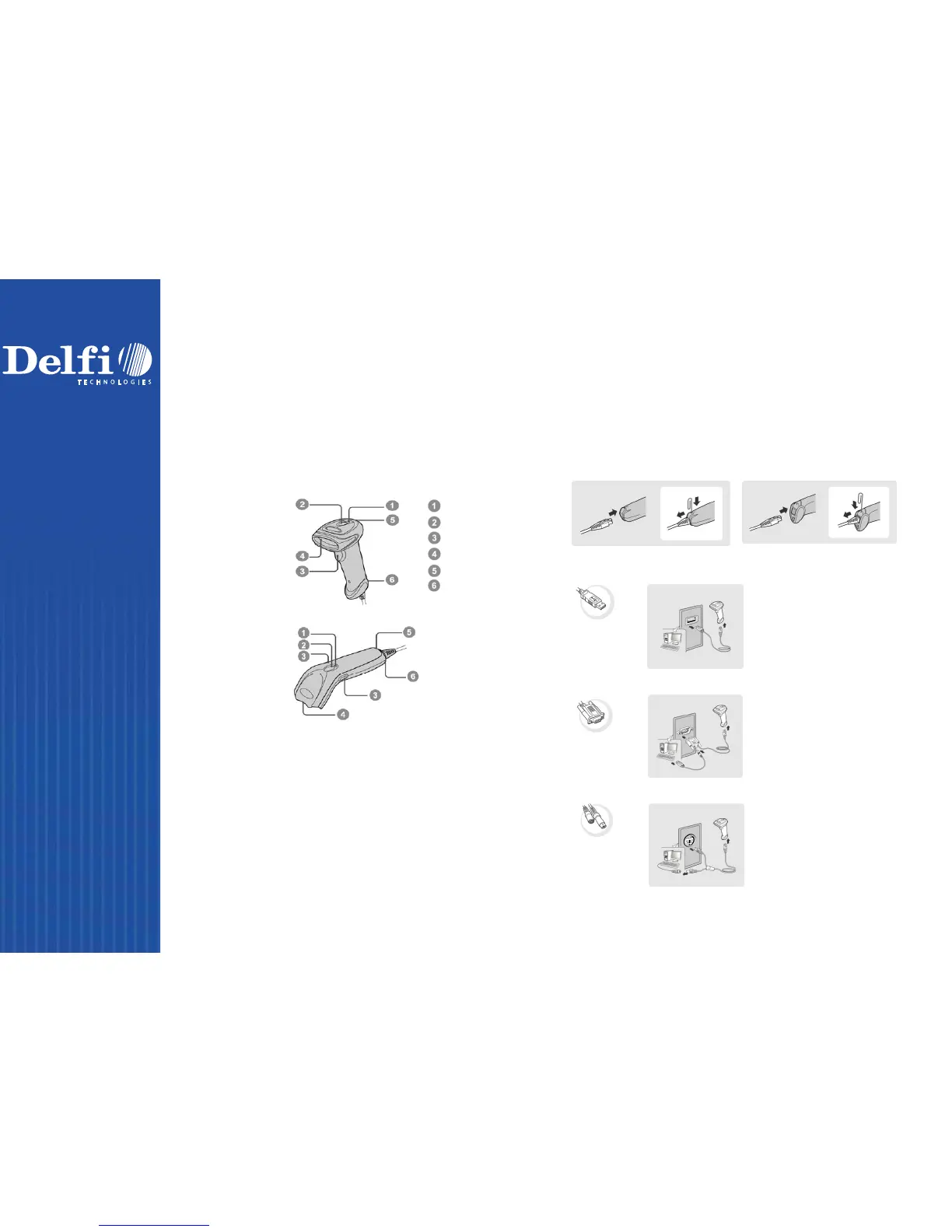
Power Indicator
Status Indicator
Trigger
Scan Window
Beeper
Cable Release Hole
Getting Familiar with Your DelfiScan
Thank you for choosing Cino DelfiScan Imager. All DelfiScan imagers
deliver world-class performance for a broad range of applications to
unleash your productivity. This document provides an easy reference
for installation and operation purposes. A complete documentation is
provided by the DelfiScan Programming Manual available at
www.delfi.com
C71 Series
C51 Series
C
onnecting to Your Host
DelfiScan imagers support PS/2(DOS/V) Keyboard Wedge, RS-232
Serial, and USB interfaces. Please choose your desired interface
cable, then plug it into the cable interface port of the imager and
connect it to the host. If you would like to remove the cable, please
straighten one end of a paper clip, then insert it into the cable
release hole to pull out the cable.
USB
RS232 Se
rial
PS/2(DOS/V) Keyboard Wedge



 To Next Page