20
|
Installation
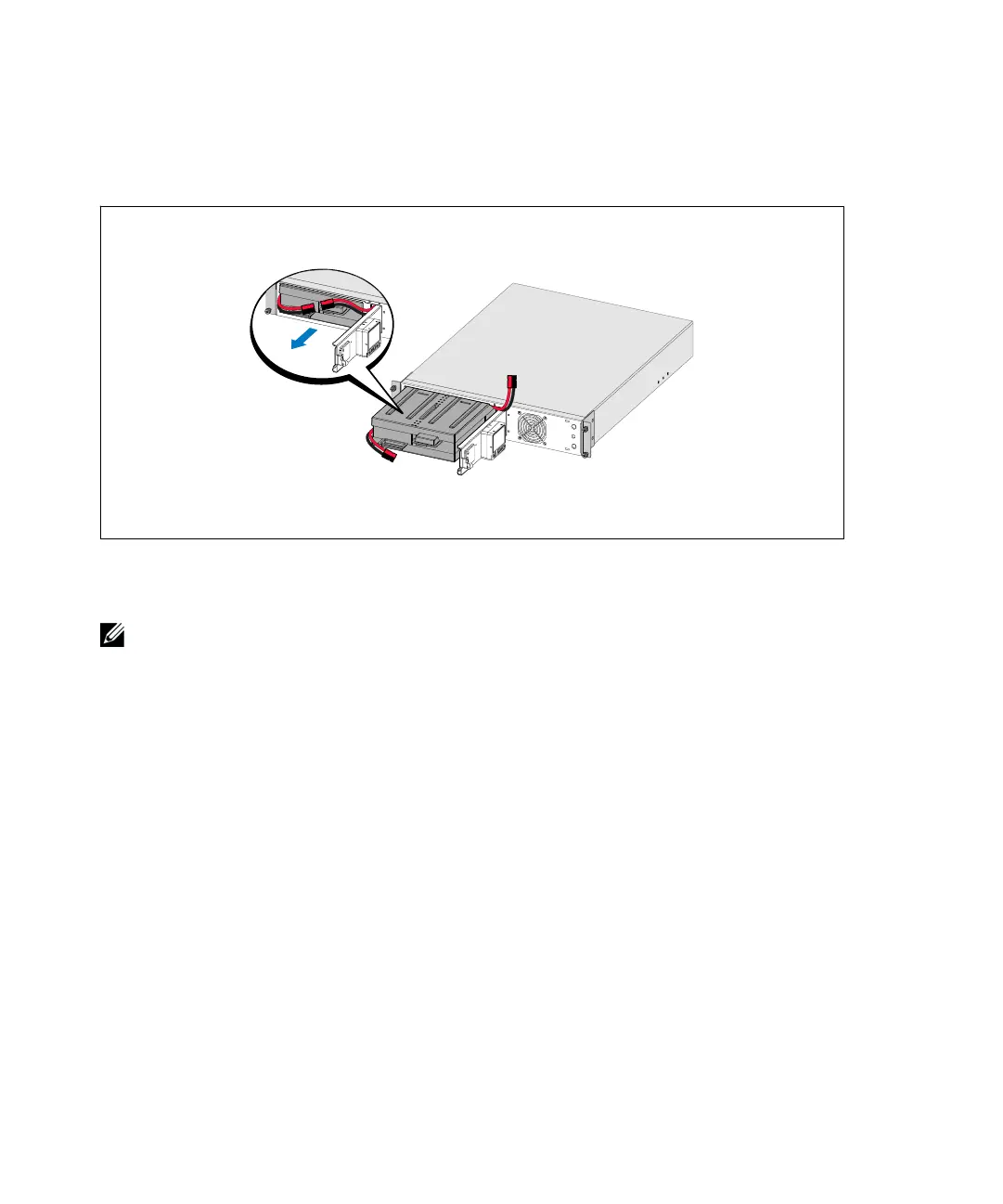
Unclip the right battery connector and move the connector out of the way.
Pull the battery tray out using the plastic tabs and remove the battery tray (see Figure 13).
Figure 13. Removing the Battery Tray
2 If installing additional UPSs, repeat Step 1 for each cabinet.
NOTE:
The instructions are the same for square-hole racks and unthreaded, round-hole racks. The rails fit both
rack styles. The square-hole rack is shown in the illustrations.
3 Select the proper holes in the rail for positioning the cabinet in the desired location in the rack.
The rails should be located at the bottom of the 2U (or 3U for 2700/2300W UPS models) space
allocated for the UPS or EBM.
4 Position the end of the left and right rails labeled FRONT facing inward.



 To Next Page