15
Installation
|
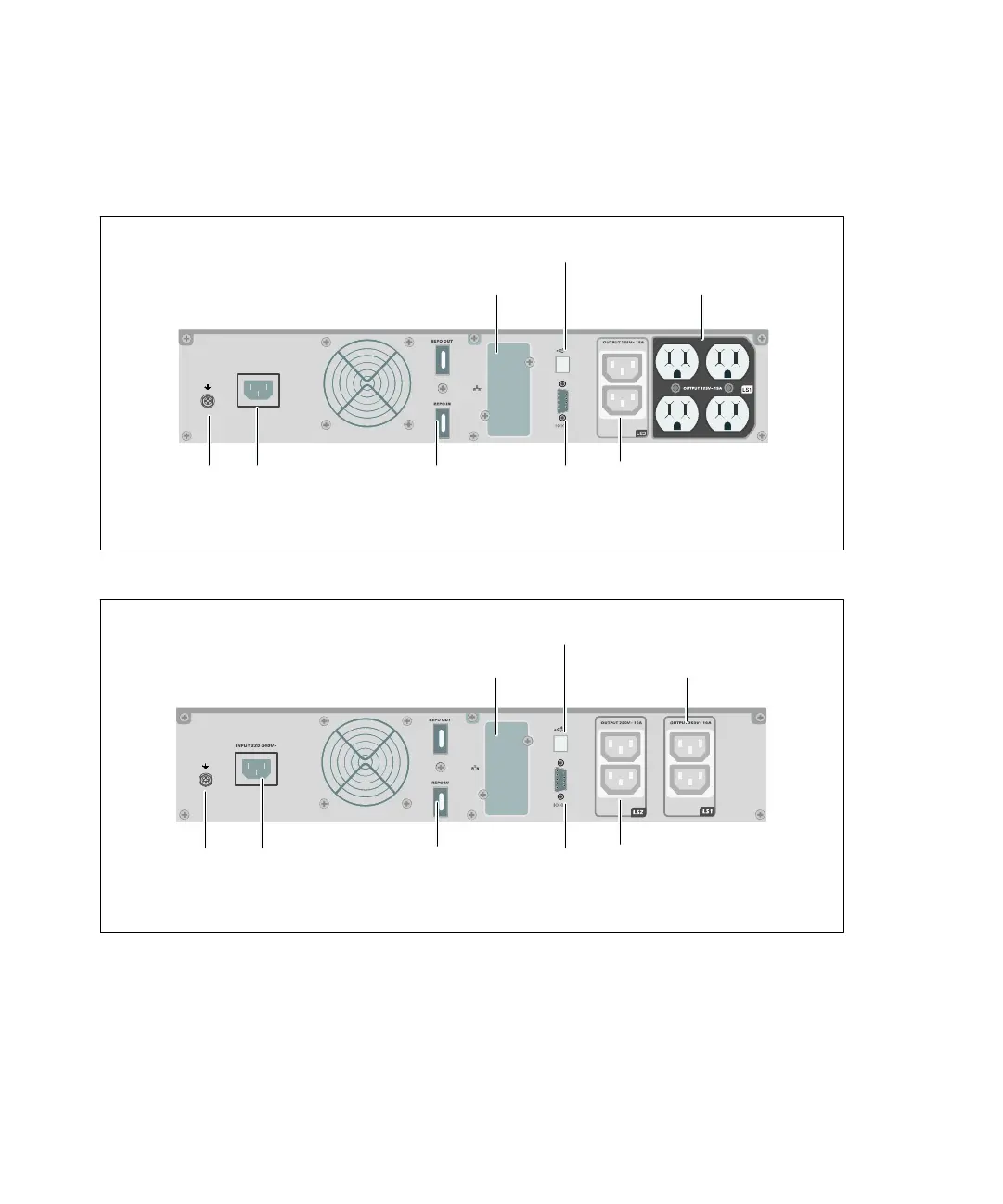
Identifying the UPS Rear Panels
This section shows the rear panels of the Dell Line-Interactive Rack models.
IN P U T 10 0 −120V~
Four 5‐15 Receptacles
(Load Segment 1)
UPS Communication Bay
IEC-C14 Input
Connector
USB Port
Two IEC 320-C13 Receptacles
(Load Segment 2)
REPO Ports RS-232 Port
Ground Screw
Figure 4. 1000W, 100V/120V Rear Panel
UPS Communication Bay
IEC-C14 Input
Connector
USB Port
Two IEC 320-C13 Receptacles
(Load Segment 2)
RS-232 Port
Ground Screw
Two IEC 320-C13
Receptacles
(Load Segment 1)
REPO Ports
Figure 5. 1000W, 230V Rear Panel



 To Next Page