24
|
Installation
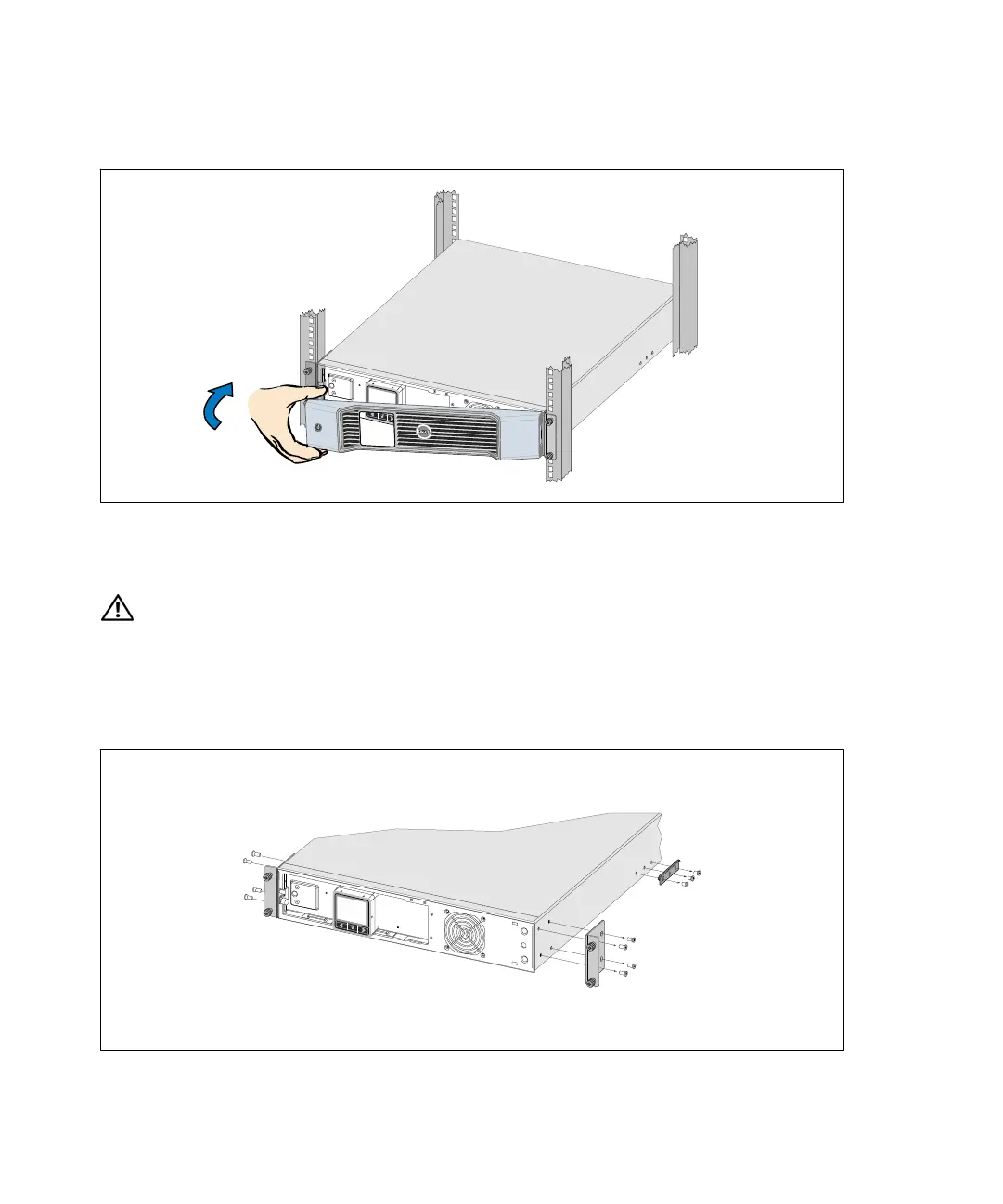
12 Install the UPS front cover (see Figure 18).
Figure 18. Installing the UPS Front Cover
Tower Setup
CAUTION: The UPS and EBM are heavy (see page 65). Lifting the cabinets into the pedestals requires a
minimum of two people.
To install the 2700/2300W 3U UPS model in a tower configuration:
1 Remove the mounting brackets and the rear hold-down brackets from the UPS using a Phillips
®
#2 screwdriver (see Figure 19).
Figure 19. Removing the Mounting Brackets and Rear Hold-Down Brackets



 To Next Page