29
Installation
|
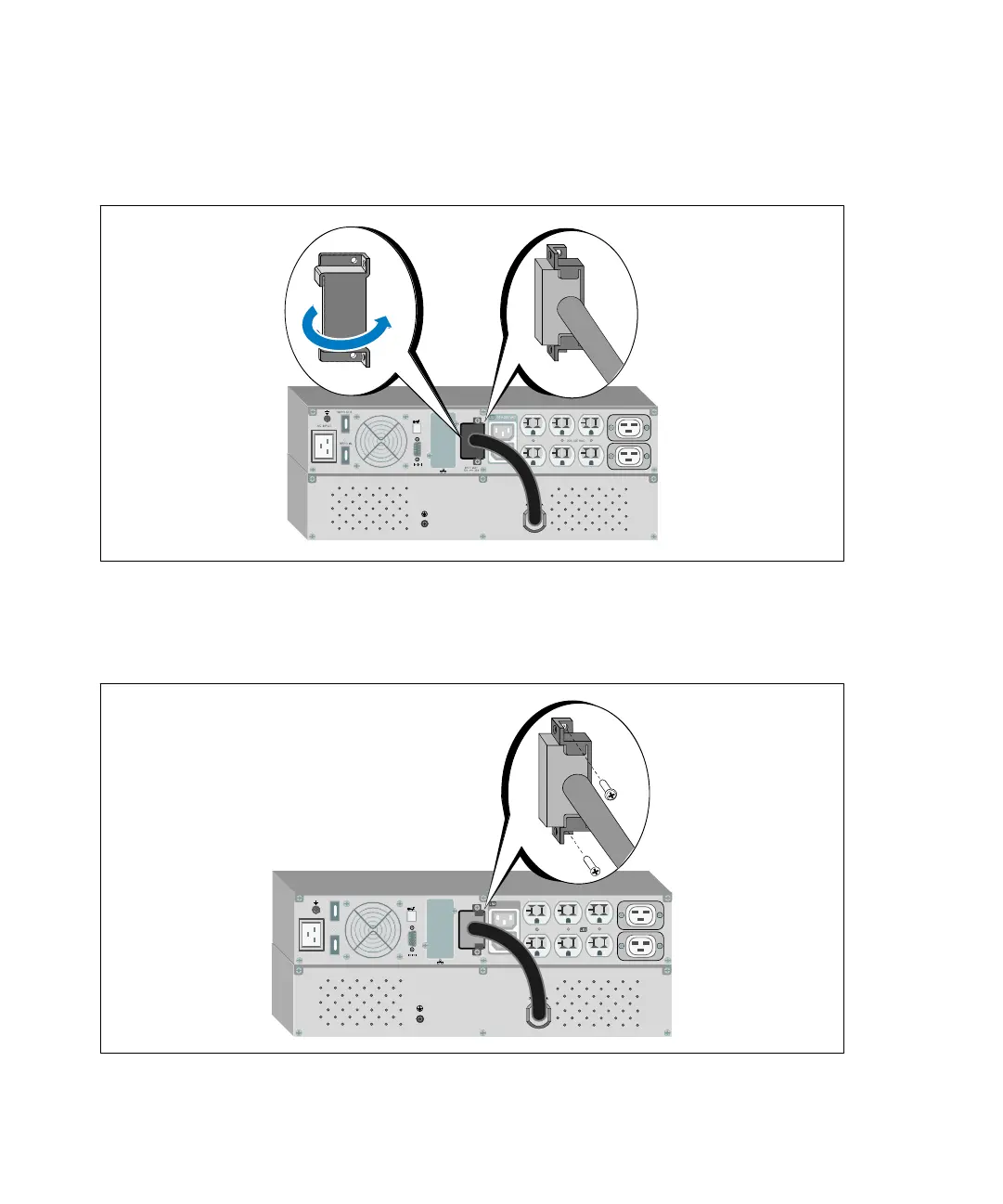
2 Install the battery connector cover under the EBM cable to provide strain relief (see Figure 27).
Rotate the battery connector cover on its side and position under the EBM cable.
Figure 27. Installing the Battery Connection Cover
3 Plug the EBM cable into the UPS battery connector (see Figure 28).
Secure the battery connector cover to the UPS rear panel using the screws removed in Step 1.
Figure 28. EBM Installation for 1920–2700W UPS Models Only



 To Next Page