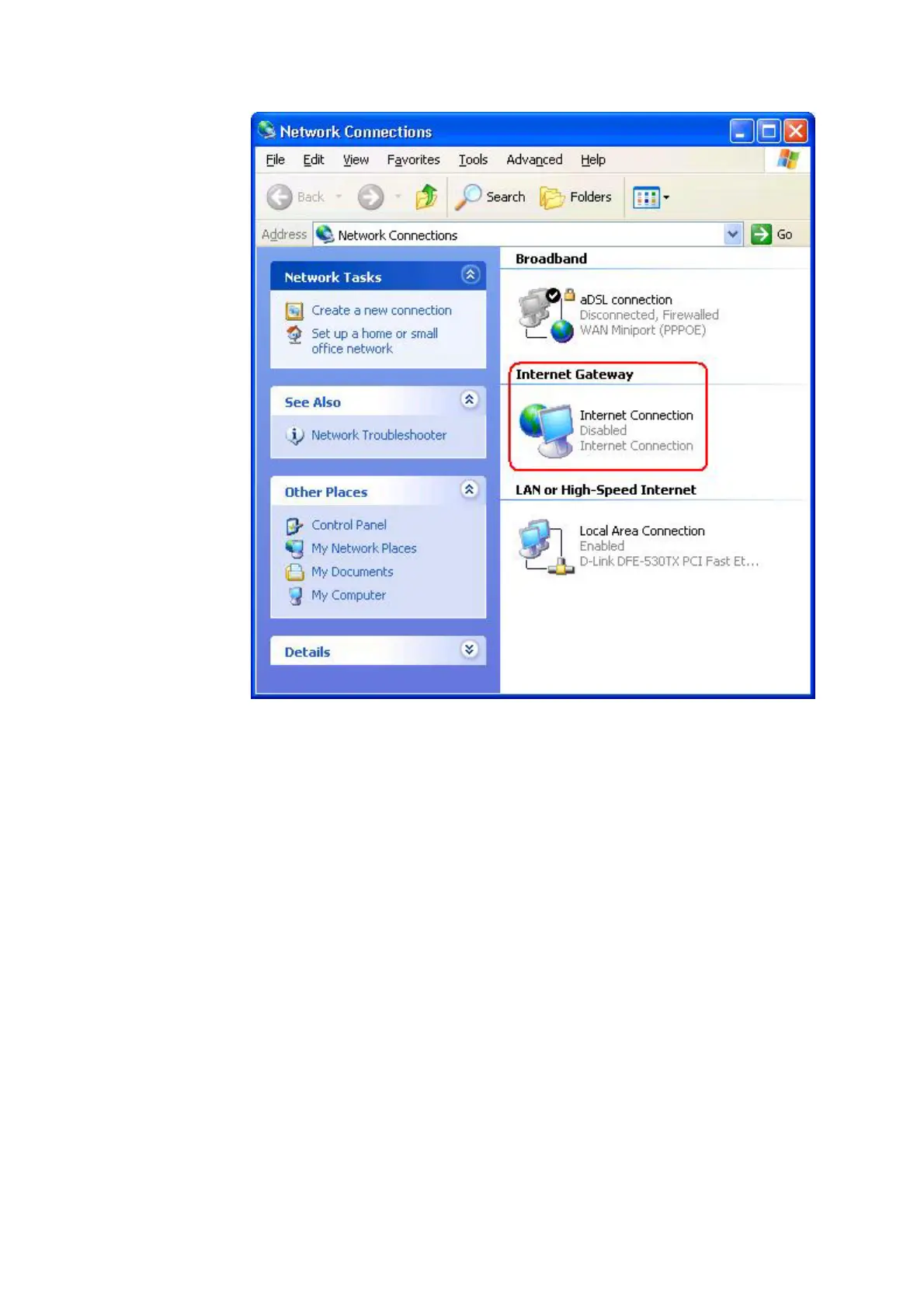
6. Right-click the icon and left-click Properties.
7. Click Settings.
8. Click Add.
9. Type Description of service, IP address of the service host, External Port
number for this service, Internal Port number for this service, and click to
select either TCP or UDP. For example, the graph below shows an example of
how to enable a computer with an IP address 192.168.2.101 to host a public
HTTP server.
Service Settings










 To Next Page