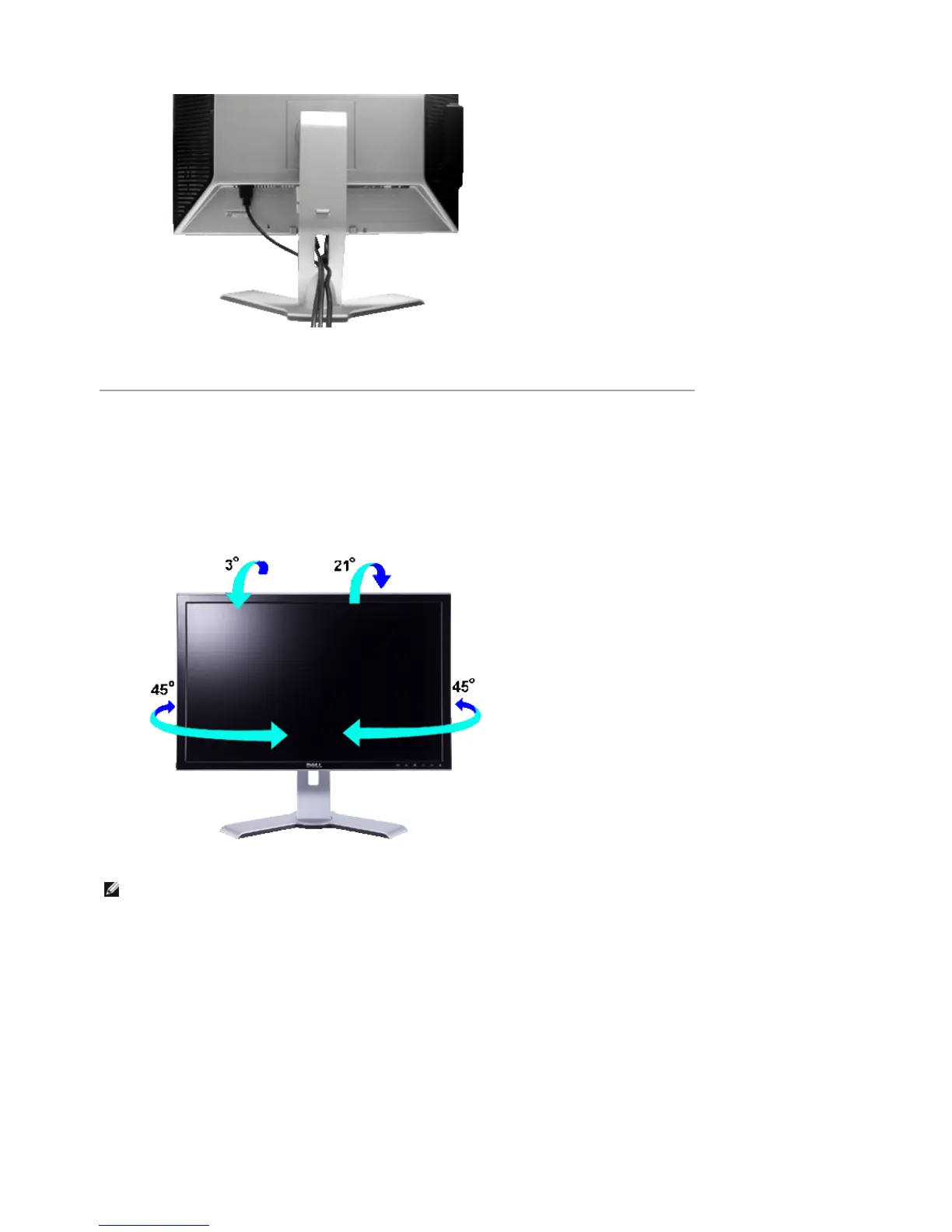
After attaching all necessary cables to your monitor and computer, (See Connecting Your Monitor for cable
attachment,) use the Cable management hole to neatly organize all cables as shown above.
Using the Tilt, Swivel and Vertical Extension
Tilt/Swivel
With the built-in pedestal, you can tilt and/or swivel the monitor for the most comfortable viewing angle.
Vertical Extension
Stand extends vertically up to 100mm via the Lock down / release button.
NOTE: Stand is detached and extended when the monitor is shipped from the factory.
Pa
e 2 of 4Documentation
12/10/2007htt
://su
ort.dell.com/su
ort/edocs/monitors/2407WFP/en/stand.htm











 To Next Page