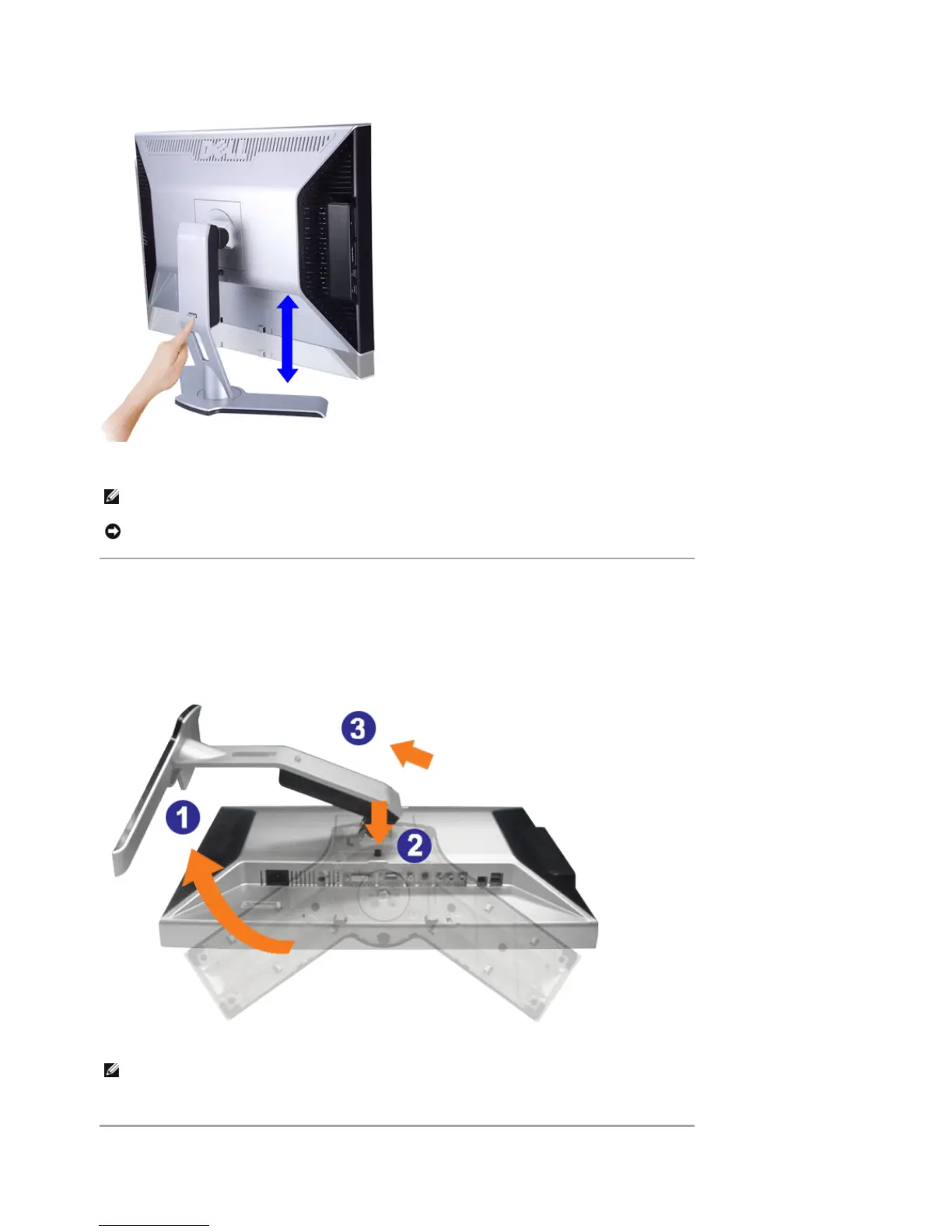
Removing the Stand
After placing the monitor panel on a soft cloth or cushion, press and hold the Monitor Lock / Release Button, and then
remove the stand.
NOTE: If locked in the down position, press the Lock down / release button on the bottom rear of stand. Lift the
front panel up and extend the stand to the desired height.
NOTICE: Before relocating or moving the monitor to a different location, make sure that the stand is LOCKED
DOWN. To lock it down, lower the height of the panel until it clicks and is locked into place.
NOTE: To prevent scratches on the LCD screen while removing the stand, ensure that the monitor is placed on a
clean surface.
Pa
e 3 of 4Documentation
12/10/2007htt
://su
ort.dell.com/su
ort/edocs/monitors/2407WFP/en/stand.htm











 To Next Page