Connecting Your Projector 19
Professional Installation Options
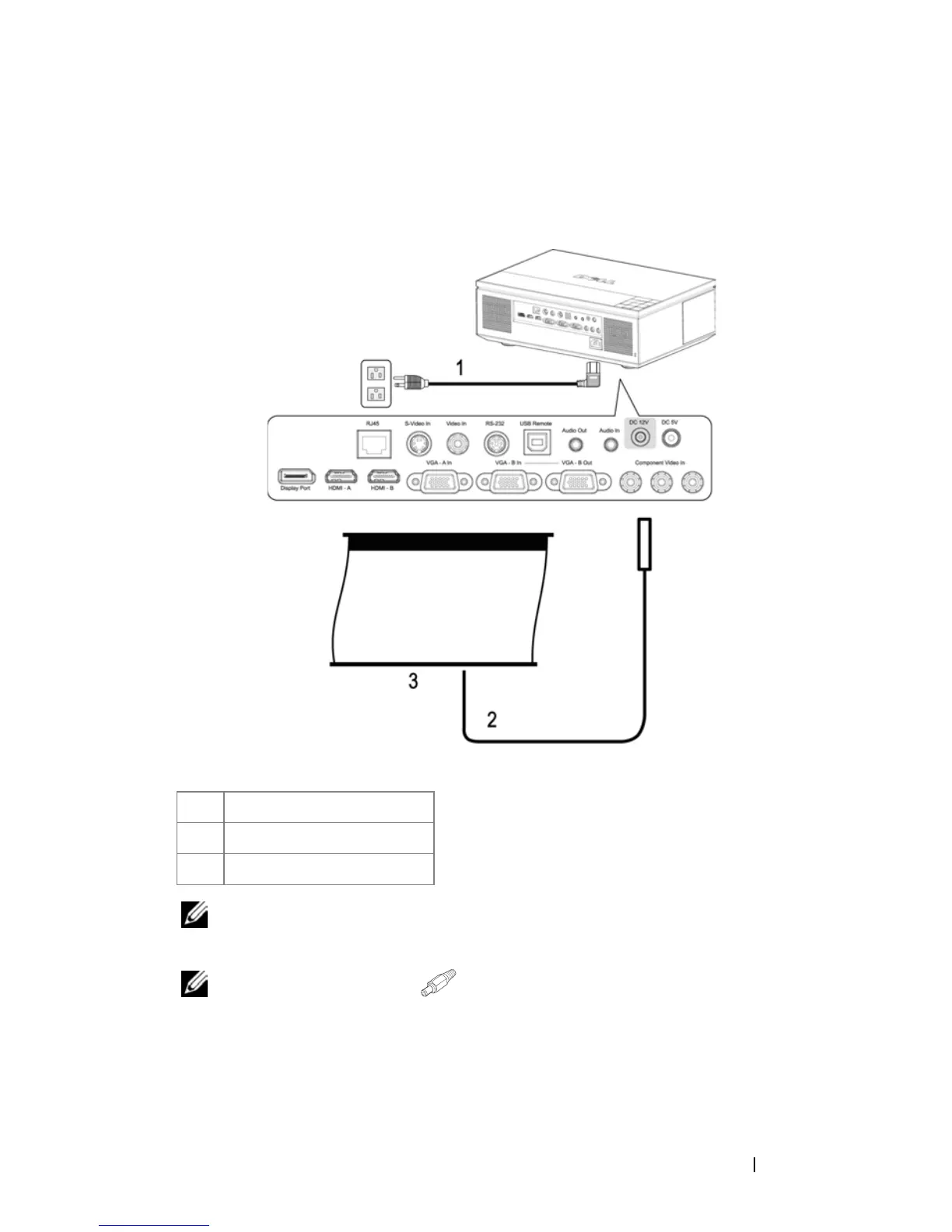
Installation for Driving Automatic Screen
NOTE: The 12V DC power cable is not provided by Dell.
The 12V DC power cable has to be connected
to the DC 12V jack.
NOTE: Use a 12V DC plug with a dimension 1.7mm (ID) x 4.00mm (DD) x
9.5 mm (shaft) to connect the automatic screen with the projector.
1 Power cable
2 12V DC power cable
3 Automatic screen



 To Next Page