Using Your Projector 36
VERTICAL POSITION—Press
to move the image down and
to move the image
up.
FREQUENCY—Allows you to change the display data clock frequency to match the
frequency of your computer graphics card. If you see a vertical flickering wave, use
Frequency control to minimize the bars. This is a coarse adjustment.
T
RACKING—Allows you to synchronize the phase of the display signal with the
graphic card. If you experience an unstable or flickering image, use Tracking to
correct it. This is a fine adjustment.
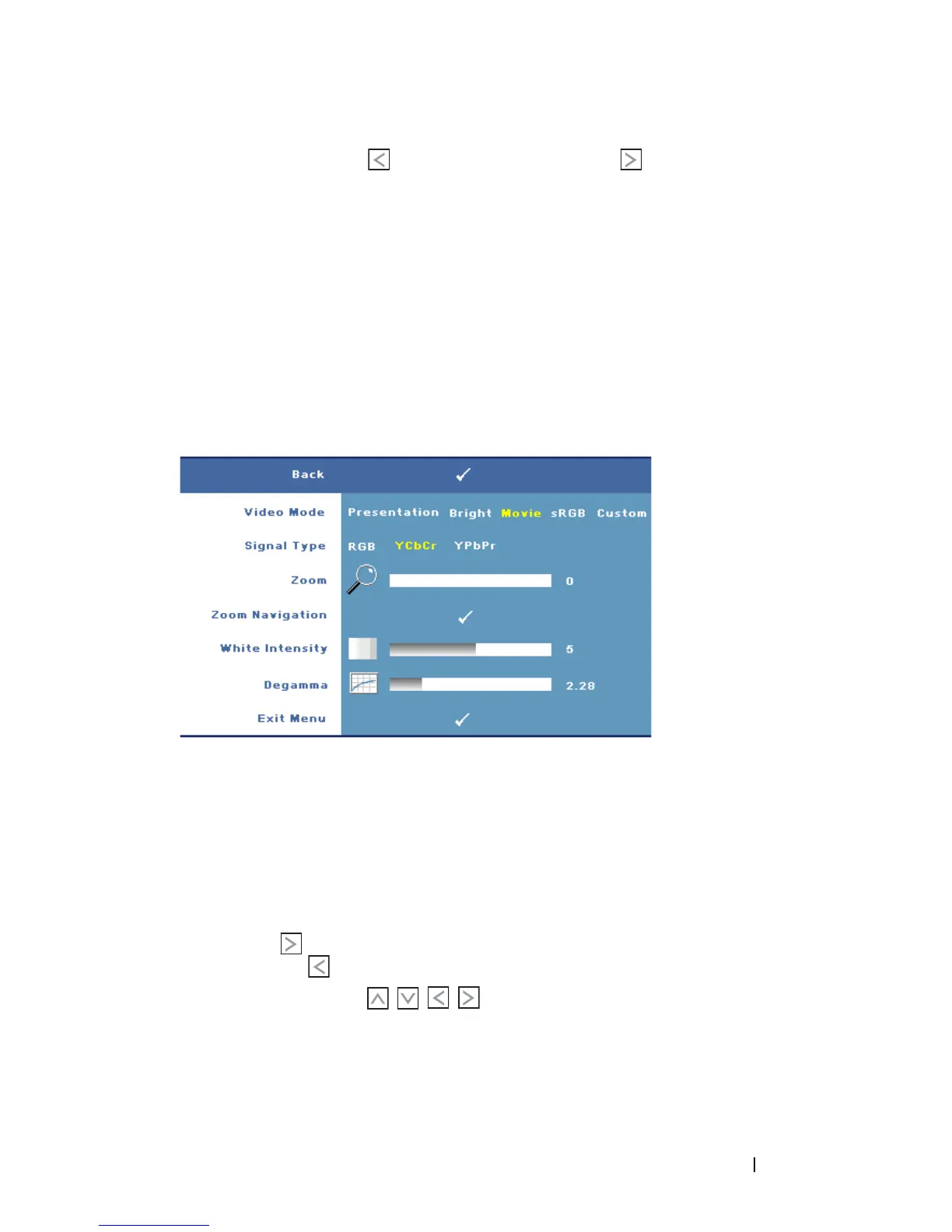
DISPLAY (in Video Mode)
Using the Display menu, you can adjust the display settings of your projector. The
Display menu provides the following options:
V
IDEO MODE—Allows you to optimize the projector’s display mode:
Presentation, Bright, Movie, sRGB (provides a more accurate color
representation), and Custom (set your preferred settings for these two options). If
you adjust the settings for White Intensity or Degamma, the projector
automatically switches to Custom.
S
IGNAL TYPE—Manually select the signal type: RGB, YCbCr, or YPbPr.
Z
OOM—Press to digitally magnify an image up to 8 times on the projection
screen and press to reduce the zoomed image (for single display).
Z
OOM NAVIGATION—Press to navigate the projection screen.
W
HITE INTENSITY—Set 0 to maximize the color reproduction and 10 to maximize
the brightness.
D
EGAMMA—Adjust among the 4 preset values (1, 2, 3, 4) to change the color
performance of the display.



 To Next Page