Using Your Projector 25
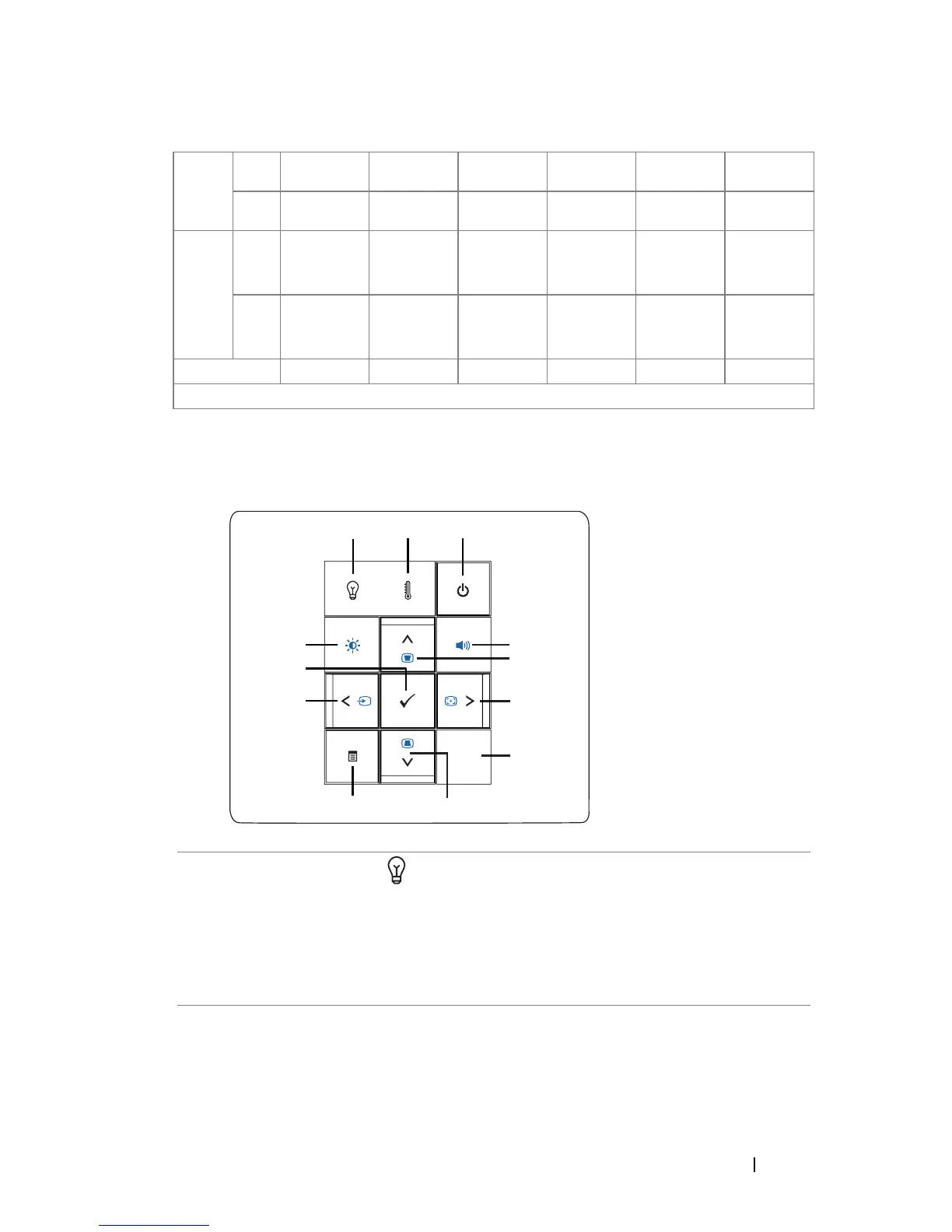
Using the Control Panel
Screen
(Diagonal)
Max. 25.1"
(63.7cm)
85.3"
(216.6cm)
138.0"
(350.5cm)
193.2"
(490.6cm)
245.8"
(624.5cm)
301.0"
(764.6cm)
Min. 20.91"
(53.1cm)
71.08"
(180.5cm)
114.98"
(292.0cm)
160.97"
(408.9cm)
204.87"
(520.4cm)
250.87"
(637.2cm)
Screen
Size
Max.
(WxH)
21.3"X 13.3" 72.4" X 45.2" 117.0" X 73.1" 163.9" X 102.3" 208.6" X 130.2" 255.4" X 159.4"
(54.1cm X
33.7cm)
(183.8cm X
114.7cm)
(297.3cm X
185.6cm)
(416.2cm X
259.8cm)
(529.7cm X
330.7cm)
(648.6cmX
404.9cm)
Min.
(WxH)
17.7" X 11.1" 60.3" X 37.7" 97.5" X 60.9" 136.5" X 85.3" 173.7" X 108.6" 212.7" X 133.0"
(45.0cm X
28.12cm)
(153.1cm X
95.7cm)
(247.7cm X
154.8cm)
(346.7cm X
216.7cm)
(441.3cm X
275.8cm)
(540.3cm X
337.7cm)
Distance 3.28' (1.0m) 11.15' (3.4m) 18.04' (5.5m) 25.26' (7.7m) 32.15' (9.8m) 39.37' (12.0m)
* This graph is for user reference only.
1 LAMP warning light •If the LAMP light is solid amber, replace the
lamp (See "LAMP" on page 38).
•If the LAMP light is blinking amber, the
projector automatically shuts down indicating a
system failure. If this problem persists, contact
Dell
™ (See "Contacting Dell™" on page 56).
1
3
6
2
8
11



 To Next Page