Using Your Projector 23
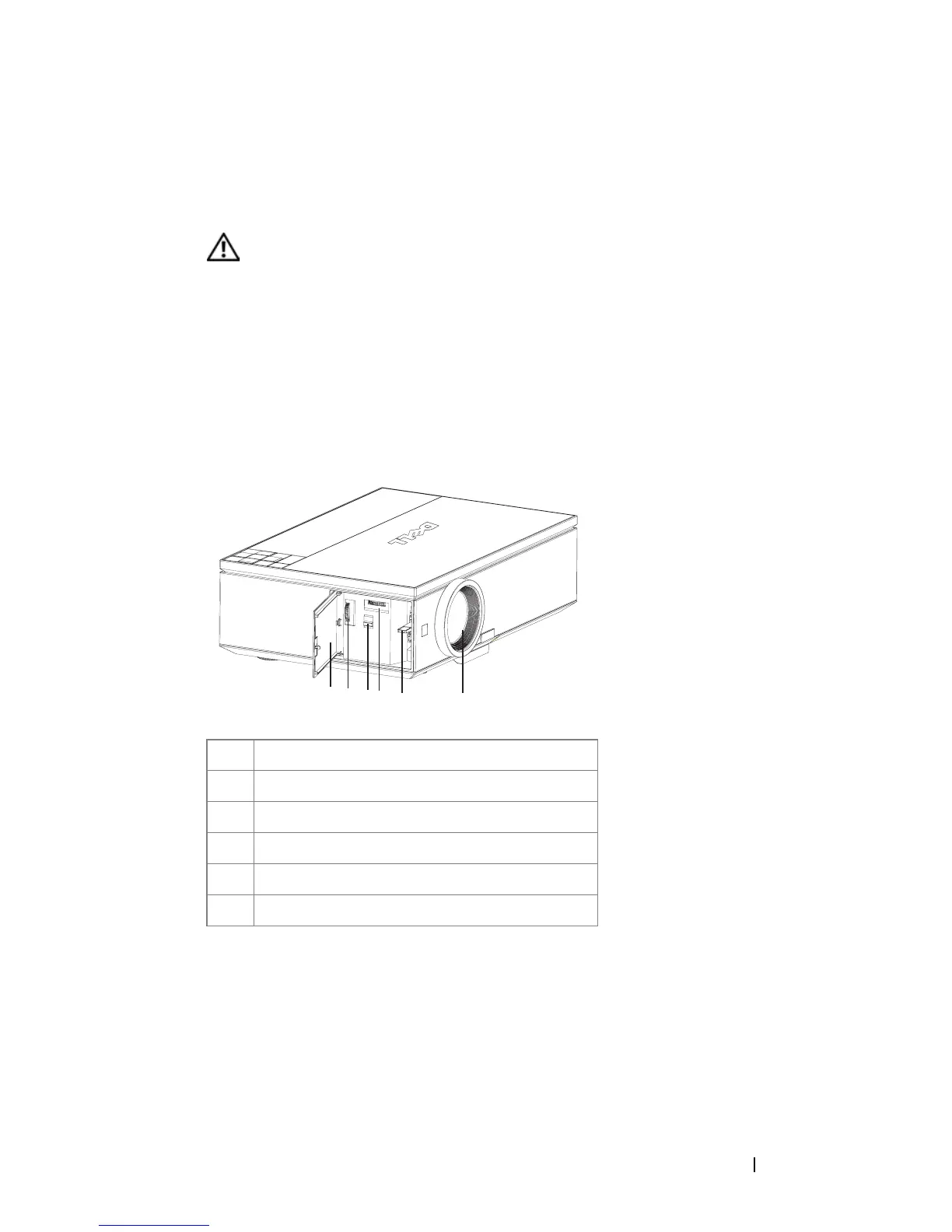
Adjusting the Projector Zoom and Focus
1
Open the side door of the projector.
CAUTION: To avoid damaging the projector, ensure that the side door is fully
closed and the elevator foot is fully retracted before moving the projector.
2
Unlock the lens shift lock, before you adjust the lens shift.
3
Turn the vertical/horizontal lens shift knob to shift the lens.
4
After adjusting the lens shift, lock the lens shift lock.
5
Pull the zoom ring adjustment up and down to zoom in and out.
6
Rotate the focus ring adjustment until the image is clear. The projector focuses at
distances ranging between 3.28 ft to 39.37 ft (1.0m to 12.0m).
7
Close the side door of the projector.
1 Side door
2 Vertical lens shift knob
3 Lens shift lock
4 Horizontal lens shift knob
5 Zoom ring
6 Focus ring
2
3
45
1
6



 To Next Page