Using Your Projector 42
MENU TRANSPARENCY—Select to change the transparency level of the OSD
background.
P
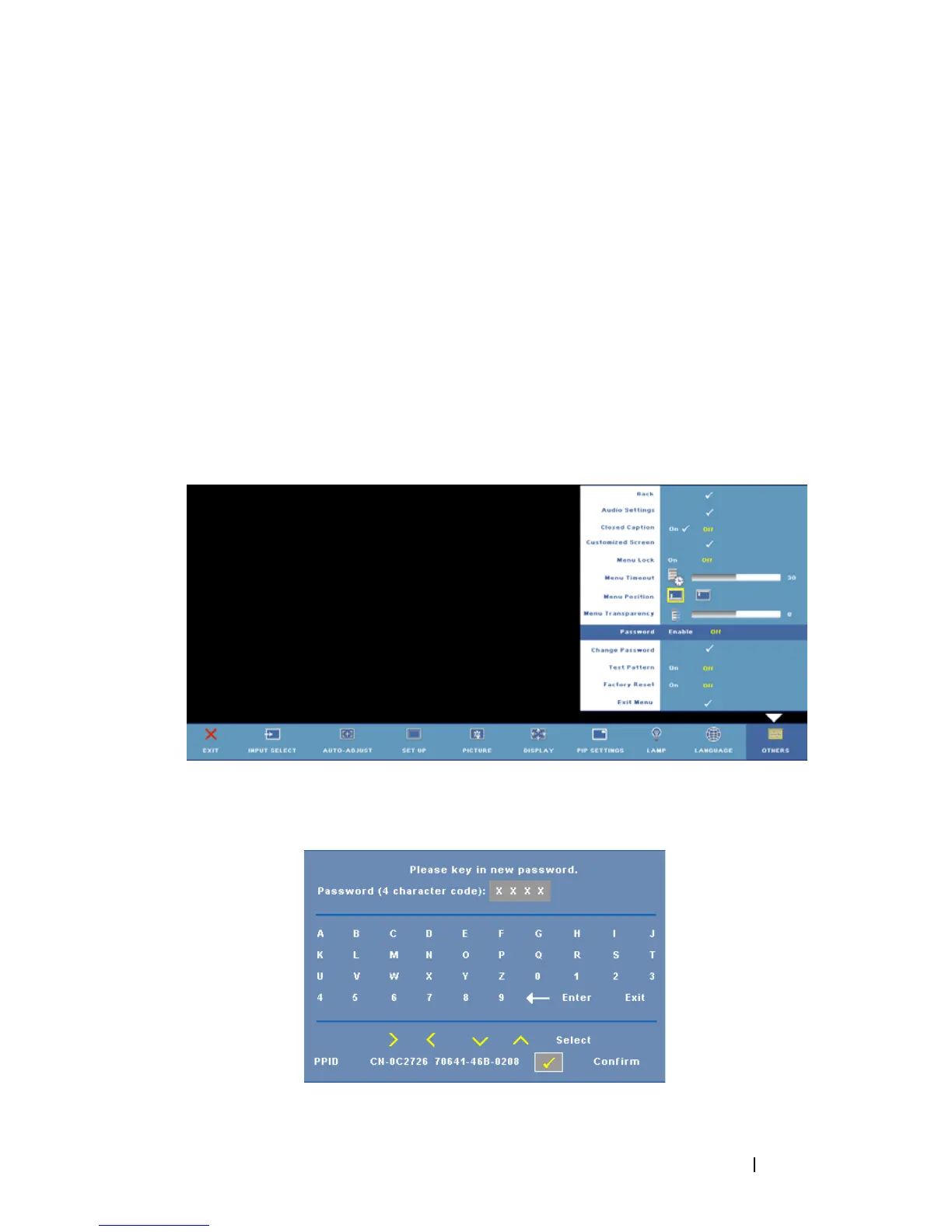
ASSWORD—When Password Protect is enabled, a Password Protect screen
requesting you to enter a password will be displayed when the power for the
projector is first turned on. By default, this function is disabled. You can enable
this feature by using the Password menu. This password security feature will be
activated the next time you turn on the projector and you will be asked to enter
the projector's password:
You can use the following steps to enable the Password Protect feature and set a
password. The last step (step 3) describes how you can disable the password.
1
First time password input request:
a
Go to
Others
menu, press
Enter
and then select
Password Enable
to enable the password setting.
b
Enabling the Password function will pop up a character screen. Key
in a 4-digit character code (letters and/or numbers) on the screen
and press the
Enter
button.
c
To confirm, enter the password again.



 To Next Page