Installing the optical drive
Prerequisites
If you are replacing a component, remove the existing component before performing the installation procedure.
About this task
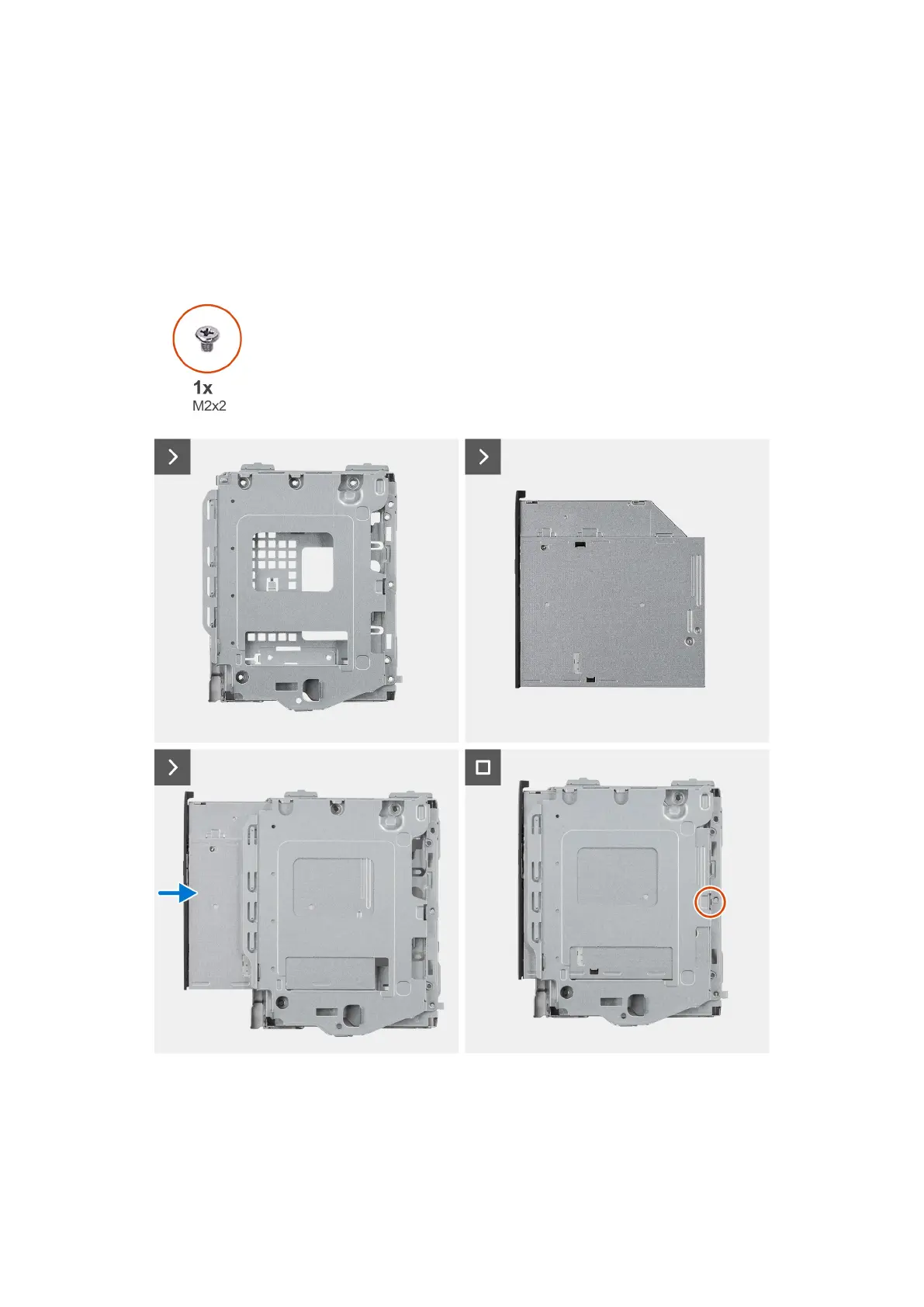
The following image indicates the location of the optical drive and provides a visual representation of the installation procedure.
Steps
1. Slide the optical drive into the disk-drive cage until it snaps into place.
2. Install the single (M2x2) screw to secure the optical drive from the disk-drive cage.
Rimozione e installazione delle unità sostituibili dal cliente (CRU)
53










 To Next Page