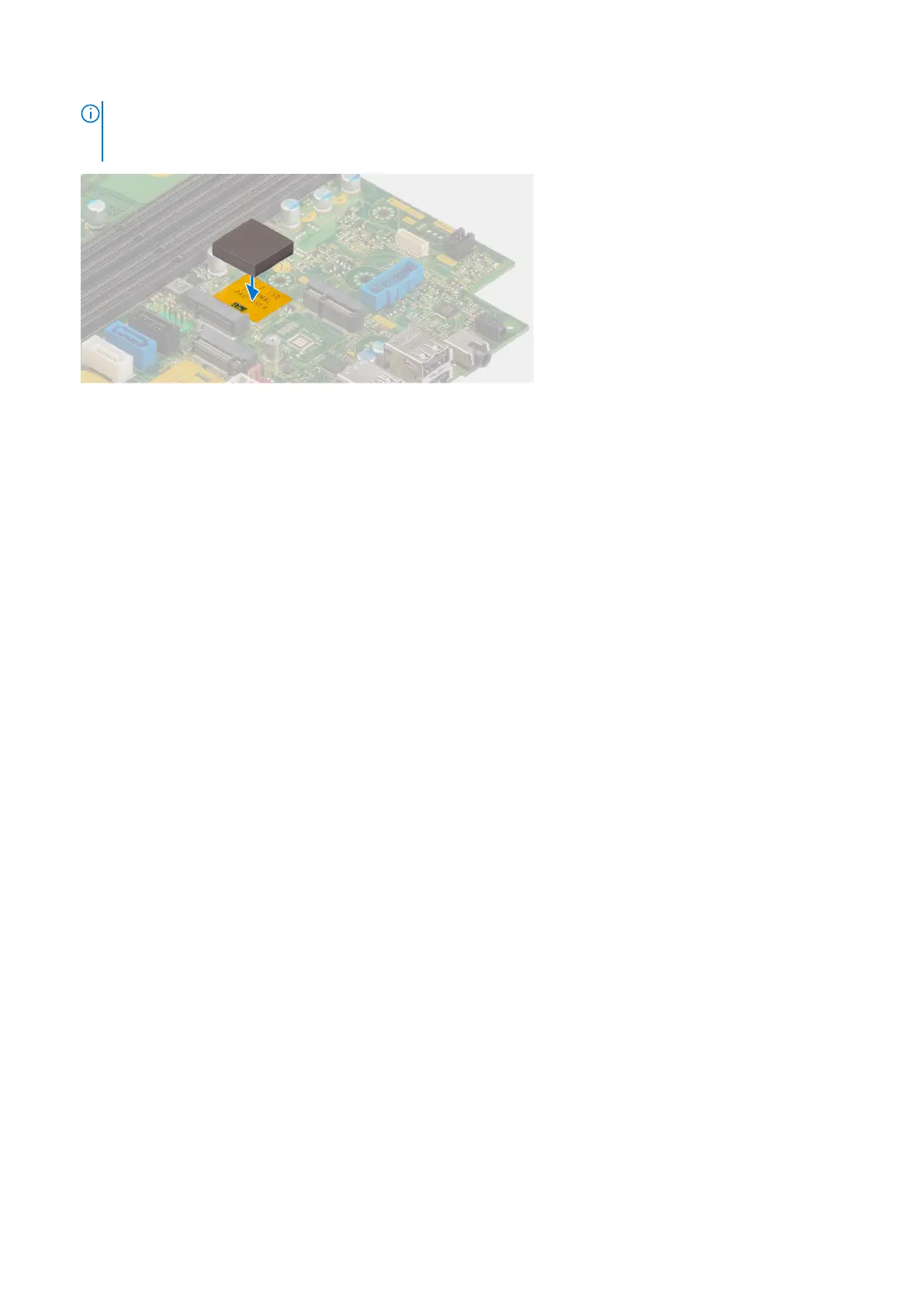
NOTE: The thermal pad is re-usable. The thermal pad is pre-installed on systems shipped with solid-state drive. If the
solid-state drive is purchased separately, the thermal pad is not bundled with the solid-state drive kit and is to be
purchased separately.
2. Peel off the protection mylar on the thermal pad.
3. Align the notch on the M.2280 solid-state drive with the tab on the M.2 card slot on the system board.
4. Slide the M.2280 solid-state drive into the M.2 card slot on the system board.
5. Replace the screw (M2x3.5) to secure the M.2280 solid-state drive to the system board.
Next steps
1. Install the disk-drive cage.
2. Install the 3.5-inch hard drive if applicable.
3. Install the 2.5-inch hard drive if applicable.
4. Install the front bezel.
5. Install the side cover.
6. Follow the procedure in After working inside your computer.
Scheda senza fili
Rimozione della scheda wireless
Prerequisiti
1. Seguire le procedure descritte in Prima di effettuare interventi sui componenti interni del computer.
2. Rimuovere il pannello laterale.
3. Rimuovere il pannello anteriore.
4. Rimuovere il disco rigido da 2,5 pollici, se applicabile.
5. Rimuovere il disco rigido da 3,5 pollici, se applicabile.
6. Rimuovere la gabbia del disco rigido.
Informazioni su questa attività
La seguente figura indica la posizione della scheda wireless e fornisce una rappresentazione visiva della procedura di rimozione.
60
Rimozione e installazione delle unità sostituibili dal cliente (CRU)










 To Next Page