Steps
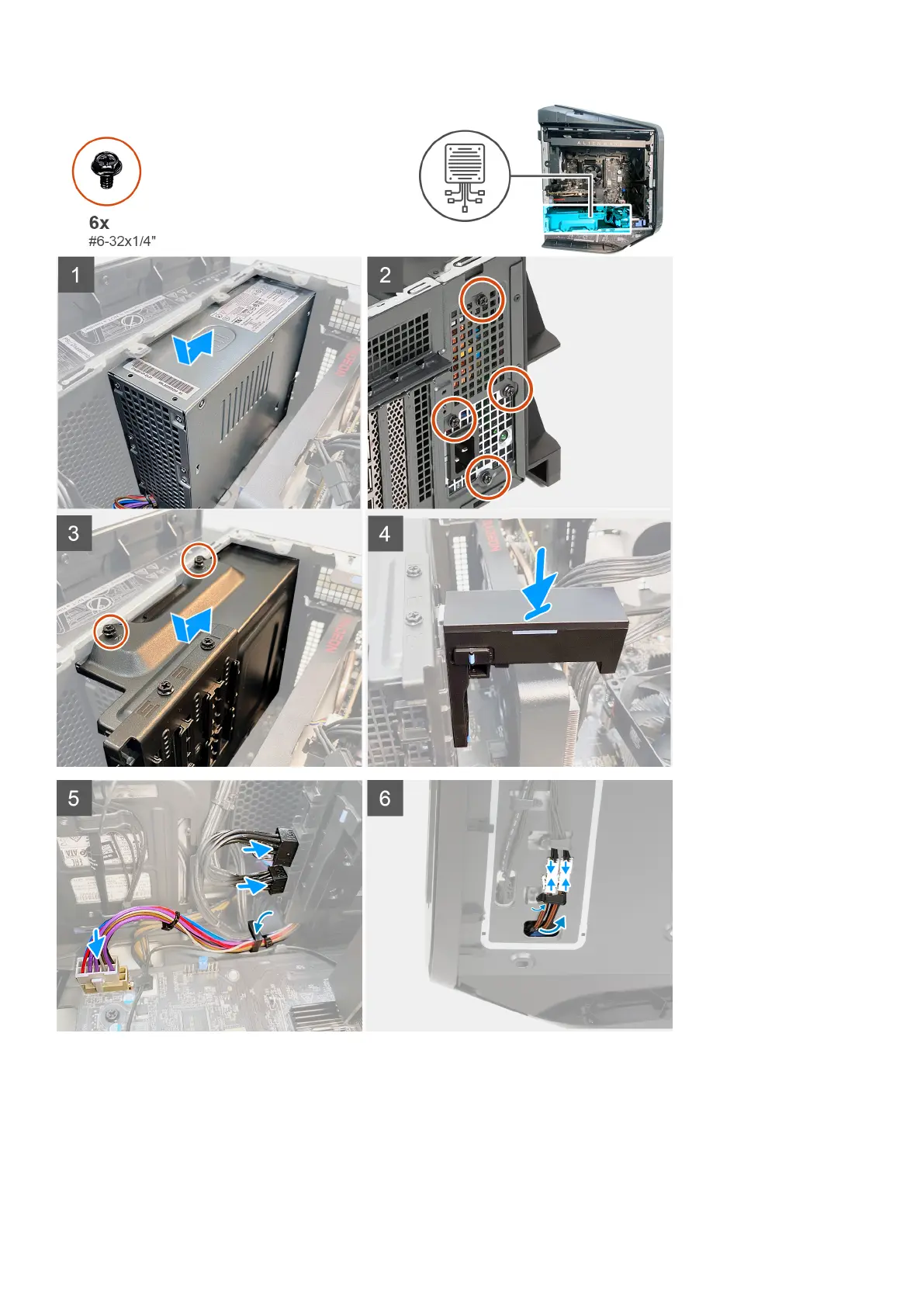
1. Lay the computer on the right side.
2. Slide and place the power-supply unit on the chassis.
3. Align the screw holes on the power-supply unit with the screw holes on the chassis.
4. Replace the four screws (#6-32x1/4") that secure the power-supply unit to the chassis.
5. Align and place the power-supply unit bracket on the power-supply unit.
38
Removing and installing components











 To Next Page