WARNING: Before working inside your computer, read the safety information that is shipped with your
computer. For more safety best practices, see the Regulatory Compliance home page at www.dell.com/
regulatory_compliance.
CAUTION: Removing the coin-cell battery resets the BIOS setup program’s settings to default. It is
recommended that you note the BIOS setup program’s settings before removing the coin-cell battery.
2. Remove the left-side cover.
About this task
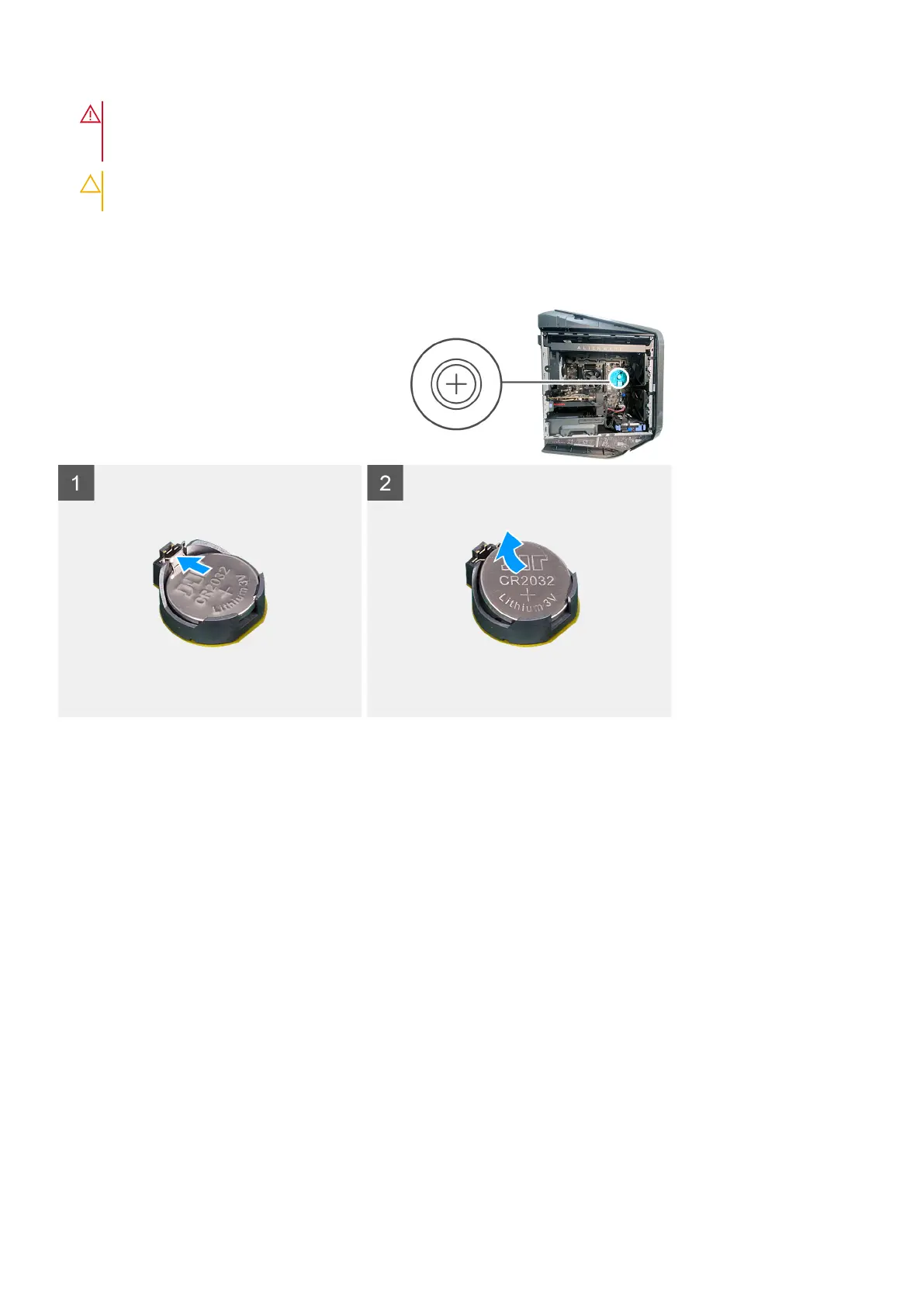
The following images indicate the location of the coin-cell battery and provide a visual representation of the removal procedure.
Steps
1. Lay the computer on the right side.
2. Press the battery-release lever away from the coin-cell battery until the coin-cell battery pops up.
3. Lift the coin-cell battery out of its socket.
Installing the coin-cell battery
Prerequisites
If you are replacing a component, remove the existing component before performing the installation procedure.
About this task
The following images indicate the location of the coin-cell battery and provide a visual representation of the installation
procedure.
Removing and installing components
45











 To Next Page