About this task
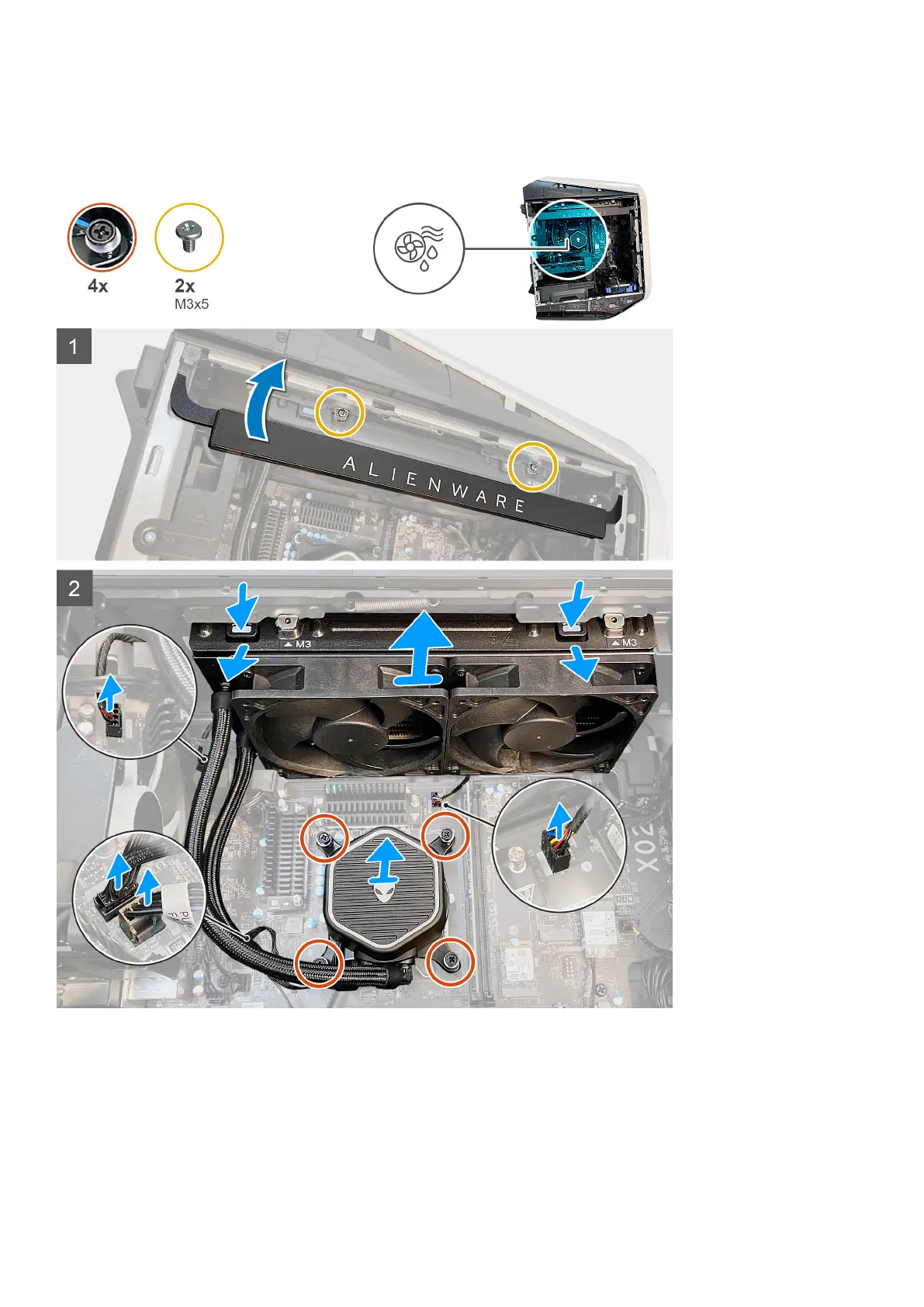
The following images indicate the location of the processor liquid-cooling assembly and provide a visual representation of the
removal procedure.
Steps
1. Lay the computer on the right side.
2. Lift the side light bar.
3. Remove the two screws (M3x5) that secures the radiator and fan assembly to the chassis.
4. Disconnect the radiator and fan assembly cable from the system board.
5. Disconnect the processor-cooling assembly cables from the system board.
6. Loosen the four captive screws that secure the processor-cooling assembly to the system board.
Removing and installing components
63











 To Next Page