13
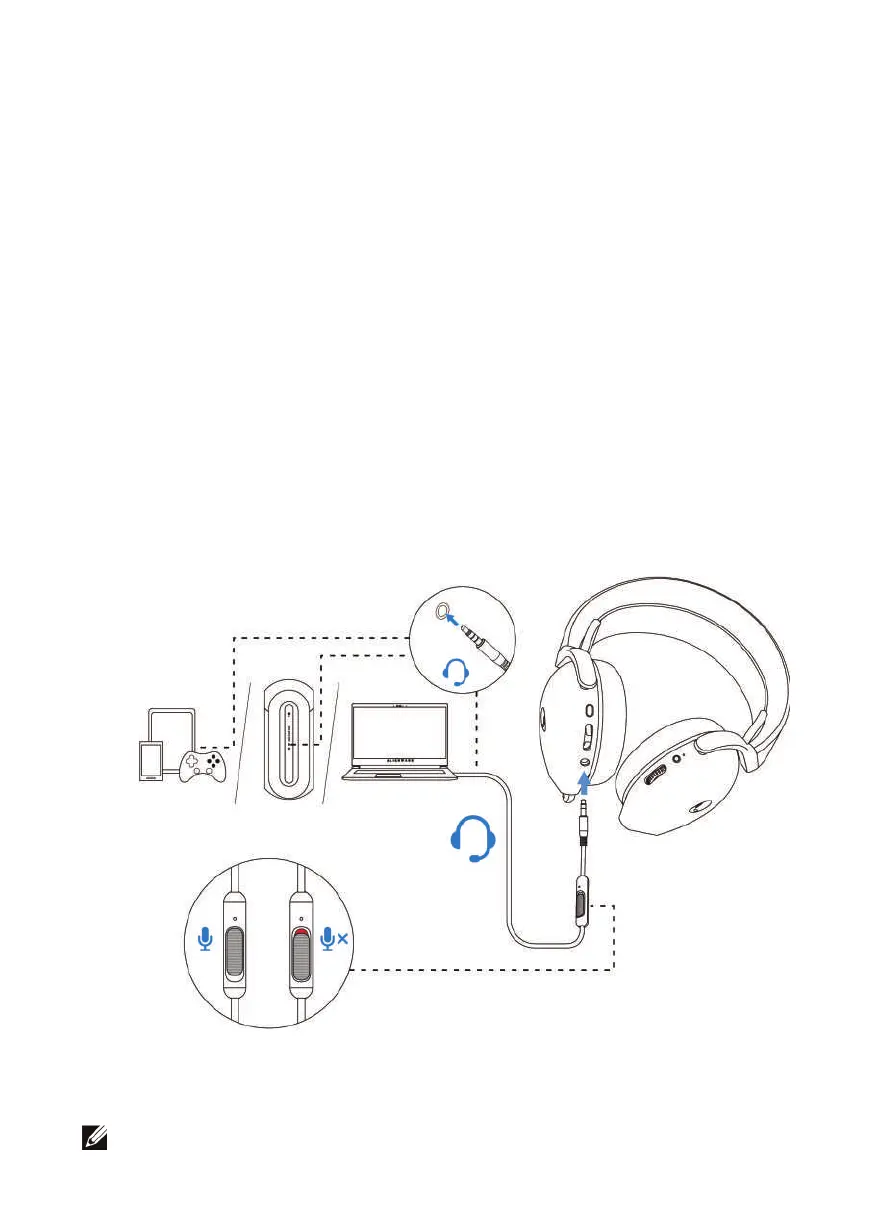
Connecting the headset to your device using the Inline audio
cable
1. Co
nnect one end of the 3.5 mm inline audio cable to the port on your headset,
and connect the other end to the audio/headset port on your computer o
r
mo
bile device.
2. The headset speakers and the microphone on the cable continue to work even
when the headset is turned off, as long as the headset is connected to a 3.5 mm
inline audio cable. The buttons and LEDs stop functioning if the headset is turned
off.
3. While using the 3.5 mm inline audio cable, the audio source will be provided
only by the Inline cable. The 2.4G mode still continue to work even afte
r
r
emoving the audio cable.
4. When using the 3.5 mm inline audio cable, the headset will compatible with
any device with audio jack port like mobile, XboxOne, and PS4.
N
OTE: Inline cable won’t respond while charging.



 To Next Page