20
Using features on the headset
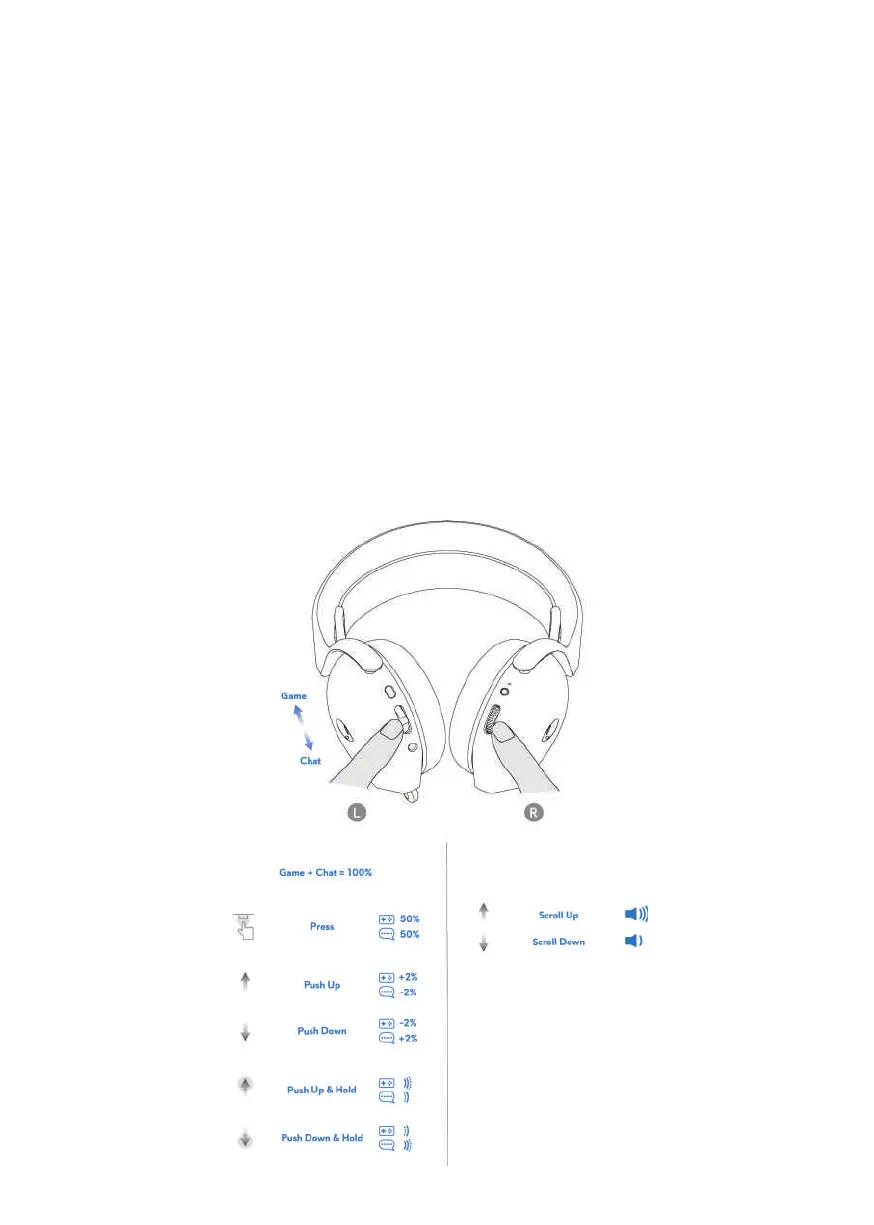
Volume Controls
Sc
roll volume control wheel for volume increment or decrement. Scroll up for
volume up, scroll down for volume down.
Game/Chat Balance Control
T
he volume balance of game and chat is 50% each when using the headset for the
first time. Push up the game chat balance button to increase game volume, push
down the game chat balance button to increase chat volume. For each push, it will
result in 2% volume change (for example, if user pushes up, game becomes 52%,
chat becomes 48%), overall volume should still maintain the same. User also push
and hold for continuous volume change. Also, press the game chat balance button
can reset the volume balance of game and chat to 50% each.



 To Next Page