15
CHAPTER 2: GETTING TO KNOW YOUR LAPTOP
1
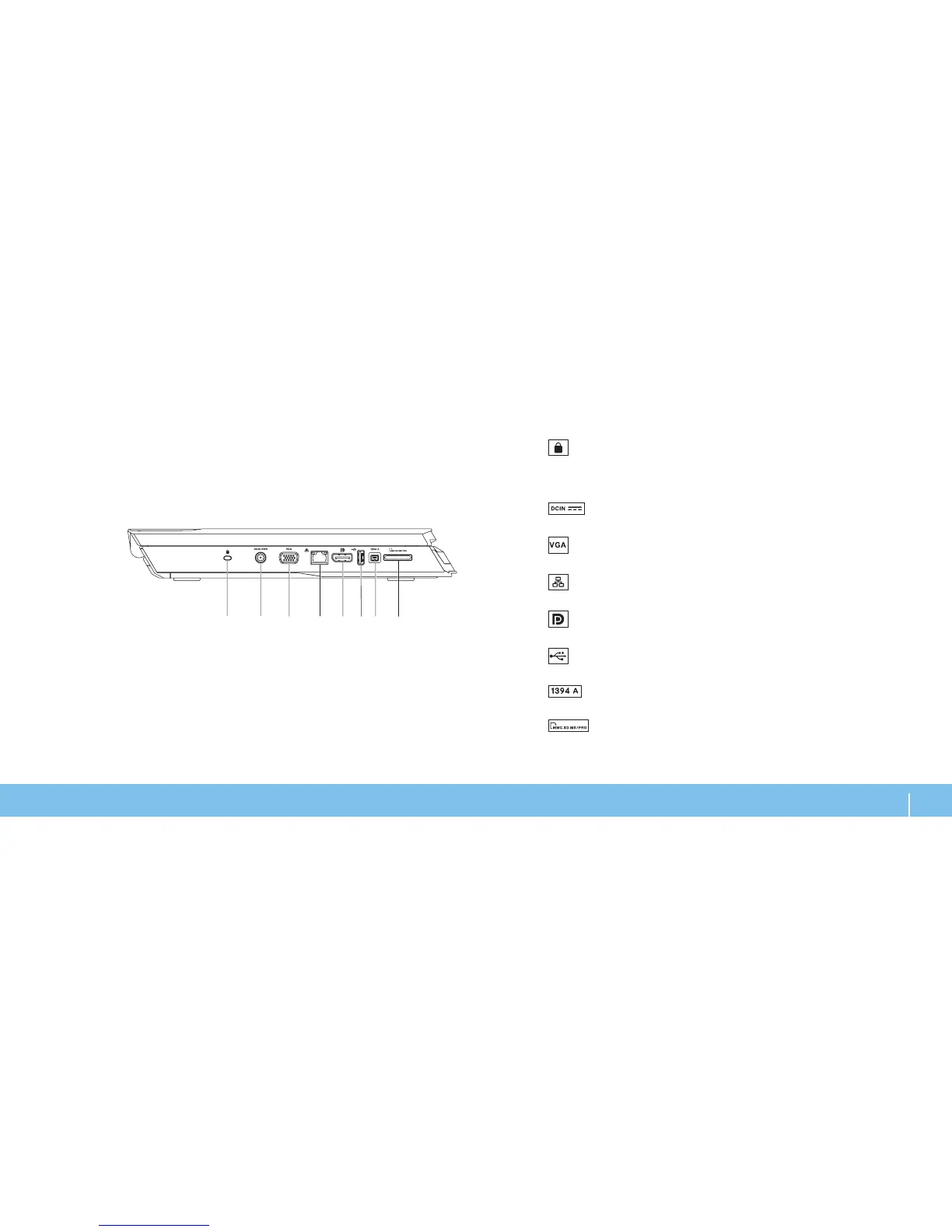
Security cable slot — Attaches a commercially available antitheft
device to the computer.
NOTE: Before you buy a lock, ensure that it works with the security lock slot
on your computer.
2
AC adapter connector — Connects to an AC adapter to power the
computer and charge the battery.
3
VGA connector — Connects to video devices, such as a monitor or
projector.
4
Network connector — Connects your computer to a network or
broadband device.
5
DisplayPort connector — Connects your computer to external
monitors and projectors with DisplayPort.
6
USB connector — Connects to USB devices, such as a mouse,
keyboard, printer, external drive, or MP3 player.
7
IEEE 1394 A connector — Connects to high-speed serial multimedia
devices such as digital video cameras.
8
8-in-1 Media Card Reader — Provides a fast and convenient way to
view and share digital photos, music, videos, and documents.
Left View Features












 To Next Page