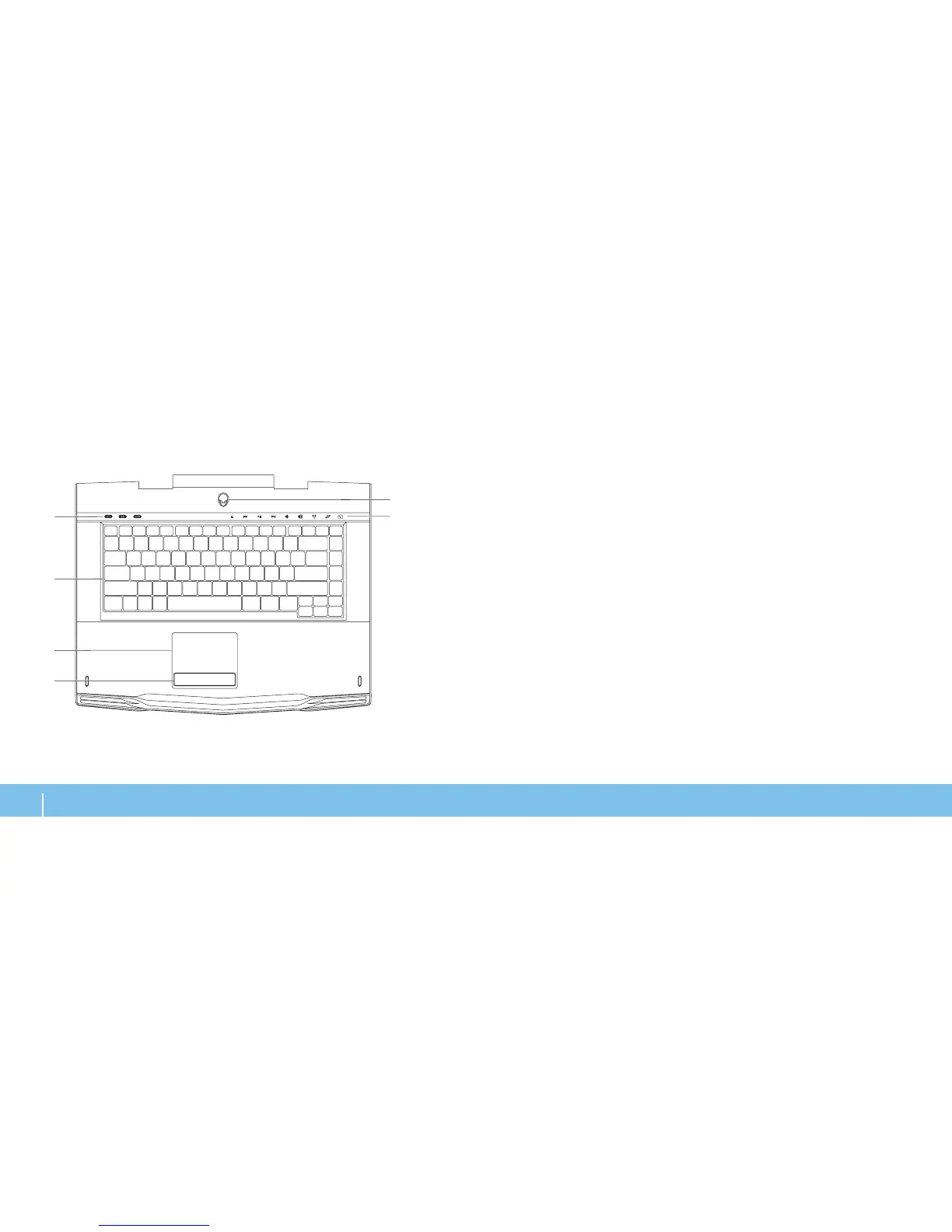
1 Status lights (3) — Indicates if the Scroll Lock, Caps Lock, or Number Lock
lights are turned on or o.
2 Keyboard — e backlit keyboard provides visibility in dark environments
by illuminating all symbols on the keys.
3 Touch pad — Provides the functionality of a mouse to move the cursor,
drag or move selected items, and left-click by tapping the surface.
4 Touch pad buttons (2) — Provide left- and right-click functions like those
on a mouse.
5 Touch controls (9) — Touching the touch controls perform the associated
action. For more information, see “Touch Controls” on page 19.
6 Power button — Turns the computer on or o when pressed. For more
information, see “Power Button” on page 20.












 To Next Page