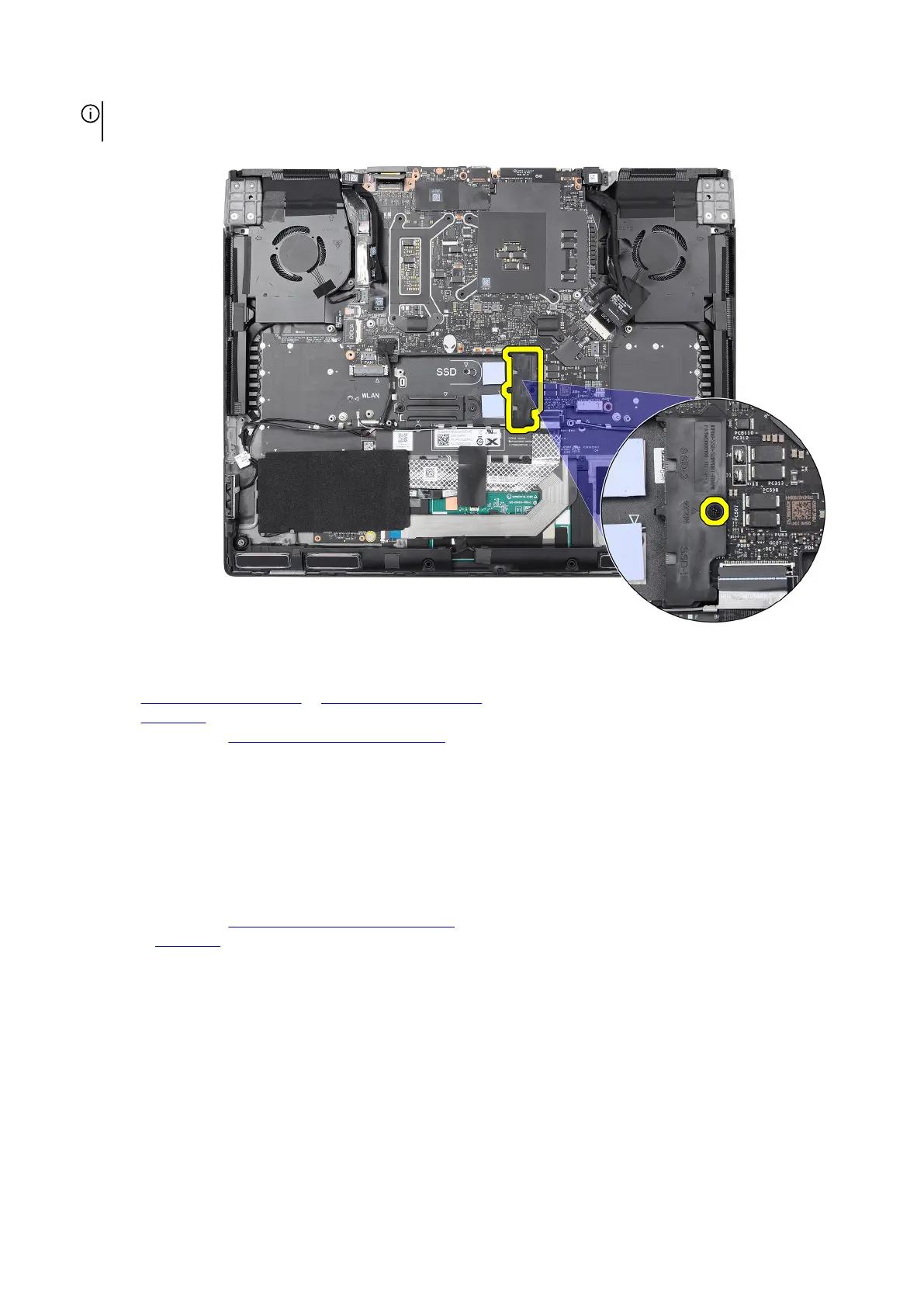
NOTE: For computers shipped with an NVIDIA GeForce RTX 4080 graphics card, replace the single screw (M2x4) that
secures the solid state drive bracket to the palm-rest and keyboard assembly.
Next steps
1. Install the
M.2 2230 solid state drive or M.2 2280 solid state drive, as applicable.
2. Install the
base cover.
3. Follow the procedure in After working inside your computer.
Wireless card
Removing the wireless card
Prerequisites
1. Follow the procedure in Before working inside your computer.
2. Remove the base cover.
About this task
The following images indicate the location of the wireless card and provide a visual representation of the removal procedure.
44










 To Next Page