9
Getting Started
8 Using the GEOMETRY OSD
You can adjust the picture’s geometry using the GEOMETRY
OSD.
This setting is stored in memory for the current input signal.
1 Press the MENU button to display the MENU OSD.
2 Highlight the GEOMETRY OSD using the BRIGHTNESS
and CONTRAST buttons and press the MENU button again.
3 Press the ¨ (BRIGHTNESS) ./> buttons to select the
desired geometry adjustment.
4 Press the > (CONTRAST) ?// buttons to adjust the
geometry.
5 Press the MENU button once to return to the MENU OSD,
or press it twice to return to normal viewing.
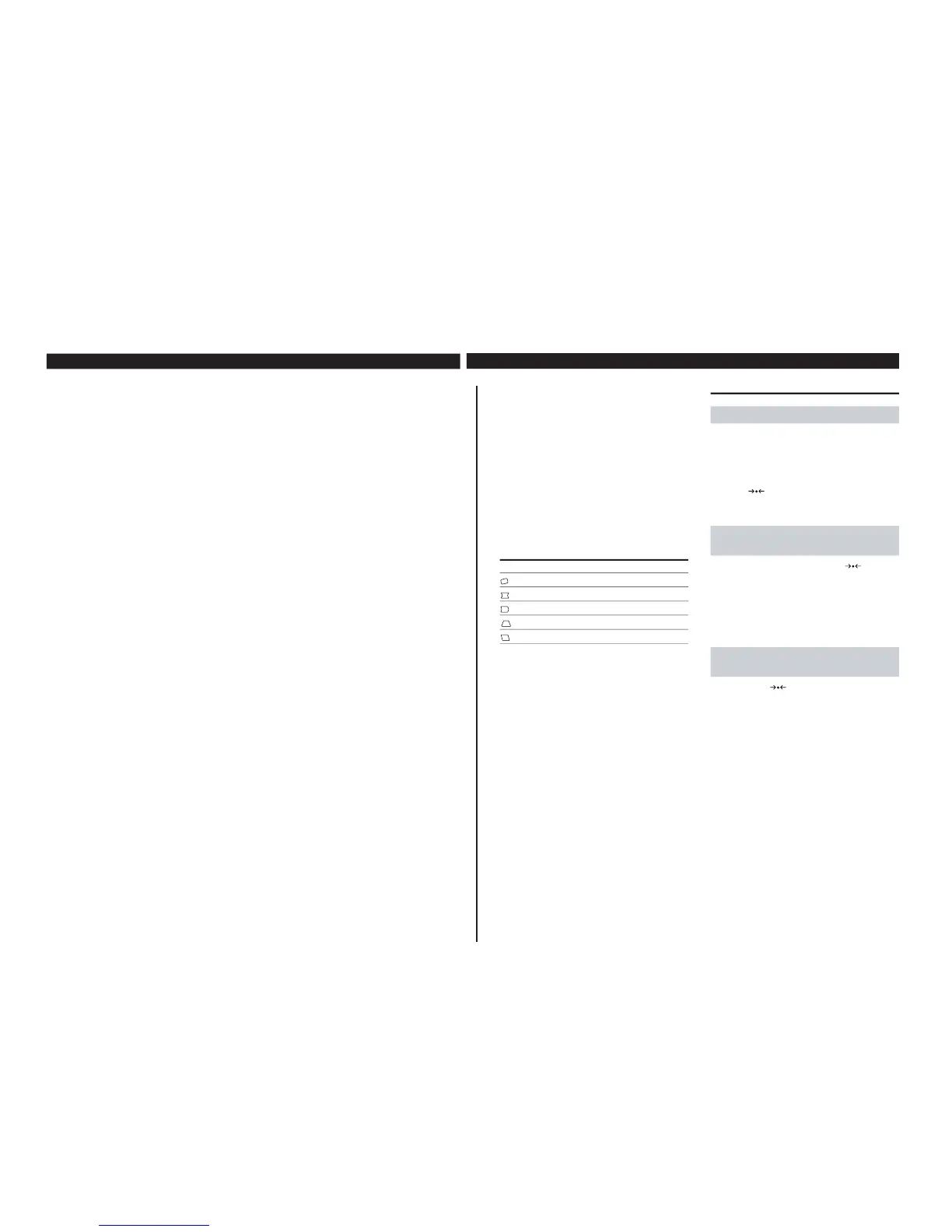
Select
ROTATION
PINCUSHION
PIN BALANCE
KEYSTONE
KEY BALANCE
To
adjust the picture rotation
adjust the picture sides
adjust the picture side balance
adjust the trapezoidal distortion
adjust the picture shape balance
Resetting the Adjustments
Customizing Your Monitor
Resetting all of the adjustments for
the current input signal
While there is no OSD displayed, press the
(RESET)
button.
All of the adjustments for the current input signal are reset to
the factory settings.
Adjustments not affected by changes in the input signal (such
as OSD language, OSD position and the Control Lock function)
are not reset to the factory settings.
Resetting all of the adjustments for
all input signals
Press and hold the
(RESET) button for more than two
seconds.
All of the adjustments, including the brightness and contrast,
are reset to the factory settings.
Resetting a specific adjustment:
1 Press the MENU button to display the MENU OSD
2 Highlight the OSD containing the adjustment you want to
reset using the BRIGHTNESS and CONTRAST buttons and
press the MENU button again.
3 Press the ¨ (BRIGHTNESS) ./> buttons to select the
adjustment you want to reset.
4 Press the
(RESET) button to reset this specific
adjustment.
8
4 Using the ZOOM OSD
You can enlarge or reduce the picture size using the ZOOM
OSD.
This setting is stored in memory for the current input signal.
1 Press the MENU button to display the MENU OSD.
2 Highlight the ZOOM OSD using the BRIGHTNESS and
CONTRAST buttons and press the MENU button again.
3 Press the > (CONTRAST) ?// buttons to enlarge or
reduce the picture size.
4 Press the MENU button once to return to the MENU OSD,
or press it twice to return to normal viewing.
Note
You can enlarge or reduce the picture size until either the
horizontal or vertical size reaches its maximum or minimum
value.
7 Using the LANGUAGE OSD
You can set the OSD language to English, German, French,
Spanish or Japanese using the LANGUAGE OSD.
To reset to English, press the RESET button while the
LANGUAGE OSD is displayed.
1 Press the MENU button to display the MENU OSD.
2 Highlight the LANGUAGE OSD using the BRIGHTNESS
and CONTRAST buttons and press the MENU button again.
3 Press the ¨ (BRIGHTNESS) ./> buttons to select the
desired language.
4 Press the MENU button once to return to the MENU OSD,
or press it twice to return to normal viewing.
5 Using the OPTION OSD
You can manually degauss (demagnetize) the CRT, move the
OSD position and lock the user controls using the OPTION
OSD.
1 Press the MENU button to display the MENU OSD.
2 Highlight the OPTION OSD using the BRIGHTNESS and
CONTRAST buttons and press the MENU button again.
3 Press the ¨ (BRIGHTNESS) ./> buttons to select the
desired adjustment item.
4 Press the > (CONTRAST) ?// buttons to activate the
manual degauss, move the OSD position or lock the user
controls.
5 Press the MENU button once to return to the MENU OSD,
or press it twice to return to normal viewing.
Degauss: If a second degauss cycle is needed, allow a minimum
interval of 20 minutes for the best result.
OSD Position Change: To change the OSD position, press the
¨ (BRIGHTNESS) ./> buttons to select the direction
(horizontal or vertical), then press the > (CONTRAST)
?// buttons to move the OSD in the selected direction.
User Control Lock: Once you select “ON” to lock the user
controls, you cannot select any item except “EXIT” and
“OPTION” in the MENU OSD. If you try to access any other
OSD, the H mark appears on the screen.
To cancel the Control Lock: Repeat the above procedure and
set Control Lock to “OFF.”
6 Using the SIZE OSD
You can adjust the picture size using the SIZE OSD.
This setting is stored in memory for the current input signal.
1 Press the MENU button to display the MENU OSD.
2 Highlight the SIZE OSD using the BRIGHTNESS and
CONTRAST buttons and press the MENU button again.
3 To adjust the vertical size press the ¨ (BRIGHTNESS) ./>
buttons.
4 To adjust the horizontal size press the > (CONTRAST)
?// buttons.
5 Press the MENU button once to return to the MENU OSD,
or press it twice to return to normal viewing.
Customizing Your Monitor











 To Next Page