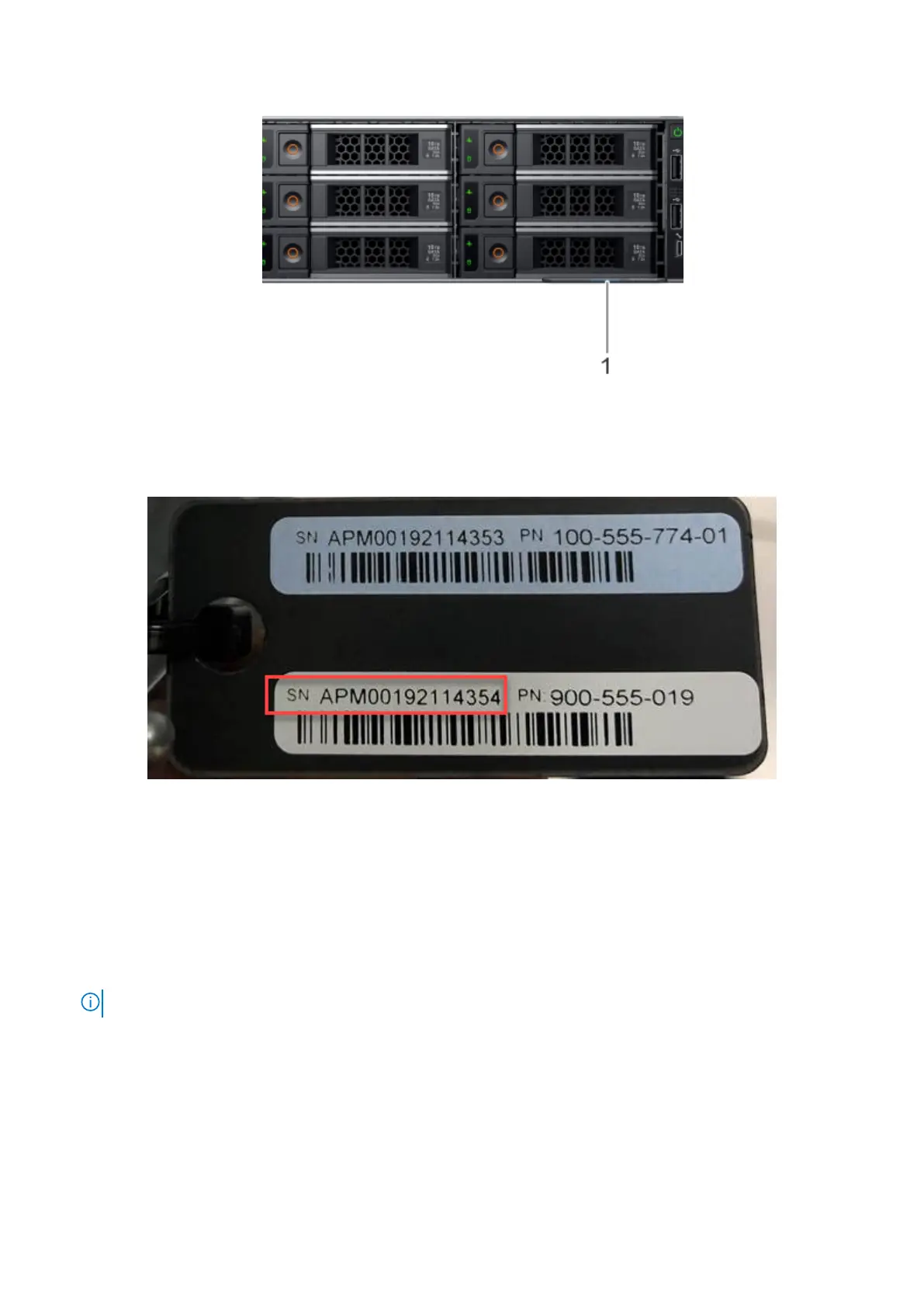
Figure 2. Front tag
There are two labels on each tag:
● The top label is blue and contains the serial number for the system top level assembly (TLA).
● The bottom label is white and contains the product serial number required for the initial password.
Figure 3. Serial number for initial password
Required tools and supplies
Ensure that you have the required tools and supplies on hand for the PowerProtect system installation.
You will need:
● Antistatic wrist strap and conductive foam pad
● USB to DB9 serial port dongle (USB-RS-232)
NOTE: Two are required if the computer used to connect to the system does not have a serial port.
● Null modem cable with DB-9 female connector to connect a computer to the PowerProtect system.
● Screwdrivers:
○ Phillips #1
○ Phillips #2 with a 4- to 6-inch blade and a magnetic tip
○ Phillips #2 with a 12 in. or longer blade and magnetic tip
○ Flat head with a 3/16 in. blade
○ Flat head with a 1/4 in. blade
○ Torx T6
10
Introduction and Preparation










 To Next Page