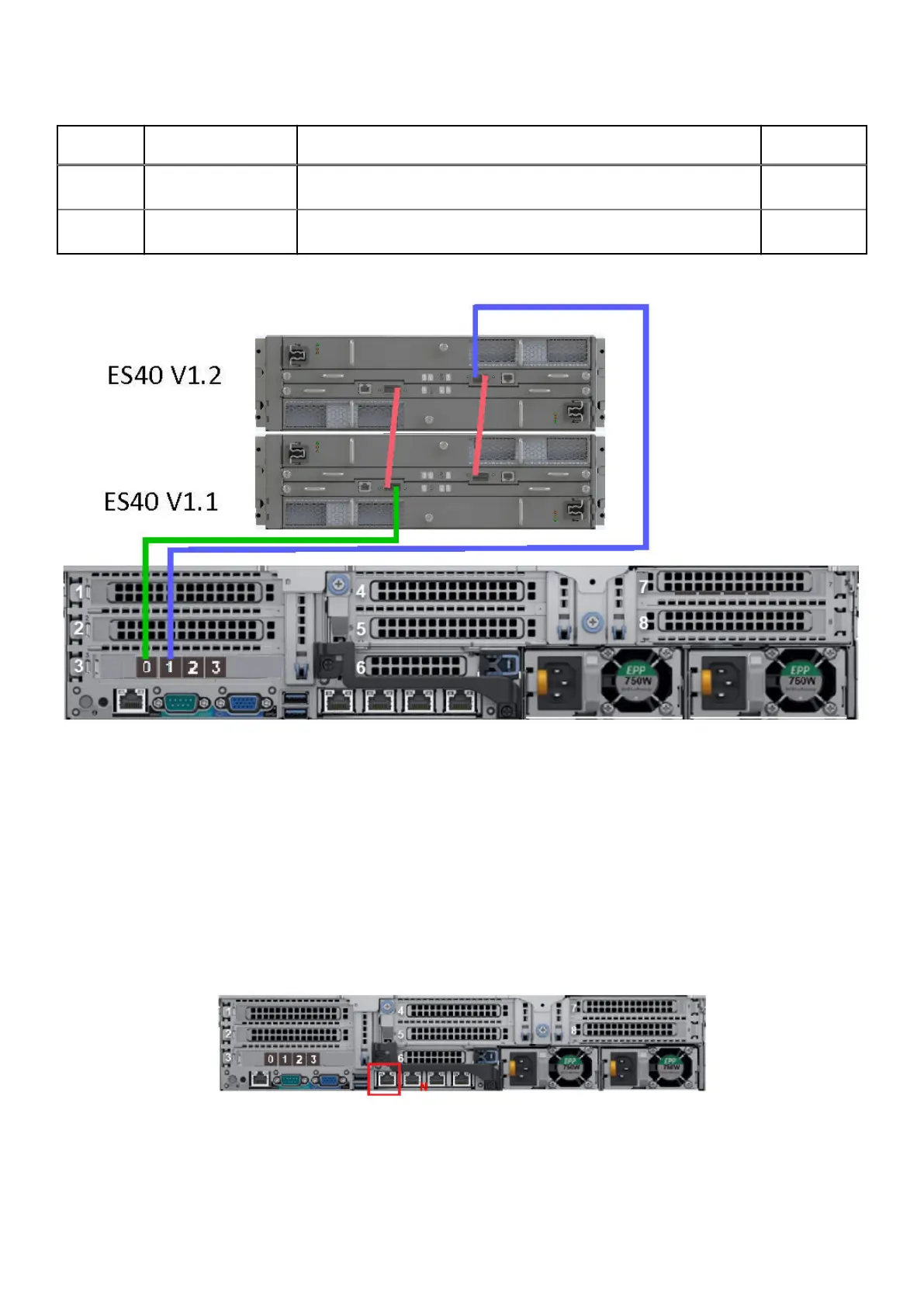
Table 5. DD6400 with two ES40s: ES40 to ES40 cabling instructions
String
(Loop)
I/O - Port Shelf Port Length
a
1 LCC A, port B of shelf
V1.1
LCC A, port A of shelf V1.2 1M
1 LCC B, port A of shelf
V1.1
LCC B, port B of shelf V1.2 1M
a.
The cable lengths that are shown are designed for Dell Technologies racks. Longer cables (up to 5M) can be used.
Figure 20. DD6400 with two ES40 shelves
Connecting data cables
About this task
Slot numbers
The following figure shows the HBA slot numbers.
The slot that is labeled N is the network daughter card, which contains ports ethMa, ethMb, ethMc, and ethMd. The
management port ethMa is the first port set up by the Configuration Wizard. It is marked with a red rectangle in the figure
below.
Figure 21. Slot numbering
Port numbers
The following port numbering guidelines apply to all HBAs except the network daughter card:
26
Connect Cables and Power On










 To Next Page