Install the System in the Rack
CAUTION: Improper installation on the rails may damage the rails or cause the system to fall when extended.
When extending the system from the rack, pull outward slowly and verify the system is properly installed on the
rails.
Topics:
• Identifying the rail kit components
• Install the rails
• Secure the rail assemblies to the cabinet
• Install the system in the cabinet
• Install the front bezel
Identifying the rail kit components
This section describes the steps to identify the rail kit components.
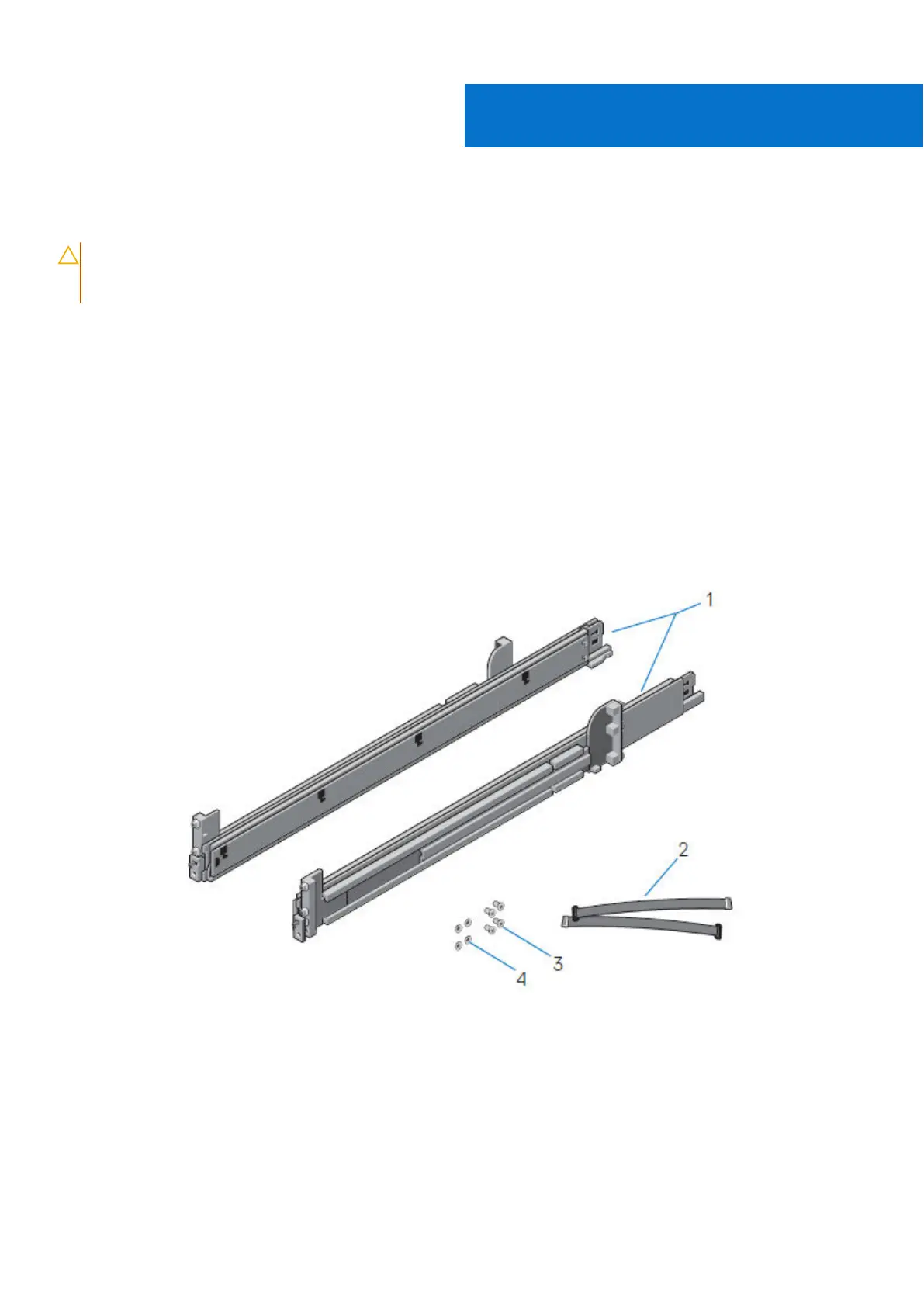
The 2U sliding rail assemblies allow the server to be secured in the cabinet, and extended from the cabinet so that the system
cover can be removed to access the internal FRUs.
Figure 4. Sliding rail assembly - 2U systems
1. Sliding rail (2)
2. Velcro strap (2)
3. Screw (4)
4. Washer (4)
The rails are compatible with racks with square holes, unthreaded round holes, and threaded round holes.
The CMA assembly consists of one articulated arm, and one separator.
2
12 Install the System in the Rack










 To Next Page