28 Setting Up the Monitor
a. Place the monitor stand base on a stable table top.
b. Slide the monitor stand body in the correct direction down onto the
stand base until it clicks into place.
c. Tighten the screw located on the base.
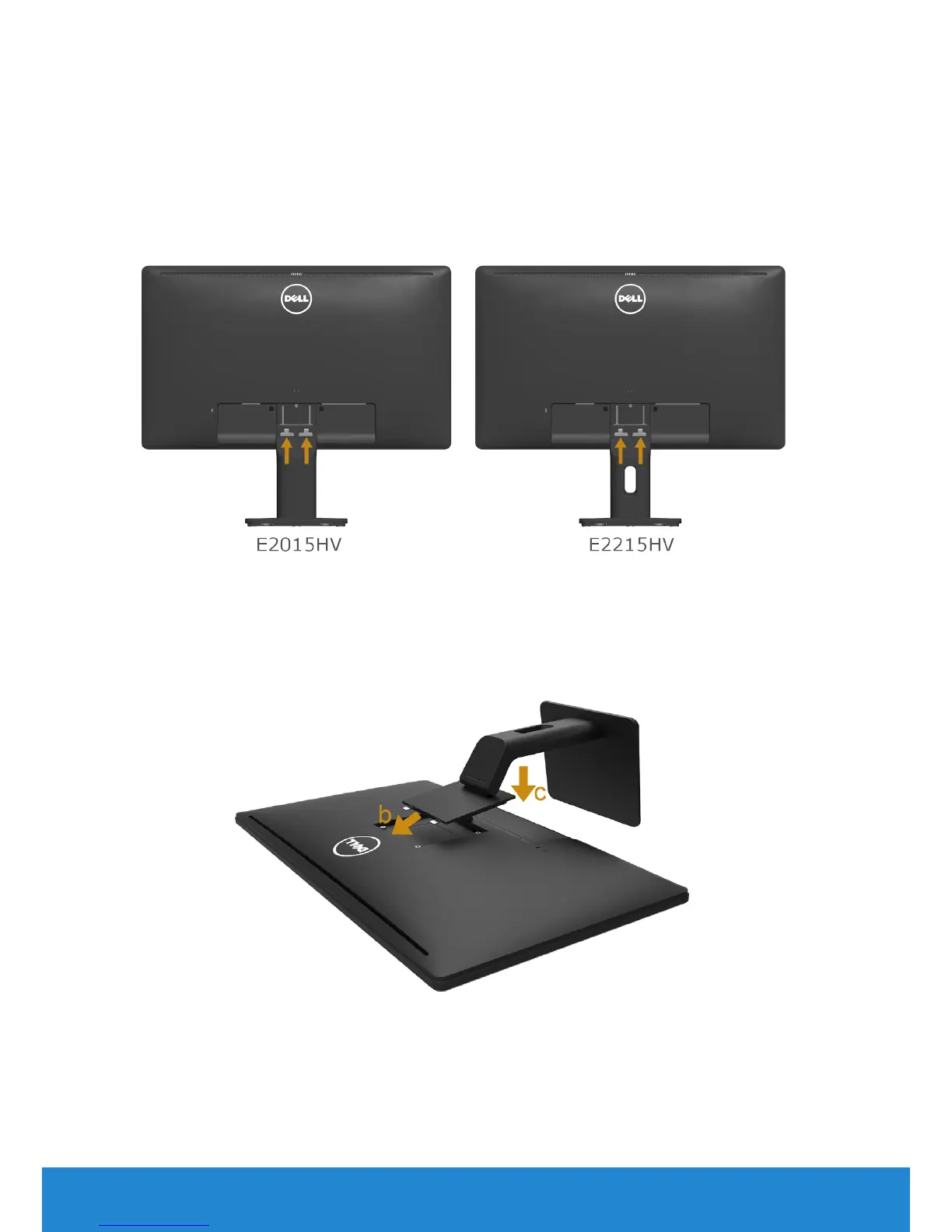
2. Attach the stand assembly to the monitor:
E2015HV/E2215HV:
a. Place the monitor on a soft cloth or cushion near the edge of desk.
b. Align the stand assembly bracket to the monitor groove.
c. Insert the bracket towards monitor until it locks in place.
E2715H:
a. Remove the cover and place the monitor on a flat surface.
b. Fit the two tabs on the upper part of the stand to the groove on the
back of the monitor.
c. Press the stand till it snaps into place.



 To Next Page