30 Setting Up the Monitor
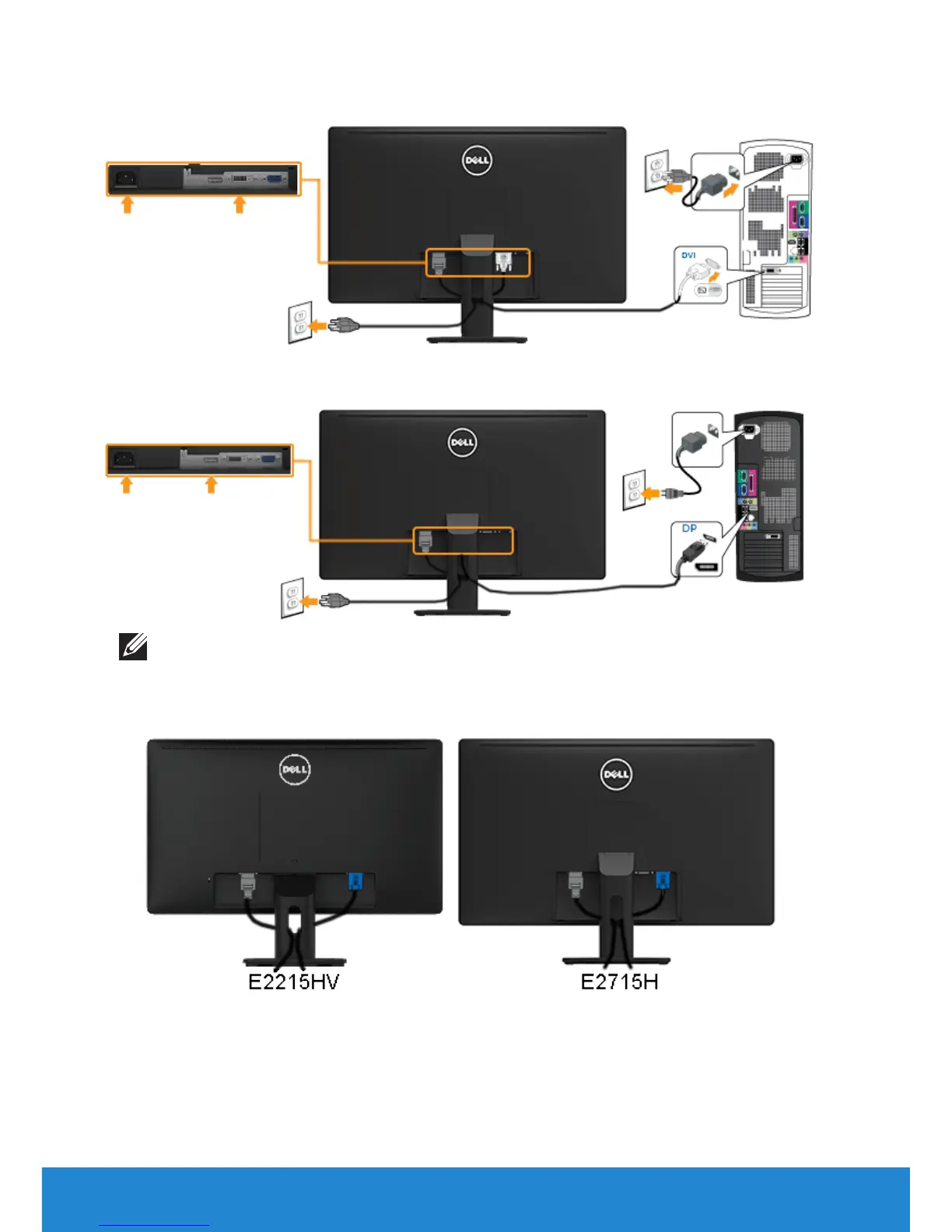
Connecting the white DVI cable (for E2715H only)
Connecting the black DP cable (for E2715H only)
Note: The graphics are used for the purpose of illustration only.
Appearance on the computer may vary.
Organizing Your Cables (for E2215HV / E2715H)
After attaching all necessary cables to your monitor and computer, (See
Connecting Your Monitor for cable attachment), organize all cables as
shown above.



 To Next Page