Dell Display Manager User's Guide 7
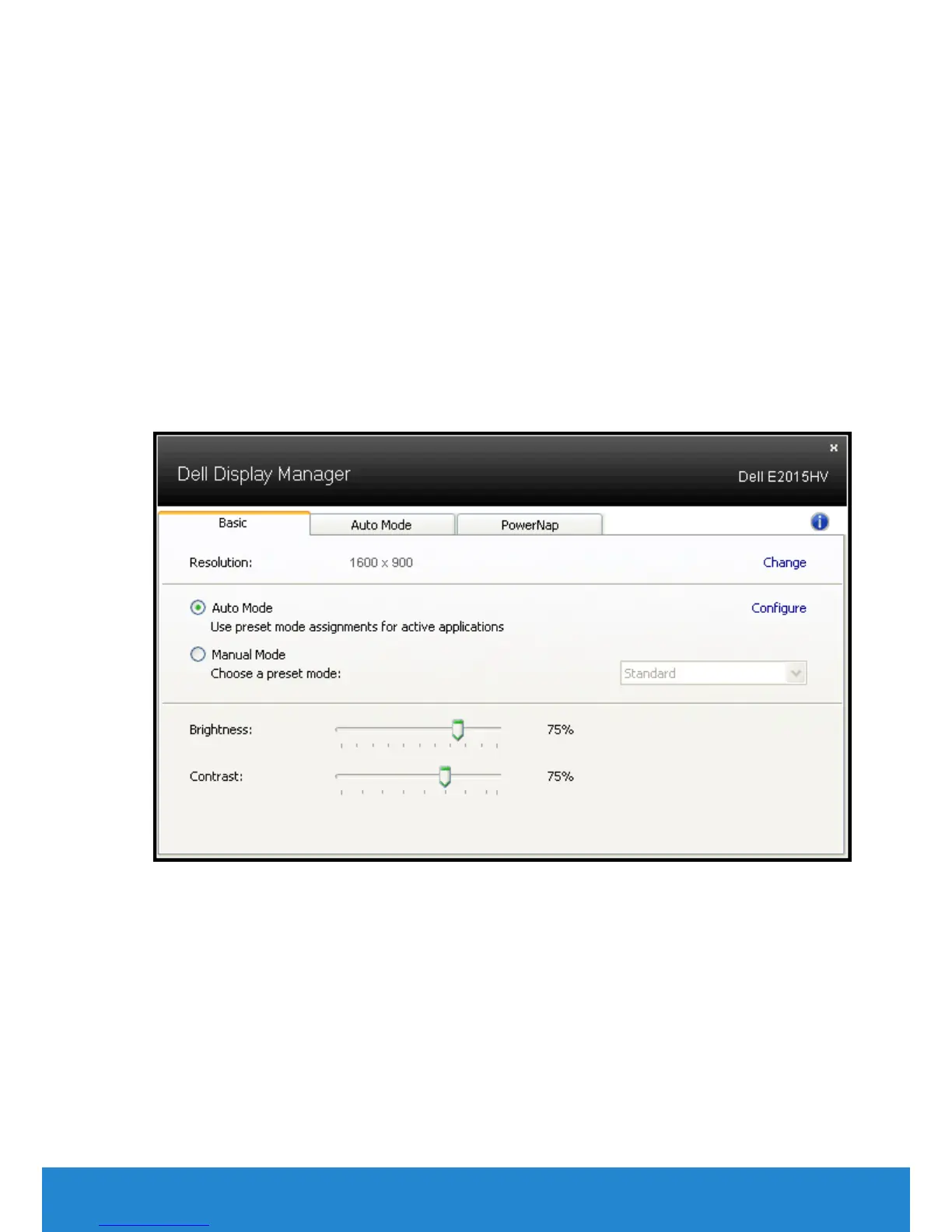
The Quick Settings dialog box also provides access to Dell Display
Manager’s advanced user interface which is used to adjust Basic
functions, configure Auto Mode and access other features.
Setting Basic Display Functions
A Preset Mode for the selected monitor can be manually applied using
the menu on the Basic tab. Alternatively, Auto Mode can be enabled. Auto
Mode causes your preferred Preset Mode to be applied automatically
when specific applications are active. An onscreen message momentarily
displays the current Preset Mode whenever it changes.
The selected monitor’s Brightness and Contrast can also be directly
adjusted from the Basic tab.
Assigning Preset Modes to Applications
The Auto Mode tab allows you to associate a specific Preset Mode
with a specific application, and apply it automatically. When Auto
Mode is enabled, Dell Display Manager will automatically switch to the
corresponding Preset Mode whenever the associated application is
activated. The Preset Mode assigned to a particular application may be
the same on each connected monitor, or it can vary from one monitor to
the next.



 To Next Page