22"LCD Color Monitor Dell E228WFPc
27
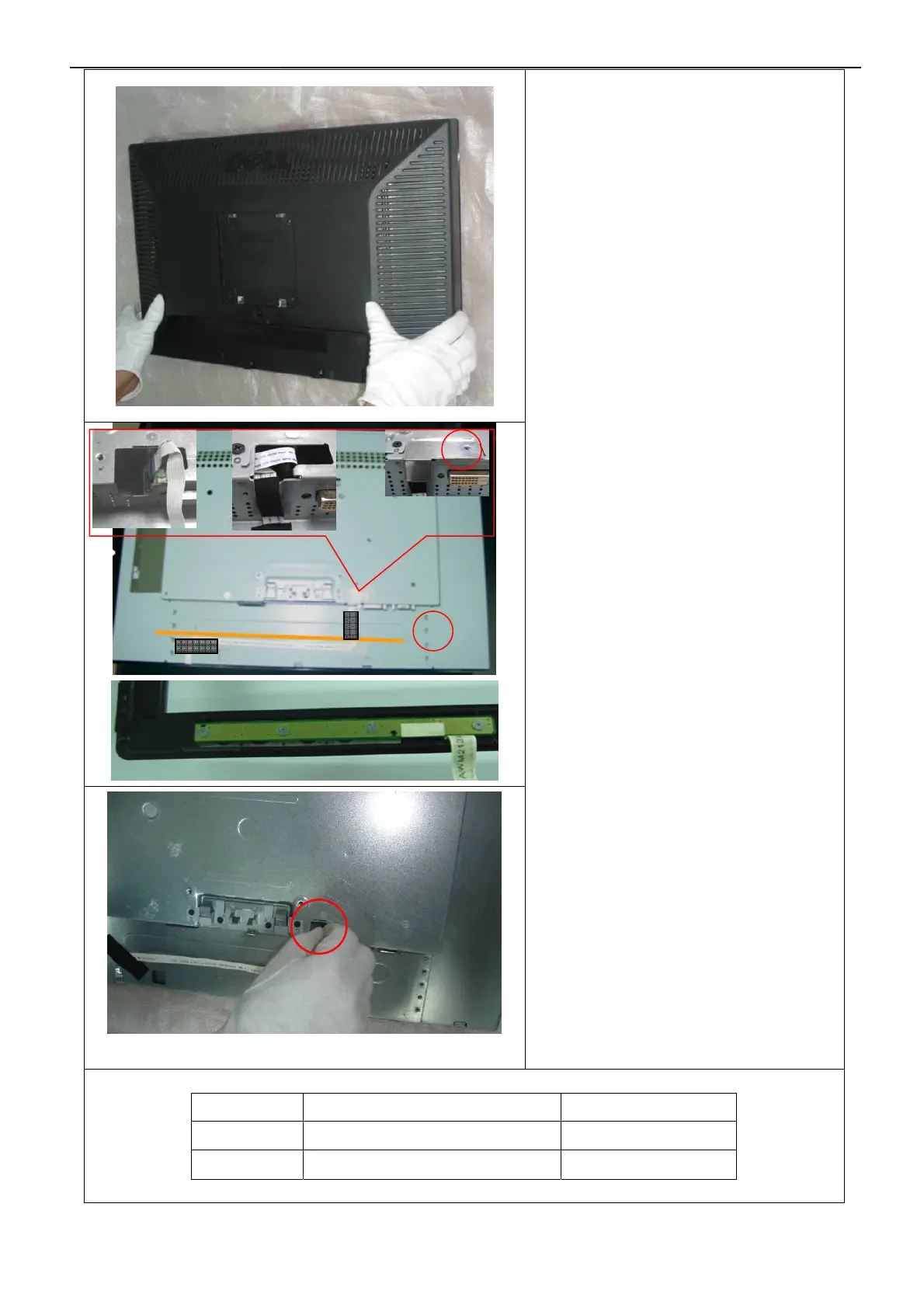
3. Turn over the monitor as the Fig and take
off the rear cover
4. Remove the small cover shield.
5.Disconnect the Key board connector and
then remove the bezel
6. The harness must along with the yellow
line indicate!
Symbol TPV Part Number Description
4 A85G0041 1 Shield
5 052G 1150 C Black Adhesive Tape
4
5


 To Next Page