22"LCD Color Monitor Dell E228WFPc
28
Symbol TPV Part Number Description
6 A85G0036 1 shielding-light
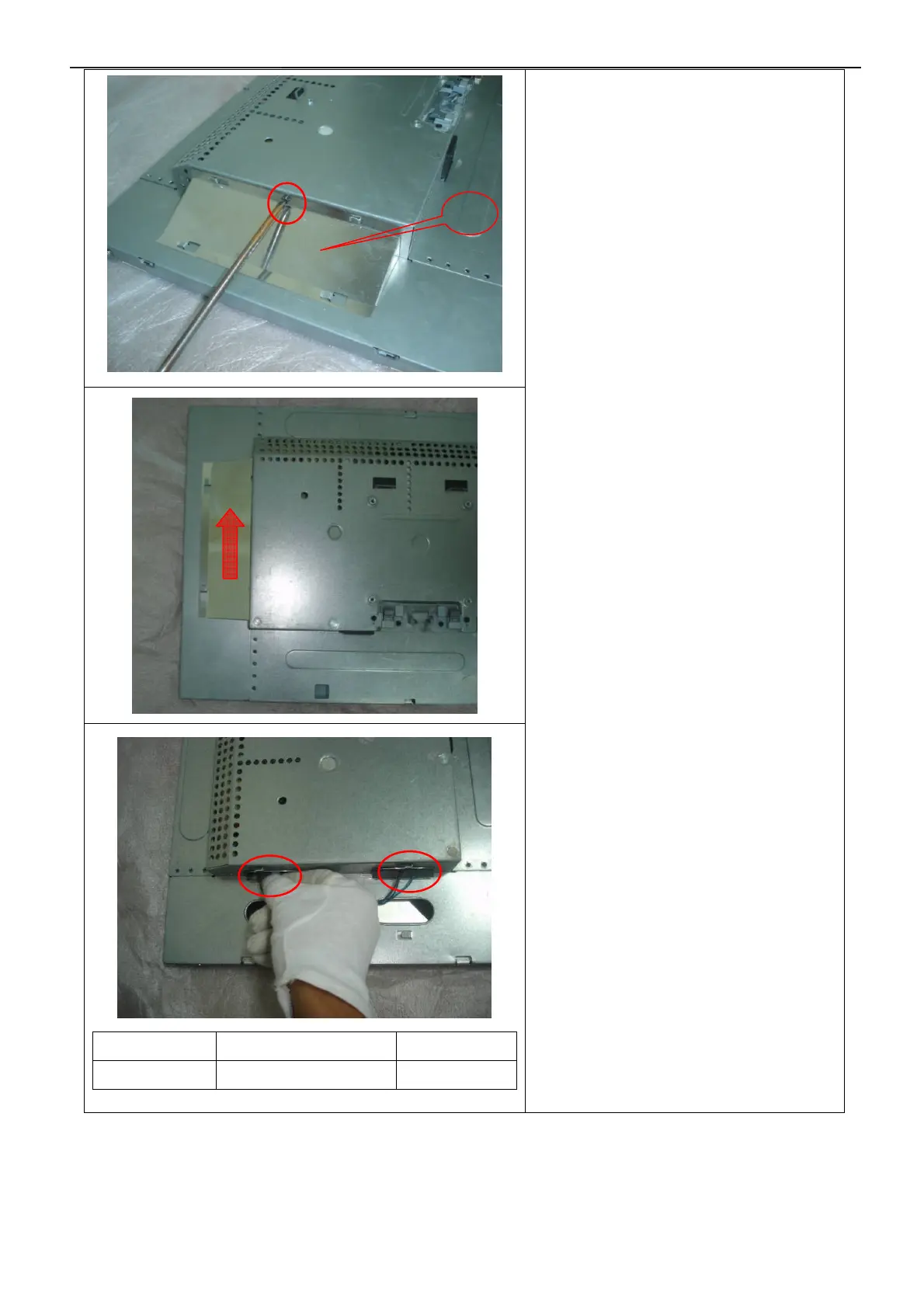
Remove the small shield and back light
connector :
1.Remove the screw by
Torque B or by manual
2.Push the small shield as
the arrowhead direction
3.Disconnect the back light connectors
6


 To Next Page