22"LCD Color Monitor Dell E228WFPc
29
Symbol TPV Part Number Description
7 A15G0112 4 Main Frame
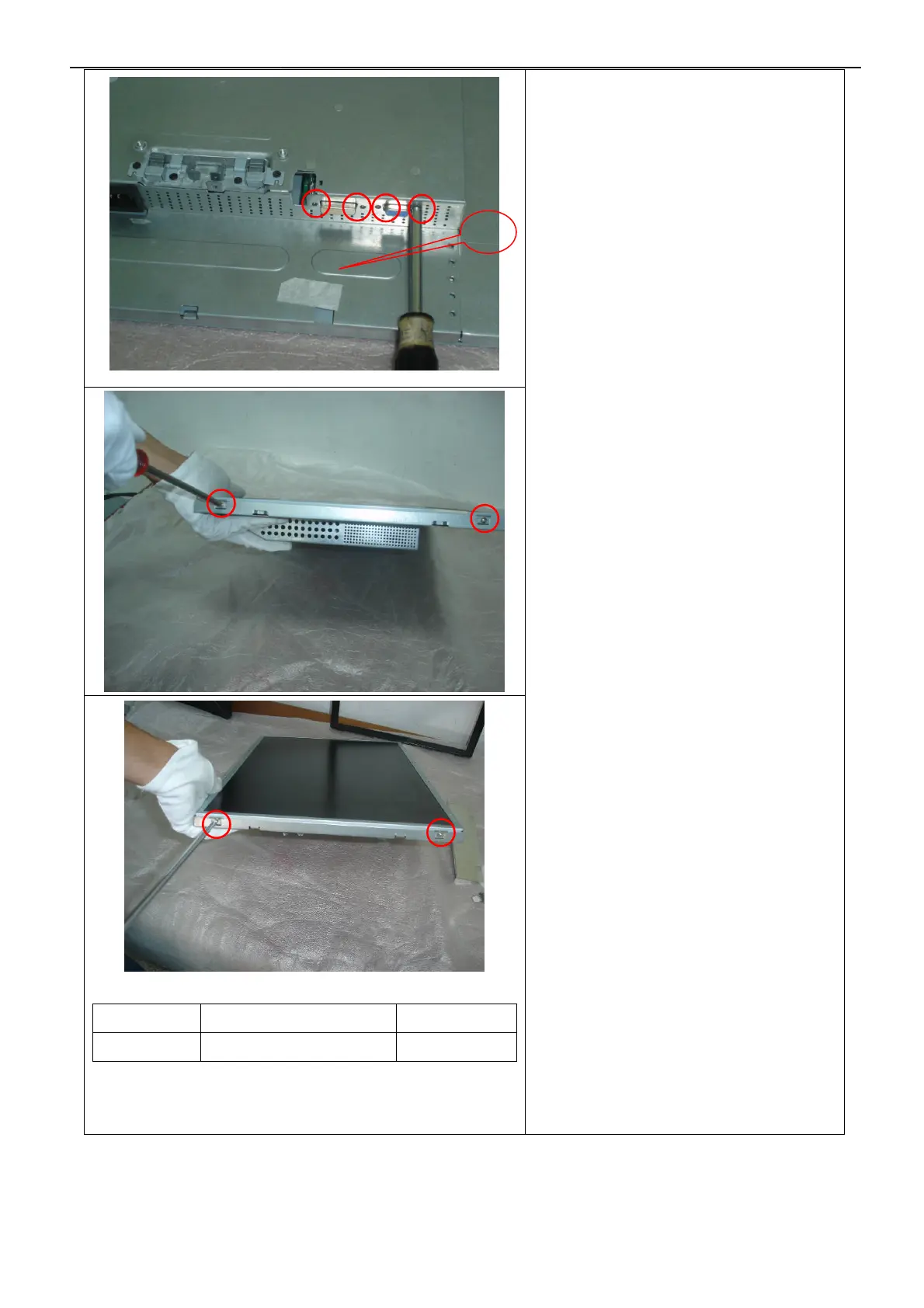
Remove the main frame :
1.Remove the four screws by Torque B
2.Remove the four screws and remove the
main frame
by manual or torque = 3kgF.Cm
3. Remove the main frame and at the same
time disconnect the LVDS connector and
remove the EVA washers.
7


 To Next Page