22"LCD Color Monitor Dell E228WFPc
30
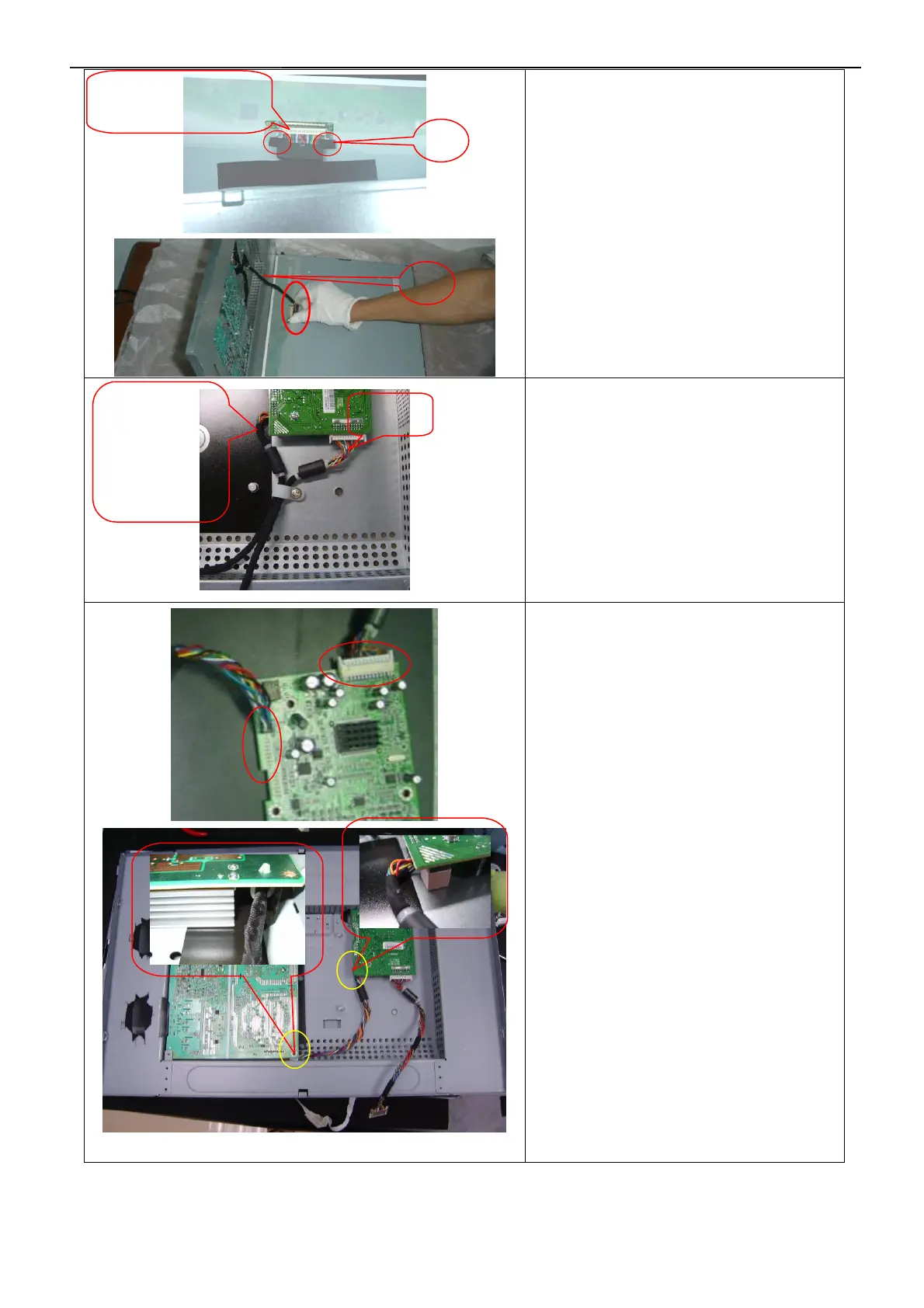
Button the harness A and B by Fix Button
and screw to main frame.
Note: 1.Screw the cable hook as the figure
showed left and make sure the magnetic
ring don’t touch the pillar of main frame.
2. Do not tighten the cable when screw the
Fix Button.
1. Insert LVDS PIN to CN501 on the main
board; insert Power board connector
cable to CN601 of main board.
Note: 1.Harness can’t be pressed by
emanated foil, and can’t touch main
frame’s ear.
2. Be careful of the CN403 PIN seat when
install the main board, because the
CN403 PIN seat is higher.
8
9
Note: Make connector’s
metal side adown
A
B
LVDS
Harness
between main
board and
power board


 To Next Page