22"LCD Color Monitor Dell E228WFPc
31
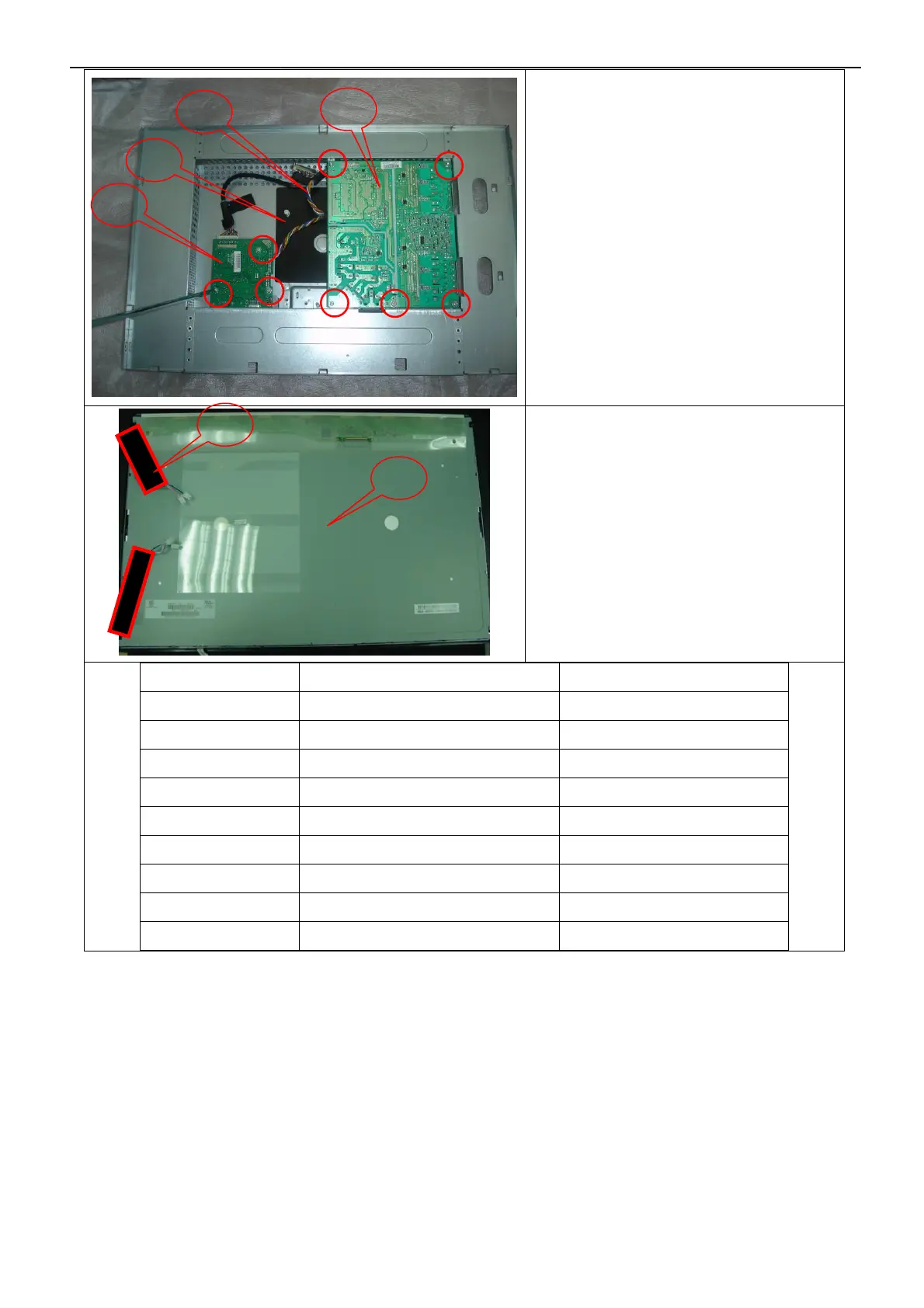
Remove the Power board and main
board:
Remove the eight screws and remove the
Power board and main board by Torque B
The end:
The Black Adhesive Tape should be affixed
as the figure showed.
Symbol TPV Part Number Description
8 S95G80183608 LVDS ASS'Y
9 044G3231 15571 EVA WASHER
11 095G 825 9W507 HARNESS 12P-10P 230mm
12 Q52G6025 13156 Mylar
13 CBPC7SGHDDQ1 Main Board
14 PWPC7C42LAA1 PWPC Board
15 750GLSC0L0132D000D Panel(SAMSUNG)
16 052F 1150501 Black Adhesive Tape
11
12
13
14
15
16


 To Next Page