22"LCD Color Monitor Dell E228WFPc
32
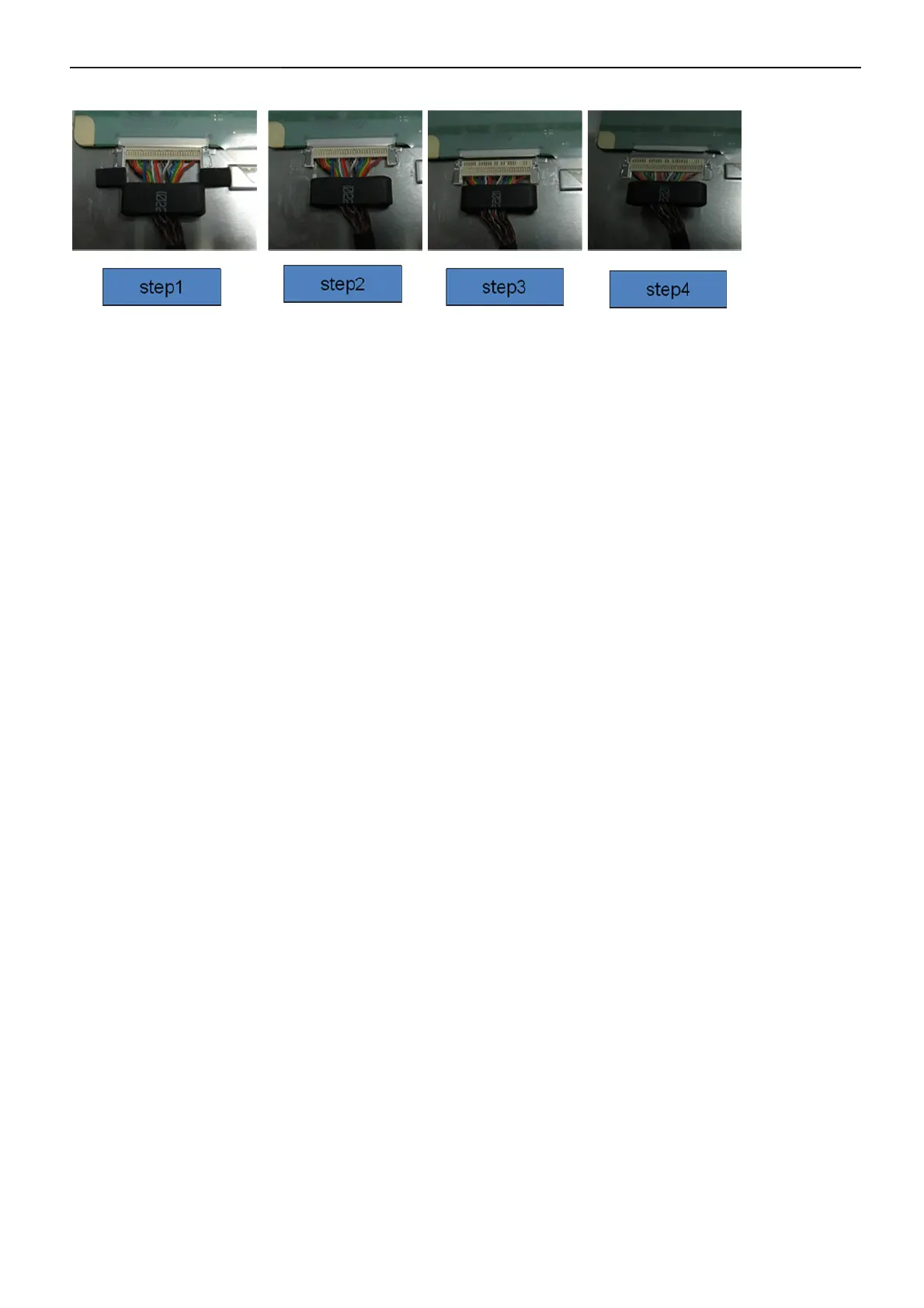
Disassemble LVDS cable process
• Step1: LVDS cable with plugging –in
• Step2: remove foam
• Step3:pull out LVDS cable via pressing side-clip, but the core is still sticked there.
• Step4:take off LVDS with core.
• Through the process, the LVDS connector will not be damaged.


 To Next Page