Table 5. PSU indicators (continued)
Conventio
n
Power indicator
pattern
Condition
a High Output configuration to a Low Output configuration or vice versa, you
must power down the system.
CAUTION: AC power supplies support both 220 V and 110 V input voltages.
When two identical power supplies receive different input voltages, they can
output different wattages, and trigger a mismatch.
CAUTION: All power supplies used must be of the same type and have the
same maximum output power.
NOTE: The FX2 chassis supports only PSUs with a rated capacity of 1100 W, 1600 W,
2000 W, or 2400 W.
Flashing green and
turns off
When hot-adding a PSU, the PSU handle flashes green five times then turns off. This
indicates a PSU mismatch.
C Not lit Power is not connected.
I/O module indicators
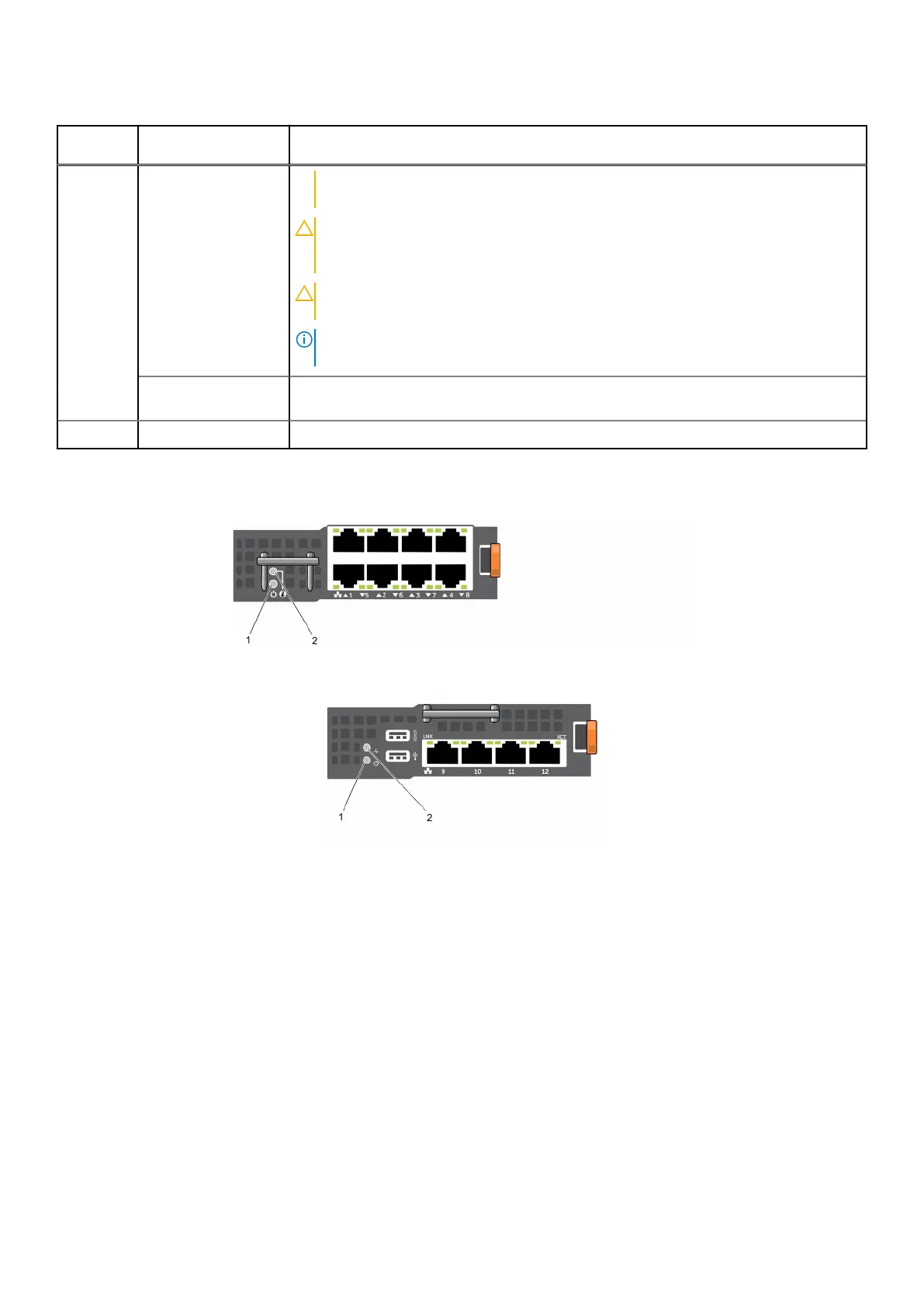
Figure 10. I/O module indicators (pass-through module)
Figure 11. I/O module indicators (switch module)
1. power indicator
2. status indicator
The indicators provide the following information:
Power
indicator
pattern
Description
Green The I/O module is operating normally.
Off The I/O module is powered off.
Status
indicator
pattern
Description
Blue The I/O module is operating normally.
About your Dell PowerEdge FX2/FX2s 13












 To Next Page