● CMC module
● I/O module(s)
● PCIe modules, if applicable
● system cover
● cooling fans
● cooling-fan cage
Steps
1. Turn the system over with the bottom side of the system facing up.
2. From the bottom of the system:
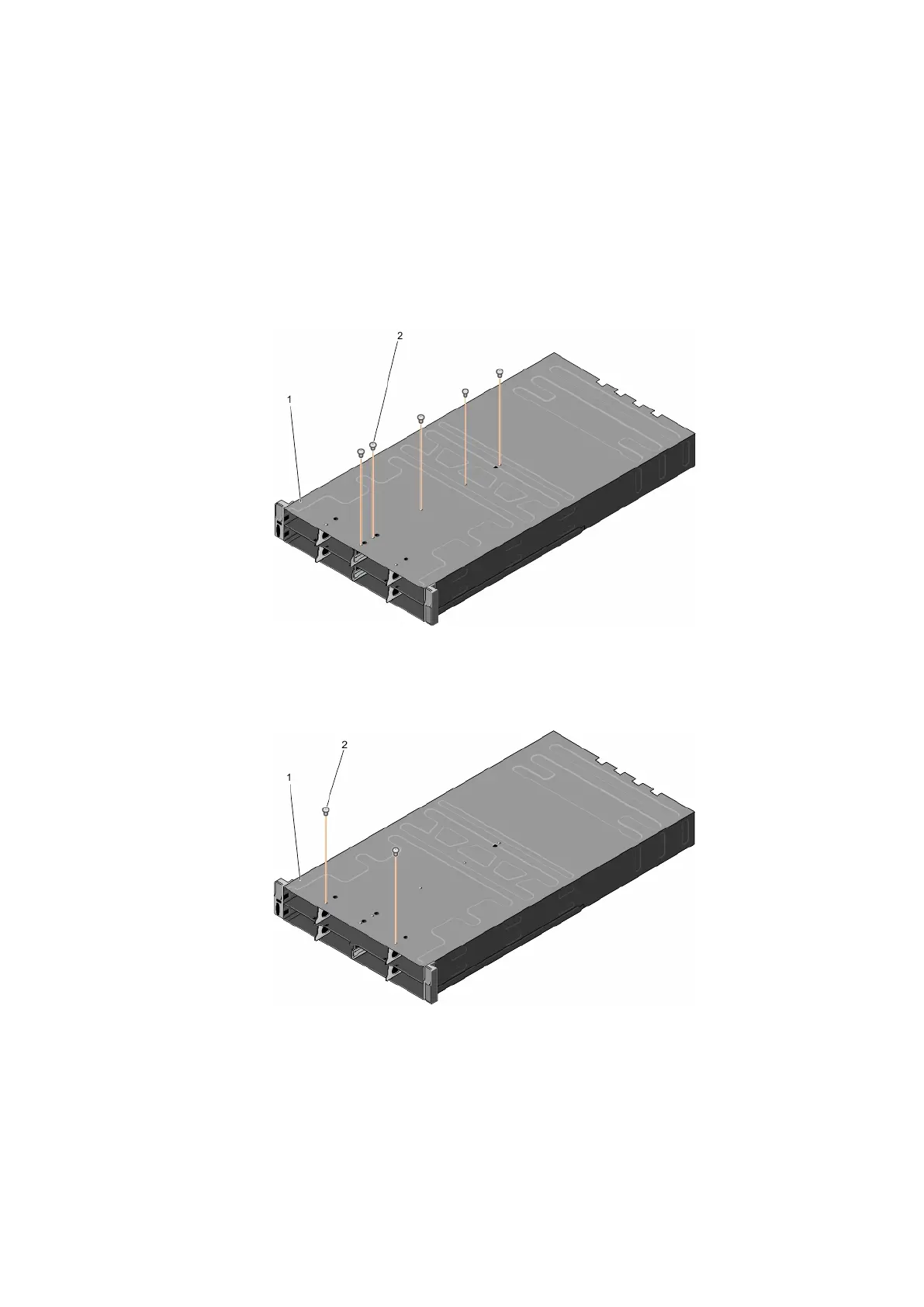
a. Remove the five screws that secure the bottom partition.
Figure 49. Removing and installing screws securing the bottom partition
i. bottom of the system
ii. screw (5)
b. Remove the two screws that secure the bottom interposer module.
Figure 50. Removing and installing screws securing the bottom interposer module
i. bottom of the system
ii. screw (2)
3. Turn the system over with the top side of the system facing up.
4. Remove the two screws that secure the bottom partition to the top of the system.
5. Slide the bottom partition out of the system.
62
Installing and removing PowerEdge FX2/FX2s enclosure components












 To Next Page