BIOS Chip
Dell™Latitude™XT2ServiceManual
Removing the BIOS Chip
1. Follow the procedures in Before Working Inside Your Tablet-PC.
2. Remove the battery from the Tablet-PC.
3. Remove the memory and mini-card cover from the Tablet-PC.
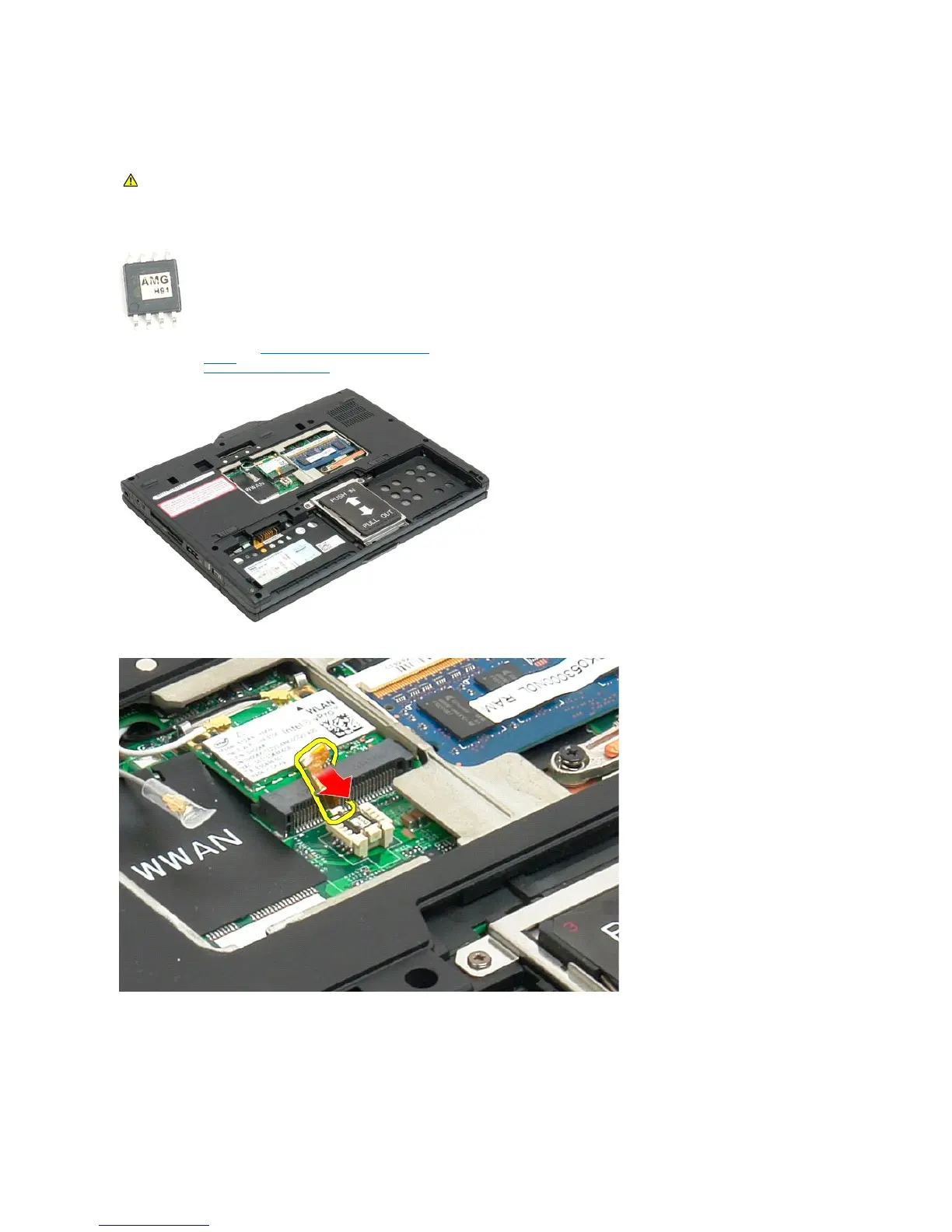
4. Use the orange tab to open the BIOS chip retaining clip.
5. Use your fingers or small tweezers so remove the BIOS chip from the Tablet-PC.
WARNING: Before working inside your Tablet-PC, read the safety information that shipped with your Tablet-PC. For additional safety best
practices information, see the Regulatory Compliance Homepage at www.dell.com/regulatory_compliance.













 To Next Page