22 Setting Up and Using Your Computer
www.dell.com | support.dell.com
Setting Up a Home and Office Network
Connecting to a Network Adapter
Before you connect your computer to a network, the computer must have a network adapter
installed and a network cable connected to it.
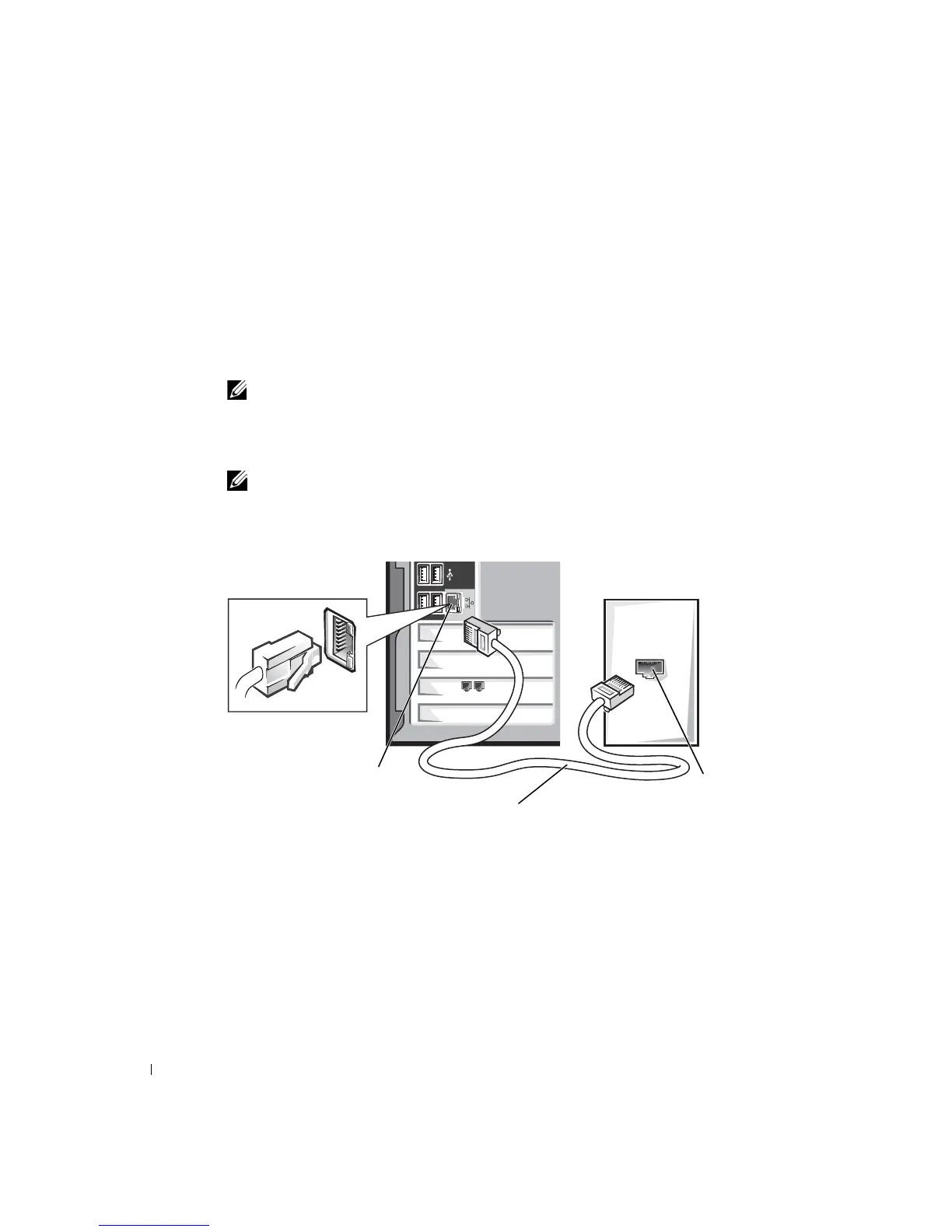
To connect a network cable:
NOTE: Insert the cable until it clicks into place, and then gently pull it to ensure that it is
secure.
1
Connect the network cable to the network adapter connector on the back of your
computer.
NOTE: Do not use a network cable with a telephone wall jack.
2 Connect the other end of the network cable to a network connection device, such as a
network wall jack.
Network Setup Wizard
The Microsoft
®
Windows
®
XP operating system provides a Network Setup Wizard to guide
you through the process of sharing files, printers, or an Internet connection between
computers in a home or small office.
1 Click the Start button, point to All Programs→ Accessories→ Communications, and
then click Network Setup Wizard.
network
wall jack
network adapter
connector on computer
network cable













 To Next Page